
Сенсорные экраны повсюду доминируют в современных интерактивных устройствах.. Вы используете их в киосках, промышленные мониторы и интеллектуальное оборудование каждый день. Несмотря на это, большинство пользователей никогда не понимают, как экраны мгновенно распознают касания и скольжения пальцев..
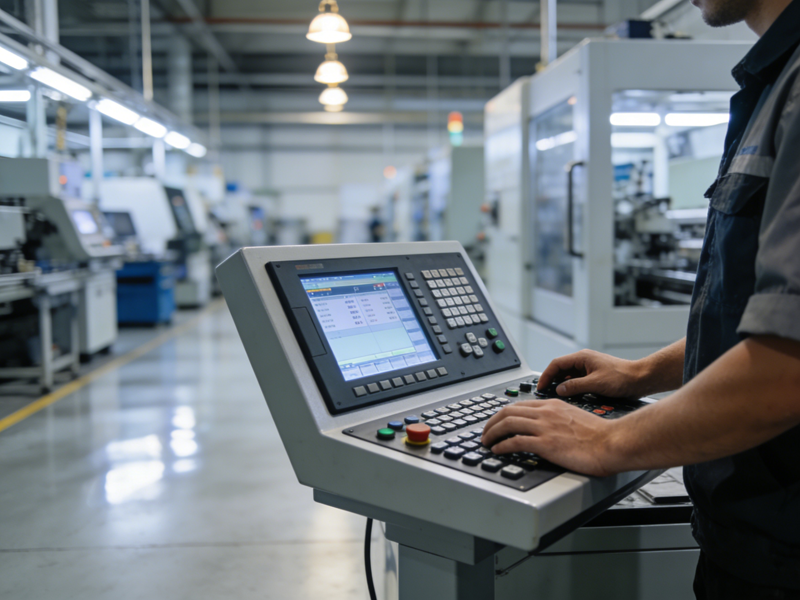
Фактически, все сенсорные экраны основаны на простых правилах физической или электрической индукции.. В разных типах экранов используются уникальные методы распознавания, соответствующие различным сценариям использования.. Тем временем, современные обновления делают сенсорные экраны более точными и долговечными, чем старые версии. В этой статье описаны основные типы, пошаговые рабочие процессы, основные функции и часто задаваемые вопросы по сенсорным экранам.
Основные типы современных сенсорных экранов
Все коммерческие и промышленные сенсорные экраны делятся на четыре основные категории. Каждый тип использует независимую сенсорную технологию..
1. Емкостные сенсорные экраны
Емкостные модели наиболее популярны для повседневных устройств.. Они обнаруживают крошечные электрические заряды на человеческих пальцах. Они поддерживают плавные мультитач-жесты и высокую скорость отклика..
2. Резистивные сенсорные экраны
Эти экраны ориентированы на индукцию физического давления.. Они реагируют на пальцы, перчатки и стилусы. Они хорошо адаптируются к пыльным, влажная и суровая промышленная среда.
3. Инфракрасные сенсорные экраны
Инфракрасные экраны создают невидимые световые сетки вокруг границ экрана.. Любой твердый объект блокирует лучи света, вызывая сигналы касания.. Они подходят для больших общественных дисплеев..
4. Сенсорные экраны на поверхностных акустических волнах
Они используют ультразвуковые волны для позиционирования касания.. Они обеспечивают сверхвысокую светопроницаемость.. Они подходят для высококлассного прецизионного оборудования отображения..
Пошаговый принцип работы сенсорных экранов
Все сенсорные экраны следуют четкому, быстрый рабочий процесс для завершения взаимодействия человека и машины.
1. Вызвать физические или электрические изменения
Первый, пользователи касаются поверхности экрана. Контакт создает электрические колебания., деформация давления или легкое препятствие. Эти изменения формируют действительные сенсорные сигналы..
2. Датчики собирают данные в режиме реального времени
Следующий, встроенные датчики мгновенно фиксируют малейшие изменения. Они записывают точное положение и траекторию движения каждой точки касания..
3. Чипы фильтруют и рассчитывают действительные сигналы
Затем, Внутренние чипы обработки фильтруют помехи от пыли или незначительного трения. Они рассчитывают точные координаты касания и типы жестов..
4. Выполнение системных команд и обратная связь
Окончательно, устройство выполняет соответствующие функции. Экран обновляет содержимое в ответ на действия пользователя.. На этом завершается один полный цикл взаимодействия..
Как работают емкостные сенсорные экраны (Самая распространенная версия)
Емкостные сенсорные экраны лидируют на рынке коммерческого и потребительского использования.. Они обладают уникальной логикой индукции человеческого тела..
1. Поддерживайте стабильное электрическое поле
Емкостные экраны содержат плотные электродные сетки.. Эти сетки образуют постоянное электрическое поле, охватывающее всю поверхность экрана..
2. Контакт пальцев нарушает электрический баланс
Голые пальцы обладают естественной микроемкостью.. Сенсорный контакт нарушает первоначальный баланс электрического поля в определенных точках..
3. Найдите точные точки соприкосновения
Датчики мгновенно обнаруживают изменения напряжения. Система рассчитывает точные позиции касания за миллисекунды..
4. Поддержка мультитач-распознавания
Эта технология отслеживает несколько точек касания одновременно. Он поддерживает масштабирование, жесты вращения и скольжения для гибкого управления.
Практические преимущества современных сенсорных экранов
Обновленная технология сенсорного экрана приносит очевидные улучшения для использования в бизнесе и промышленности..
1. Обеспечьте сверхбыструю скорость отклика
Квалифицированные сенсорные экраны реагируют в течение миллисекунд. Они позволяют избежать задержек даже во время непрерывной работы на высоких частотах..
2. Улучшение защиты от помех
Новые конструкции экрана устойчивы к пыли, водяной туман и незначительная вибрация. Они сохраняют стабильную точность измерения в сложных условиях..
3. Продлить длительный срок службы
Усиленные материалы поверхности устойчивы к царапинам и ежедневному износу.. Они сохраняют чувствительность после миллионов касаний.
4. Подходит для разнообразных индивидуальных сценариев
Производители регулируют размер экрана, чувствительность и твердость. Индивидуальный дизайн соответствует коммерческой, общественные и промышленные требования.
Часто задаваемые вопросы о том, как работают сенсорные экраны
1 квартал: Почему большинство сенсорных экранов реагируют только на голые пальцы?
А1: Большинство основных сенсорных экранов являются емкостными.. Они чувствуют емкость человеческого тела, и перчатки блокируют передачу электрического сигнала.
2 квартал: Какой тип сенсорного экрана лучше всего подходит для промышленного использования?
А2: Резистивные сенсорные экраны работают лучше всего. Они поддерживают работу в перчатках и выдерживают суровые условия мастерской..
Q3: Могут ли инфракрасные сенсорные экраны распознавать все твердые прикосновения??
А3: Да. Они полагаются на блокировку света вместо электрических сигналов.. Они реагируют на любой твердый объект, закрывающий инфракрасные сетки..
Q4: Что вызывает отказ сенсорного экрана?
А4: Грязные поверхности, нестабильное питание или ошибки системного кэша в основном вызывают медленную или неправильную реакцию на касание.
Q5: Функции мультитач потребляют больше энергии устройства??
А5: Современные маломощные чипы хорошо контролируют энергопотребление. Мультитач-управление практически не вызывает дополнительной нагрузки.
Заключение
Подводя итог, сенсорные экраны работают с помощью четырех основных сенсорных технологий с простыми и эффективными рабочими процессами. Емкостные экраны доминируют в повседневном использовании, обеспечивая высокую скорость и плавность работы., в то время как другие типы служат профессиональным промышленным и общественным сценариям.. Постоянные технические обновления делают современные сенсорные экраны более чувствительными., стабильный и долговечный для разнообразных бизнес-приложений.
Если вам нужна высокая стабильность, индивидуальные сенсорные экраны для коммерческих терминалов, промышленное оборудование или общественные объекты, пожалуйста, заполните форму запроса на нашем официальном сайте. Поделитесь своей средой использования, Требования к размеру и функциональные потребности. Наша профессиональная команда предоставит вам эксклюзивные индивидуальные решения для сенсорных экранов..
