
Las pantallas táctiles dominan los dispositivos interactivos modernos en todas partes. Los usas en quioscos., Monitores industriales y equipos inteligentes todos los días.. Aún así, la mayoría de los usuarios nunca entienden cómo las pantallas detectan instantáneamente los toques y deslizamientos de los dedos.
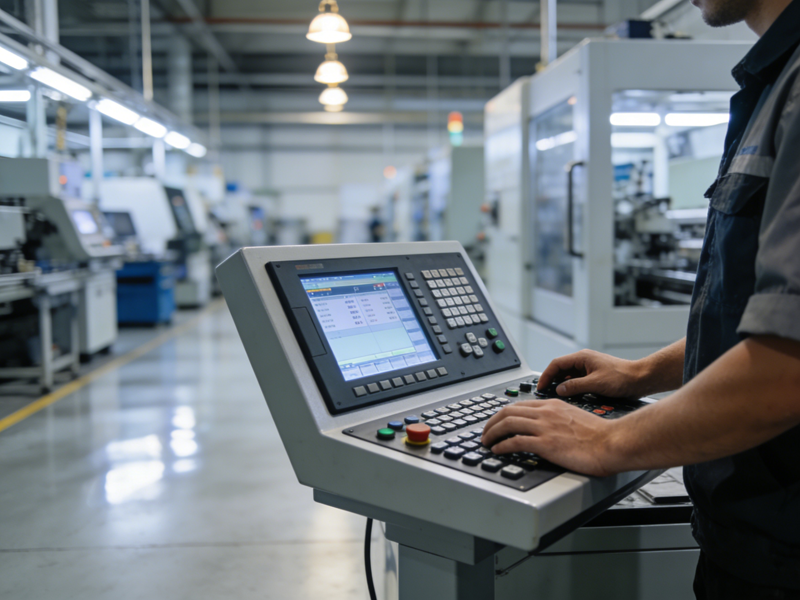
De hecho, Todas las pantallas táctiles se basan en reglas simples de inducción física o eléctrica.. Los diferentes tipos de pantalla adoptan métodos de detección únicos para adaptarse a diferentes escenarios de uso.. Mientras tanto, Las actualizaciones modernas hacen que las pantallas táctiles sean más precisas y duraderas que las versiones anteriores.. Este artículo desglosa los tipos principales, procesos de trabajo paso a paso, Funciones clave y preguntas frecuentes comunes para pantallas táctiles.
Principales tipos de pantallas táctiles modernas
Todo comercial y pantallas táctiles industriales caen en cuatro categorías principales. Cada tipo utiliza tecnología de detección independiente..
1. Pantallas táctiles capacitivas
Los modelos capacitivos son los más populares para dispositivos diarios. Detectan pequeñas cargas eléctricas de dedos humanos. Admiten gestos multitáctiles fluidos y velocidades de respuesta rápidas.
2. Pantallas táctiles resistivas
Estas pantallas se centran en la inducción de presión física.. Responden a los dedos, guantes y estiletes. Se adaptan bien al polvo., ambientes industriales húmedos y hostiles.
3. Pantallas táctiles infrarrojas
Las pantallas infrarrojas construyen rejillas de luz invisibles alrededor de los bordes de la pantalla.. Cualquier objeto sólido bloquea los rayos de luz para activar señales táctiles.. Se adaptan a grandes dispositivos de visualización públicos..
4. Pantallas táctiles de ondas acústicas de superficie
Usan ondas ultrasónicas para el posicionamiento táctil. Ofrecen una transmitancia de luz ultraalta.. Se adaptan a equipos de visualización de precisión de alta gama..
Principio de funcionamiento paso a paso de las pantallas táctiles
Todas las pantallas táctiles siguen un claro, flujo de trabajo rápido para completar la interacción hombre-máquina.
1. Desencadenar cambios físicos o eléctricos.
Primero, Los usuarios tocan la superficie de la pantalla.. El contacto crea fluctuaciones eléctricas., deformación por presión u obstrucción ligera. Estos cambios forman señales táctiles válidas..
2. Los sensores capturan datos en tiempo real
Próximo, Los sensores incorporados detectan cambios sutiles inmediatamente.. Registran la posición exacta y el seguimiento del movimiento de cada punto de contacto..
3. Los chips filtran y calculan señales válidas.
Entonces, Los chips de procesamiento interno filtran la interferencia del polvo o la fricción menor.. Calculan coordenadas táctiles y tipos de gestos precisos.
4. Ejecutar comandos y comentarios del sistema.
Finalmente, el dispositivo ejecuta funciones coincidentes. La pantalla actualiza el contenido para responder a las operaciones del usuario.. Esto finaliza un ciclo de interacción completo..
Cómo funcionan las pantallas táctiles capacitivas (Versión más común)
Las pantallas táctiles capacitivas lideran el mercado para uso comercial y de consumo. Presentan una lógica de inducción del cuerpo humano única.
1. Mantener un campo eléctrico estable.
Las pantallas capacitivas incorporan densas rejillas de electrodos. Estas rejillas forman un campo eléctrico constante que cubre toda la superficie de la pantalla..
2. El contacto con los dedos altera el equilibrio eléctrico
Los dedos desnudos llevan microcapacitancia natural. El contacto táctil rompe el equilibrio del campo eléctrico original en puntos específicos.
3. Localice puntos de contacto precisos
Los sensores detectan cambios de voltaje al instante. El sistema calcula posiciones táctiles precisas en milisegundos.
4. Admite reconocimiento multitáctil
Esta tecnología rastrea múltiples puntos de contacto a la vez. Admite zoom, Gestos giratorios y deslizantes para un control flexible.
Fortalezas prácticas de las pantallas táctiles modernas
La tecnología de pantalla táctil actualizada aporta mejoras obvias para uso empresarial e industrial.
1. Ofrezca una velocidad de respuesta ultrarrápida
Las pantallas táctiles cualificadas reaccionan en milisegundos. Evitan retrasos incluso durante el funcionamiento continuo de alta frecuencia..
2. Mejorar el rendimiento antiinterferencias
Nuevas estructuras de pantalla resistentes al polvo, niebla de agua y vibraciones menores. Mantienen una precisión de detección estable en entornos complejos.
3. Prolongar la vida útil a largo plazo
Los materiales de superficie reforzados resisten rayones y desgaste diario.. Mantienen un rendimiento sensible después de millones de toques..
4. Adaptarse a diversos escenarios personalizados
Los fabricantes ajustan el tamaño de la pantalla, sensibilidad y dureza. Los diseños personalizados se combinan con lo comercial, demandas públicas e industriales.
Preguntas frecuentes sobre cómo funcionan las pantallas táctiles
Q1: ¿Por qué la mayoría de las pantallas táctiles sólo responden a los dedos??
A1: La mayoría de las pantallas táctiles convencionales son capacitivas. Sienten la capacitancia del cuerpo humano, y los guantes bloquean la transmisión de señales eléctricas.
Q2: ¿Qué tipo de pantalla táctil funciona mejor para uso industrial??
A2: Las pantallas táctiles resistivas funcionan mejor. Admiten el funcionamiento con guantes y resisten las duras condiciones del taller..
Q3: ¿Pueden las pantallas táctiles infrarrojas reconocer todos los toques sólidos??
A3: Sí. Dependen del bloqueo de luz en lugar de señales eléctricas.. Responden a cualquier objeto sólido que cubra rejillas infrarrojas..
Q4: ¿Qué causa la falla de la pantalla táctil que no responde??
A4: Superficies sucias, Los errores de fuente de alimentación inestable o caché del sistema causan principalmente respuestas táctiles lentas o fallidas..
Q5: ¿Las funciones multitáctiles consumen más energía del dispositivo??
A5: Los chips modernos de bajo consumo controlan bien el consumo de energía. La operación multitáctil casi no genera carga de energía adicional.
Conclusión
para resumir, Las pantallas táctiles funcionan a través de cuatro tecnologías de detección principales con flujos de trabajo simples y eficientes.. Las pantallas capacitivas dominan el uso diario para una velocidad rápida y una experiencia fluida, mientras que otros tipos sirven para escenarios públicos e industriales profesionales.. Las continuas actualizaciones técnicas hacen que las pantallas táctiles modernas sean más sensibles, estable y duradero para diversas aplicaciones comerciales.
Si necesita alta estabilidad, Pantallas táctiles personalizadas para terminales comerciales., equipos industriales o instalaciones públicas, Por favor complete el formulario de consulta en nuestro sitio web oficial.. Comparte tu entorno de uso, Requisitos de tamaño y necesidades funcionales.. Nuestro equipo profesional le proporcionará soluciones de pantalla táctil exclusivas y personalizadas..
