
Self-service kiosks dominate modern retail, catering and public service spaces. Most customers rely on card and mobile payments for fast checkout. Even so, many users still prefer cash transactions for daily purchases.
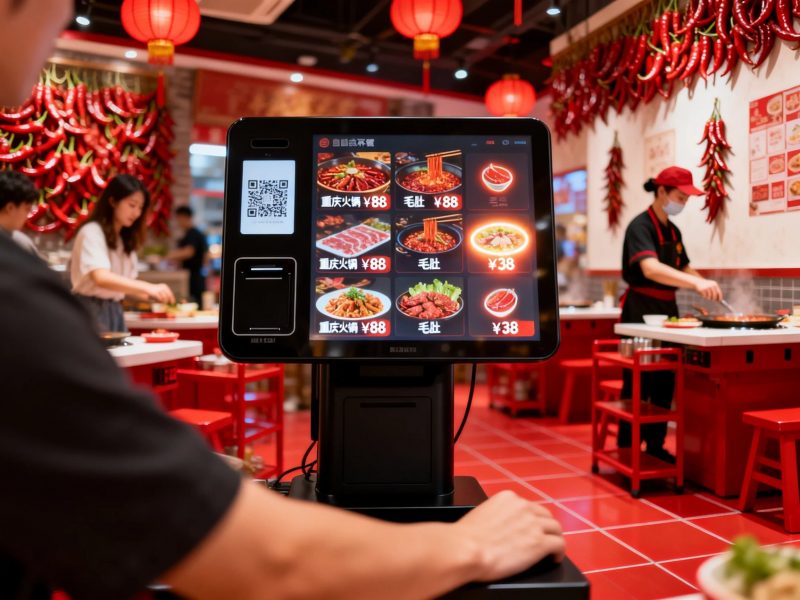
This raises a common question for new users. People often wonder whether a regular kiosk accepts physical cash. The answer depends entirely on the hardware configuration of each kiosk unit. In fact, many commercial kiosks support cash payments, while basic models only support cashless modes. This article explains cash-supported kiosk types, operating steps, limits and practical tips.
Do Standard Kiosks Accept Cash Payments
Not every kiosks supports cash insertion. Kiosks fall into two core categories based on payment hardware.
1. Cash-enabled self-service kiosks
Custom commercial kiosks integrate professional cash modules. These devices include bill acceptors and coin receivers. They directly accept physical cash from users and verify valid banknotes.
2. Cashless-only basic kiosks
Entry-level kiosks remove cash hardware to cut costs. They only support mobile scans, card swipes and contactless payments. These simple kiosks cannot process any cash transactions.
3. Main application differences
Cash-enabled kiosks serve high-traffic public stores. They fit users who carry physical money. Cashless kiosks target modern retail stores that promote digital payments.
How to Insert and Pay Cash Through a Kiosk
Cash-operated kiosks use a simple, standardized process for all users. The whole workflow takes only a few seconds.
1. Complete order selection first
First, browse menus or product lists on the kiosk screen. Confirm all items and check the final payable amount before payment.
2. Select cash payment mode
Next, choose the cash payment option on the checkout page. The screen activates the built-in cash acceptor and displays payment prompts.
3. Insert banknotes or coins
Then, place clean and undamaged cash into the dedicated slot. The kiosk scans each bill instantly and updates the paid amount.
4. Receive automatic change
If you pay extra cash, the kiosk calculates change automatically. It dispenses coins or small banknotes through the return slot.
5. Confirm payment and collect receipt
Finally, verify the completed payment status. Print and keep the receipt to finish the full self-service process.
Key Limits for Cash Payments on Kiosks
Cash-enabled kiosks have small usage restrictions for stable operation. Users need to follow simple rules.
1. Only accept valid intact currency
Kiosks only recognize clean, undamaged banknotes. They reject torn, folded or counterfeit cash to avoid system errors.
2. Support fixed denomination ranges
Most kiosks only accept common mainstream denominations. They rarely support ultra-large or rare banknote values for safety control.
3. Require regular cash box emptying
Staff must empty internal cash boxes routinely. Full storage will stop the kiosk from accepting new cash payments.
Core Benefits of Cash-Compatible Kiosks
Kiosks with cash functions bring more flexible service for businesses and customers.
1. Serve all customer groups
They support both digital and cash payments. They cater to elderly users and people without mobile payment tools.
2. Reduce failed transactions
Cash payment avoids network failure risks. It keeps service running even with weak or offline device networks.
3. Improve store service inclusiveness
Dual payment modes eliminate payment barriers. They boost customer satisfaction and increase actual transaction rates.
FAQs About Putting Cash in a Kiosk
Q1: Can all kiosks take cash payments?
A1: No. Only kiosks with built-in cash acceptor modules support cash insertion. Basic cashless kiosks only process digital transactions.
Q2: Can kiosks give accurate cash change?
A2: Yes. Qualified cash-enabled kiosks calculate change precisely. They dispense correct coins and banknotes after every over-payment.
Q3: Why does the kiosk reject my cash?
A3: Damaged, dirty or heavily folded banknotes trigger rejection. In addition, full cash storage boxes also stop new cash intake.
Q4: Are cash kiosks safe for business use?
A4: Yes. These kiosks have sealed anti-theft cash boxes and transaction records. They ensure safe cash storage and traceable funds.
Q5: Can I customize kiosks for cash and digital payments?
A5: Absolutely. You can add cash modules to standard kiosks. This dual-mode design fits diverse customer payment habits perfectly.
Conclusion
To conclude, you can put cash in a kiosk if the device has professional cash acceptance hardware. Cash-compatible kiosks support banknote insertion, automatic change and offline payment services. They complement cashless functions and deliver inclusive self-service experiences. Meanwhile, basic kiosks only support digital payments and cannot process physical cash. Dual-mode kiosks improve service flexibility and expand customer coverage for modern businesses.
If you need customized dual-mode kiosks that support both cash and digital payments for your store upgrade, please fill out the inquiry form on our official website. Share your payment function needs and business scenarios, and our team will provide professional tailored kiosk solutions.
