
Selbstbedienungskioske dominieren den modernen Einzelhandel, Catering- und öffentliche Dienstleistungsräume. Die meisten Kunden verlassen sich für eine schnelle Kaufabwicklung auf Karten- und Mobilzahlungen. Auch so, Viele Nutzer bevorzugen immer noch Bargeldtransaktionen für den täglichen Einkauf.
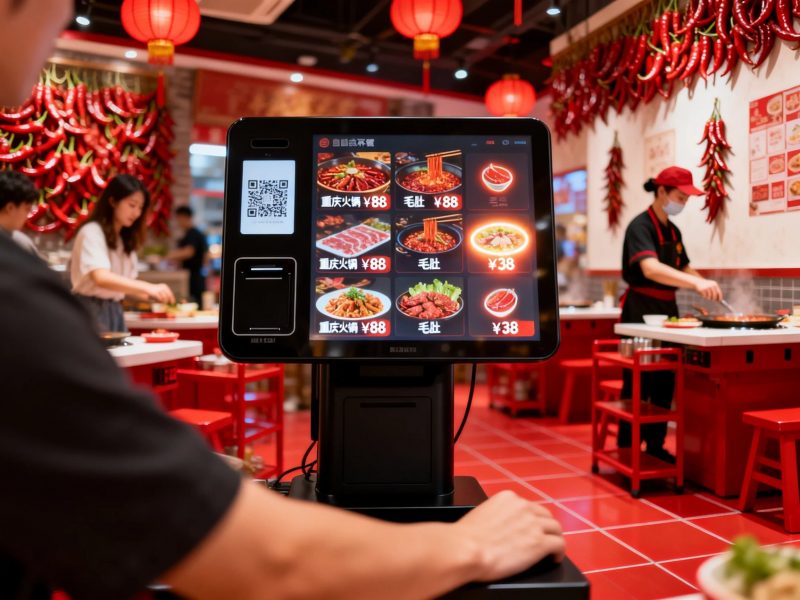
Dies wirft für neue Benutzer eine häufige Frage auf. Die Leute fragen sich oft, ob ein normaler Kiosk Bargeld akzeptiert. Die Antwort hängt vollständig von der Hardwarekonfiguration jeder Kioskeinheit ab. Tatsächlich, Viele kommerzielle Kioske unterstützen Barzahlungen, während Basismodelle nur bargeldlose Modi unterstützen. In diesem Artikel werden bargeldgestützte Kiosktypen erläutert, Bedienschritte, Grenzen und praktische Tipps.
Akzeptieren Standardkioske Barzahlungen?
Nicht jeder Kioske unterstützt den Bargeldeinwurf. Basierend auf der Zahlungshardware lassen sich Kioske in zwei Hauptkategorien einteilen.
1. Barzahlungsfähige Selbstbedienungskioske
Maßgeschneiderte kommerzielle Kioske integrieren professionelle Bargeldmodule. Zu diesen Geräten gehören Geldscheinprüfer und Münzempfänger. Sie akzeptieren direkt physisches Bargeld von Benutzern und überprüfen gültige Banknoten.
2. Einfache, bargeldlose Kioske
Kioske der Einstiegsklasse verzichten auf Bargeld-Hardware, um die Kosten zu senken. Sie unterstützen nur mobile Scans, Kartendurchzug und kontaktloses Bezahlen. Diese einfachen Kioske können keine Bargeldtransaktionen abwickeln.
3. Hauptunterschiede bei der Anwendung
Bargeldlose Kioske bedienen stark frequentierte öffentliche Geschäfte. Sie eignen sich für Benutzer, die physisches Geld bei sich haben. Bargeldlose Kioske richten sich an moderne Einzelhandelsgeschäfte, die digitale Zahlungen fördern.
So geben Sie Bargeld ein und bezahlen es über einen Kiosk
Bargeldbetriebene Kioske nutzen eine einfache, standardisierter Prozess für alle Benutzer. Der gesamte Arbeitsablauf dauert nur wenige Sekunden.
1. Schließen Sie zunächst die Bestellauswahl ab
Erste, Durchsuchen Sie Menüs oder Produktlisten auf dem Kioskbildschirm. Bestätigen Sie alle Artikel und überprüfen Sie vor der Zahlung den endgültigen Betrag.
2. Wählen Sie den Barzahlungsmodus
Nächste, Wählen Sie auf der Checkout-Seite die Option Barzahlung aus. Der Bildschirm aktiviert den eingebauten Bargeldakzeptor und zeigt Zahlungsaufforderungen an.
3. Geldscheine oder Münzen einwerfen
Dann, Legen Sie sauberes und unbeschädigtes Bargeld in den dafür vorgesehenen Schlitz. Der Kiosk scannt jede Rechnung sofort und aktualisiert den bezahlten Betrag.
4. Erhalten Sie automatisches Wechselgeld
Wenn Sie zusätzlich bar bezahlen, Der Kiosk berechnet das Wechselgeld automatisch. Er gibt Münzen oder kleine Banknoten über den Rückgabeschlitz aus.
5. Bestätigen Sie die Zahlung und holen Sie den Beleg ab
Endlich, Überprüfen Sie den abgeschlossenen Zahlungsstatus. Drucken Sie die Quittung aus und bewahren Sie sie auf, um den gesamten Selbstbedienungsvorgang abzuschließen.
Wichtige Limits für Barzahlungen an Kiosken
Für einen stabilen Betrieb unterliegen barzahlungsfähige Kioske geringen Nutzungsbeschränkungen. Benutzer müssen einfache Regeln befolgen.
1. Akzeptieren Sie nur gültige, intakte Währungen
Kioske erkennen nur sauber, unbeschädigte Banknoten. Sie lehnen zerrissen ab, gefaltetes oder gefälschtes Bargeld, um Systemfehler zu vermeiden.
2. Unterstützt feste Nennwertbereiche
Die meisten Kioske akzeptieren nur gängige Mainstream-Stückelungen. Aus Sicherheitsgründen unterstützen sie selten extrem große oder seltene Banknotenwerte.
3. Erfordern eine regelmäßige Leerung der Geldkassette
Das Personal muss die internen Geldkassetten regelmäßig leeren. Wenn der Speicher voll ist, kann der Kiosk keine neuen Barzahlungen mehr akzeptieren.
Hauptvorteile bargeldkompatibler Kioske
Kioske mit Bargeldfunktion bieten einen flexibleren Service für Unternehmen und Kunden.
1. Bedienen Sie alle Kundengruppen
Sie unterstützen sowohl digitale als auch Barzahlungen. Sie richten sich an ältere Benutzer und Menschen ohne mobile Zahlungstools.
2. Reduzieren Sie fehlgeschlagene Transaktionen
Barzahlung vermeidet Netzwerkausfallrisiken. Der Dienst bleibt auch bei schwachen oder Offline-Gerätenetzwerken am Laufen.
3. Verbessern Sie die Inklusivität des Filialservices
Duale Zahlungsmodi beseitigen Zahlungsbarrieren. Sie steigern die Kundenzufriedenheit und erhöhen die tatsächlichen Transaktionsraten.
FAQs zum Einzahlen von Bargeld in einen Kiosk
Q1: Können alle Kioske Barzahlungen akzeptieren??
A1: NEIN. Nur Kioske mit eingebauten Bargeldannahmemodulen unterstützen den Bargeldeinwurf. Einfache bargeldlose Kioske verarbeiten ausschließlich digitale Transaktionen.
Q2: Können Kioske genaues Bargeld herausgeben??
A2: Ja. Qualifizierte Bargeldautomaten berechnen das Wechselgeld präzise. Sie geben nach jeder Überzahlung die richtigen Münzen und Banknoten aus.
Q3: Warum lehnt der Kiosk mein Bargeld ab??
A3: Beschädigt, Verschmutzte oder stark gefaltete Banknoten lösen eine Zurückweisung aus. Zusätzlich, Auch volle Bargeldaufbewahrungsboxen verhindern die Neuaufnahme von Bargeld.
Q4: Sind Geldautomaten für den geschäftlichen Gebrauch sicher??
A4: Ja. Diese Kioske verfügen über versiegelte, diebstahlsichere Geldkassetten und Transaktionsaufzeichnungen. Sie sorgen für eine sichere Bargeldaufbewahrung und rückverfolgbare Gelder.
F5: Kann ich Kioske für Bargeld und digitale Zahlungen anpassen??
A5: Absolut. Sie können Bargeldmodule zu Standardkiosken hinzufügen. Dieses Dual-Mode-Design passt perfekt zu den unterschiedlichen Zahlungsgewohnheiten der Kunden.
Abschluss
Zum Abschluss, Sie können Bargeld in einen Automaten einzahlen, wenn das Gerät über professionelle Hardware zur Bargeldannahme verfügt. Bargeldkompatible Kioske unterstützen das Einwerfen von Banknoten, automatische Wechsel- und Offline-Zahlungsdienste. Sie ergänzen bargeldlose Funktionen und bieten inklusive Selbstbedienungserlebnisse. In der Zwischenzeit, Einfache Kioske unterstützen nur digitale Zahlungen und können kein physisches Bargeld verarbeiten. Dual-Mode-Kioske verbessern die Serviceflexibilität und erweitern die Kundenabdeckung für moderne Unternehmen.
Wenn Sie für Ihr Laden-Upgrade maßgeschneiderte Dual-Mode-Kioske benötigen, die sowohl Bargeld als auch digitale Zahlungen unterstützen, Bitte füllen Sie das Anfrageformular auf unserer offiziellen Website aus. Teilen Sie Ihre Zahlungsfunktionsanforderungen und Geschäftsszenarien mit, und unser Team bietet professionelle, maßgeschneiderte Kiosklösungen.
