
Các quán cà phê ngày nay phải đối mặt với nhu cầu cá nhân hóa ngày càng tăng, lựa chọn thân thiện với chế độ ăn kiêng. Từ latte thuần chay đến bánh ngọt không chứa gluten, khách hàng mong đợi sự thay thế nguyên liệu liền mạch mà không làm chậm quá trình phục vụ hoặc ảnh hưởng đến hương vị. Thay thế thủ công—dựa vào nhân viên để ghi nhớ các quy tắc ăn kiêng, kiểm tra danh sách thành phần, hoặc ghi chú nguệch ngoạc—dẫn đến sai sót, sự chậm trễ, và những vị khách thất vọng.A Café Thành phần thay thế Màn hình cảm ứng thay đổi điều này bằng cách đặt chính xác, công cụ thay thế nhanh chóng trực tiếp tại nhân viên (hoặc khách hàng) bàn tay.
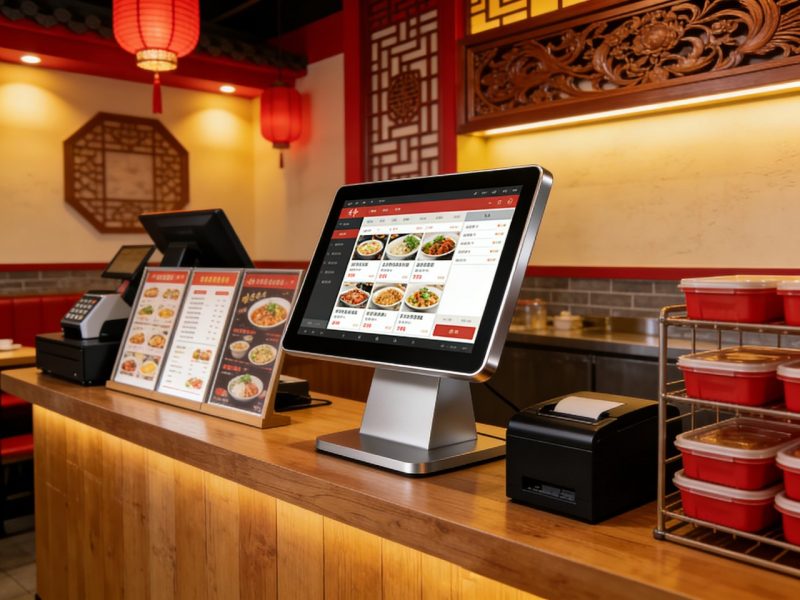
Những màn hình cảm ứng chuyên dụng này được thiết kế cho quy trình làm việc của quán cà phê, giúp việc trao đổi nguyên liệu dễ dàng, kiểm tra khả năng tương thích chế độ ăn uống, và cập nhật menu theo thời gian thực. Nhưng chính xác thì chúng giúp hợp lý hóa việc thay thế thành phần như thế nào? Hướng dẫn này chia nhỏ các lợi ích chính của chúng, cách thức hoạt động mà họ hỗ trợ, trường hợp sử dụng thực tế, mẹo bảo trì, và Câu hỏi thường gặp để giúp bạn hiểu giá trị của chúng. Cho dù bạn điều hành một quán cà phê ấm cúng trong khu phố hay một khu đô thị sầm uất, những hiểu biết này sẽ giúp bạn đáp ứng nhu cầu ăn kiêng của khách hàng một cách hiệu quả và tăng cường sự hài lòng.
Những cách chính để thay thế thành phần quán cà phê Màn hình cảm ứng giúp ích cho quán cà phê
Màn hình cảm ứng thay thế thành phần cà phê giải quyết các điểm yếu thường gặp của việc hoán đổi thủ công, từ giảm lỗi đến dịch vụ nhanh hơn. Đây là cách họ tạo ra sự khác biệt hàng ngày.
1. Lập tức, Đề xuất thay thế chính xác
Một trong những thách thức lớn nhất là biết thành phần nào có tác dụng thay thế—màn hình cảm ứng giúp loại bỏ việc phỏng đoán.
Khi khách hàng yêu cầu thay thế (ví dụ., “Sữa không sữa thay vì sữa bò”), nhân viên chạm vào thành phần ban đầu trên màn hình.
Màn hình cảm ứng hiển thị ngay các thay thế tương thích (ví dụ., sữa yến mạch, sữa hạnh nhân, tôi là sữa) hoạt động với mục menu.
Nó cũng lưu ý bất kỳ hạn chế (ví dụ., “sữa yến mạch bổ sung 50 calo” hoặc “sữa đậu nành không có sẵn cho đồ uống có đá”) để tránh những sai lầm.
Điều này làm giảm thời gian thay thế từ 30+ giây để 5 giây, giữ cho các dòng di chuyển trong giờ cao điểm.
2. Hợp lý hóa việc tuân thủ chế độ ăn uống & Minh bạch
Khách hàng bị dị ứng, sự không dung nạp, hoặc sở thích ăn kiêng (thuần chay, không chứa gluten) cần rõ ràng, thông tin chính xác.
Màn hình cảm ứng cảnh báo các chất gây dị ứng (quả hạch, sữa, gluten) trong cả nguyên liệu gốc và nguyên liệu thay thế, ngăn chặn những sai sót nguy hiểm.
Nó hiển thị nhãn chế độ ăn uống chi tiết (ví dụ., “thuần chay,““không chứa gluten,““không có hạt”) cho mỗi lần thay thế, tạo niềm tin với khách.
Nhân viên có thể nhanh chóng hiển thị cho khách hàng chi tiết thay thế trên màn hình, giảm bớt câu hỏi và trấn an những thực khách đang lo lắng.
Điều này đảm bảo tuân thủ các tiêu chuẩn an toàn thực phẩm và tránh những sai lầm tốn kém (ví dụ., phục vụ các loại hạt cho khách hàng bị dị ứng với các loại hạt).
3. Giảm thời gian đào tạo nhân viên & Lỗi
Việc ghi nhớ hàng trăm thành phần thay thế là điều không thể đối với người mới (và thậm chí dày dạn) nhân viên—màn hình cảm ứng đơn giản hóa việc đào tạo.
Nhân viên mới không cần phải ghi nhớ các quy tắc thay thế; màn hình hướng dẫn họ thực hiện mọi thao tác hoán đổi.
Giao diện trực quan, với các biểu tượng lớn và điều hướng đơn giản, để nhân viên có thể sử dụng nó mà không cần đào tạo nhiều.
Nó ngăn ngừa các lỗi phổ biến (ví dụ., thay thế kem làm từ sữa bằng kem thuần chay) bằng cách chỉ hiển thị các giao dịch hoán đổi tương thích.
Điều này làm giảm thời gian đào tạo bằng cách 50% và giảm bớt lỗi thay thế bằng cách 70%, theo dữ liệu ngành cà phê.
4. Menu thời gian thực & Cập nhật thay thế
Các quán cà phê thường hết nguyên liệu hoặc cập nhật thực đơn—màn hình cảm ứng giúp cập nhật các món thay thế.
Khi một nguyên liệu hết hàng (ví dụ., không có sữa hạnh nhân), người quản lý có thể cập nhật màn hình cảm ứng để xóa nó khỏi các tùy chọn thay thế.
Sự thay thế mới (ví dụ., “tùy chọn nước cốt dừa mới”) có thể được thêm vào trong vài giây, đảm bảo nhân viên luôn có thông tin mới nhất.
Màn hình tự động đồng bộ trên tất cả các điểm chạm của quán cà phê (quầy tính tiền, ki-ốt tự phục vụ) để mọi người có dữ liệu nhất quán.
Điều này tránh được sự thất vọng (ví dụ., nói với khách hàng rằng có sẵn sự thay thế khi không có) và giữ cho dịch vụ được trơn tru.
5. Đơn giản hóa việc theo dõi đơn hàng tùy chỉnh
Các đơn hàng tùy chỉnh có nhiều sản phẩm thay thế khó theo dõi thủ công—màn hình cảm ứng giúp mọi thứ được ngăn nắp.
Nhân viên có thể lưu đơn đặt hàng tùy chỉnh (ví dụ., “latte với sữa yến mạch, không có bọt, thêm caramen”) với sở thích thay thế của họ.
Màn hình gửi lệnh đầy đủ (với sự thay thế) trực tiếp đến trạm barista, loại bỏ các ghi chú viết tay và thông tin sai lệch.
Nó theo dõi sự thay thế phổ biến (ví dụ., tần suất yêu cầu sữa yến mạch) để giúp người quản lý điều chỉnh các tùy chọn hàng tồn kho và thực đơn.
Cách sử dụng màn hình cảm ứng thay thế thành phần quán cà phê (Từng bước một)
Sử dụng những màn hình cảm ứng này thật đơn giản, ngay cả trong lúc quán cà phê bận rộn. Hãy làm theo các bước sau để thực hiện thay thế một cách liền mạch.
1. Chọn mục menu
Đầu tiên, nhân viên (hoặc khách hàng, để tự phục vụ) nhấn vào mục menu khách hàng muốn (ví dụ., "latte vani").
Màn hình hiển thị thành phần ban đầu của sản phẩm (ví dụ., sữa bò, xi-rô vani, cà phê espresso) và bất kỳ nhãn dinh dưỡng mặc định nào.
Điều này đưa ra một đường cơ sở rõ ràng trước khi thực hiện thay thế.
2. Nhấn vào Thành phần để thay thế
Kế tiếp, nhấn vào thành phần khách hàng muốn thay thế (ví dụ., “sữa bò”).
Một menu bật lên xuất hiện với tất cả các lựa chọn thay thế tương thích (ví dụ., yến mạch, hạnh nhân, tôi là sữa).
Mỗi sự thay thế bao gồm một ghi chú ngắn (ví dụ., “không có sữa,““thêm 0,50 USD”) để thông báo cho nhân viên và khách hàng.
3. Xác nhận sự thay thế
Sau khi chọn người thay thế, nhấn “xác nhận” để lưu thay đổi.
Màn hình cập nhật thứ tự hiển thị nguyên liệu thay thế và mọi điều chỉnh (ví dụ., giá , nhãn ăn kiêng).
Nó sẽ gửi đơn hàng được cập nhật đến trạm barista ngay lập tức, để đồ uống hoặc thức ăn được chuẩn bị đúng cách.
4. Lưu đơn đặt hàng tùy chỉnh (Không bắt buộc)
Dành cho khách hàng thường xuyên với sự thay thế nhất quán, nhấn vào “lưu thứ tự tùy chỉnh” để lưu trữ tùy chọn của họ.
Lần sau khách hàng ghé thăm, nhân viên có thể lấy thứ tự tùy chỉnh của họ chỉ bằng một cú chạm, tiết kiệm nhiều thời gian hơn.
Điều này xây dựng lòng trung thành của khách hàng bằng cách làm cho trải nghiệm của họ nhanh hơn và được cá nhân hóa hơn.
Các tính năng chính cần tìm ở Màn hình cảm ứng thay thế thành phần quán cà phê
Không phải tất cả màn hình cảm ứng đều được thiết kế để thay thế nguyên liệu trong quán cà phê—hãy ưu tiên những tính năng này để đạt hiệu quả tối đa.
1. trực quan, Giao diện thân thiện với quán cà phê
Giao diện phải đủ đơn giản để nhân viên sử dụng trong thời gian bận rộn.
Lớn, biểu tượng đầy màu sắc cho các danh mục menu và thành phần giúp điều hướng nhanh chóng.
Các bước tối thiểu để thay thế (không có menu phức tạp hoặc tùy chọn ẩn).
Bảng điều khiển có thể tùy chỉnh để làm nổi bật các lựa chọn thay thế phổ biến (ví dụ., sữa không có sữa).
2. Ăn kiêng & Tích hợp chất gây dị ứng
Việc theo dõi chất gây dị ứng và chế độ ăn uống là không thể thương lượng đối với các quán cà phê.
Cơ sở dữ liệu về chất gây dị ứng tích hợp gắn cờ các loại hạt, sữa, gluten, đậu nành, và các chất gây dị ứng thông thường khác.
Cập nhật nhãn chế độ ăn uống tự động khi thực hiện thay thế (ví dụ., “thuần chay” khi đổi sữa).
Cảnh báo trực quan rõ ràng cho những thay thế có rủi ro cao (ví dụ., “chứa các loại hạt” thay thế).
3. Đồng bộ hóa thời gian thực & Tích hợp hàng tồn kho
Màn hình cảm ứng sẽ hoạt động với các công cụ hiện có của quán cà phê của bạn.
Đồng bộ hóa với hệ thống kiểm kê để loại bỏ các nguyên liệu hết hàng khỏi các lựa chọn thay thế.
Tự động đồng bộ hóa trên nhiều màn hình cảm ứng (quầy tính tiền, kiốt) để đảm bảo tính nhất quán.
Tích hợp với hệ thống POS của bạn để cập nhật giá khi sản phẩm thay thế thêm chi phí.
4. Bền bỉ, Thiết kế dễ lau chùi
Quán cà phê bừa bộn—màn hình cảm ứng phải chịu được sự cố tràn nước và phải lau chùi thường xuyên.
Khả năng chống văng nước theo tiêu chuẩn IP65 để bảo vệ khỏi sự cố tràn cà phê, vết sữa bắn tung tóe, và bình xịt làm sạch.
Trơn tru, bề mặt không xốp có thể lau sạch bằng vải khử trùng trong vài giây.
Kính chống trầy xước để sử dụng hàng ngày (ví dụ., vòi từ móng tay, bút, hoặc cốc).
Khắc phục sự cố màn hình cảm ứng thường gặp
Những trục trặc nhỏ có thể làm chậm dịch vụ thay thế—sau đây là cách khắc phục nhanh chóng.
1. Tùy chọn thay thế Không cập nhật (Hết hàng)
Kiểm tra xem màn hình cảm ứng có được đồng bộ hóa với hệ thống kiểm kê của bạn hay không—kết nối lại nếu nó ngoại tuyến.
Cập nhật thủ công màn hình để loại bỏ sản phẩm thay thế hết hàng (hầu hết các mẫu đều có nút “chỉnh sửa nhanh”).
Khởi động lại màn hình cảm ứng để buộc đồng bộ hóa nếu các bản cập nhật không hiển thị.
2. Màn hình cảm ứng không phản hồi (Cà phê/Cặn tràn)
Lau màn hình bằng vải sợi nhỏ mềm và khăn lau 50/50 hỗn hợp nước cất và rượu isopropyl.
Tránh chất tẩy rửa mạnh (amoniac, thuốc tẩy) làm hỏng lớp phủ bảo vệ của màn hình.
Cấp nguồn cho màn hình (rút phích cắm và cắm lại) nếu nó vẫn không phản hồi.
3. Cảnh báo dị ứng không xuất hiện
Kiểm tra xem cơ sở dữ liệu về chất gây dị ứng có được cập nhật hay không—thêm các chất gây dị ứng hoặc thành phần mới trong cài đặt.
Xác minh rằng các thành phần ban đầu của mục menu được nhập chính xác (thiếu thành phần gây ra thiếu cảnh báo).
Khởi động lại màn hình để thiết lập lại tính năng theo dõi chất gây dị ứng.
Câu hỏi thường gặp về Màn hình cảm ứng thay thế thành phần Café
Q1: Khách hàng có thể sử dụng màn hình cảm ứng để tự thay thế không?
A1: Đúng! Hầu hết các mô hình đều có chế độ thân thiện với khách hàng cho phép khách hàng tự lựa chọn sản phẩm thay thế của mình, giảm bớt khối lượng công việc của nhân viên trong giờ cao điểm.
Q2: Màn hình cảm ứng có hoạt động với tất cả các mục trong menu quán cà phê không (đồ uống, bánh ngọt, bánh mỳ kẹp)?
A2: Tuyệt đối. Nó được thiết kế để xử lý tất cả các món trong quán cà phê—từ latte và sinh tố đến bánh ngọt và bánh sandwich—với các tùy chọn thay thế phù hợp cho từng món..
Q3: Tôi có thể thêm thay thế tùy chỉnh không (ví dụ., một thương hiệu sữa không sữa của địa phương)?
A3: Đúng. Người quản lý có thể thêm sự thay thế tùy chỉnh, cập nhật danh sách thành phần, và điều chỉnh nhãn chế độ ăn uống trong menu cài đặt trong vài giây.
Q4: Tôi có cần thay thế hệ thống POS hiện tại của mình để sử dụng màn hình cảm ứng này không?
A4: Không—hầu hết Màn hình cảm ứng thay thế thành phần quán cà phê đều tích hợp hoàn hảo với các hệ thống POS phổ biến của quán cà phê (Quảng trường, Nướng, cỏ ba lá) không có sự thay thế hoàn toàn.
Q5: Đào tạo nhân viên cho màn hình cảm ứng mất bao lâu?
A5: Tối thiểu—hầu hết nhân viên học cách sử dụng các tính năng thay thế cơ bản trong 15–20 phút. Giao diện trực quan giúp bạn dễ dàng làm chủ.
Q6: Màn hình cảm ứng có thể theo dõi các sản phẩm thay thế phổ biến để hỗ trợ kiểm kê không?
A6: Đúng! Các mô hình cao cấp bao gồm các phân tích cho thấy sự thay thế nào được yêu cầu nhiều nhất (ví dụ., sữa yến mạch, bánh mì không chứa gluten), giúp bạn điều chỉnh các tùy chọn hàng tồn kho và menu.
Q7: Màn hình cảm ứng có đủ bền cho quán cà phê đông người không??
A7: Đúng. Nó được chế tạo với khả năng chống văng, kính chống trầy xước và khung chắc chắn để chống tràn cà phê, dọn dẹp hàng ngày, và sử dụng nhiều.
Phần kết luận
Màn hình cảm ứng thay thế thành phần quán cà phê là công cụ thay đổi cuộc chơi cho các quán cà phê hiện đại đang tìm cách đáp ứng nhu cầu ăn kiêng của khách hàng một cách hiệu quả. Nó đơn giản hóa việc thay thế, giảm sai sót, tăng tốc dịch vụ, và tạo dựng niềm tin với khách bằng cách đảm bảo tính minh bạch và tuân thủ. Cho dù bạn đang xử lý thuần chay, không chứa gluten, hoặc yêu cầu thân thiện với chất gây dị ứng, những màn hình cảm ứng này giúp bạn không phải phỏng đoán khi hoán đổi nguyên liệu và giúp quán cà phê của bạn hoạt động trơn tru.
Không còn khách hàng thất vọng, sai lầm của nhân viên, hoặc dịch vụ chậm do thay thế thủ công. Với màn hình cảm ứng được thiết kế có mục đích, bạn có thể cung cấp cá nhân hóa, các lựa chọn thân thiện với chế độ ăn kiêng mà không phải hy sinh tốc độ—đồng thời thúc đẩy lòng trung thành của khách hàng và phát triển doanh nghiệp của bạn.
Sẵn sàng nâng cấp quán cà phê của bạn với Màn hình cảm ứng thay thế thành phần quán cà phê đáng tin cậy? Điền vào biểu mẫu trên trang web của chúng tôi để chia sẻ quy mô quán cà phê của bạn, loại thực đơn, và nhu cầu ăn uống. Các chuyên gia công nghệ dịch vụ thực phẩm của chúng tôi sẽ đề xuất mô hình tương thích tốt nhất, cung cấp lời khuyên cài đặt, và trả lời bất kỳ câu hỏi nào để giúp bạn hợp lý hóa việc thay thế nguyên liệu và khiến khách hàng hài lòng. Hãy biến quán cà phê của bạn thành địa điểm được cá nhân hóa, đặt hàng không rắc rối—bắt đầu ngay hôm nay!
