
कैफ़े आज वैयक्तिकृत चीज़ों की बढ़ती मांग का सामना कर रहे हैं, आहार-अनुकूल विकल्प. शाकाहारी लट्टे से लेकर ग्लूटेन-मुक्त पेस्ट्री तक, ग्राहक निर्बाध घटक प्रतिस्थापन की अपेक्षा करते हैं जो सेवा को धीमा नहीं करता है या स्वाद से समझौता नहीं करता है. मैनुअल प्रतिस्थापन—आहार संबंधी नियमों को याद रखने के लिए कर्मचारियों पर निर्भर रहना, सामग्री सूचियों की जाँच करें, या नोट्स लिखने से त्रुटियां होती हैं, देरी, और निराश मेहमान। एक कैफे संघटक प्रतिस्थापन टच स्क्रीन इसे सटीक डालकर बदल देता है, कर्मचारियों में सीधे त्वरित प्रतिस्थापन उपकरण (या ग्राहक) हाथ.
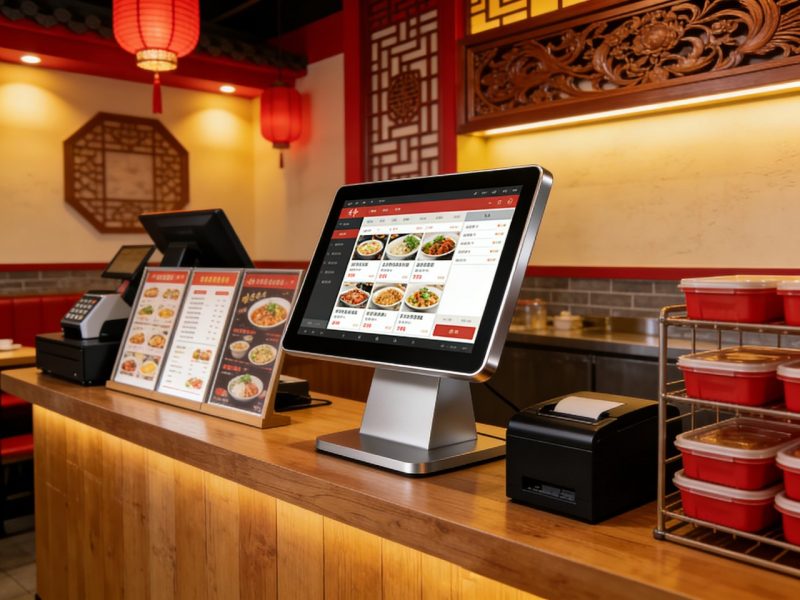
ये विशेष टच स्क्रीन कैफे वर्कफ़्लो के लिए डिज़ाइन की गई हैं, सामग्री की अदला-बदली करना आसान बनाता है, आहार अनुकूलता की जाँच करें, और वास्तविक समय में मेनू अपडेट करें. लेकिन वे वास्तव में घटक प्रतिस्थापन को सुव्यवस्थित करने में कैसे मदद करते हैं? यह मार्गदर्शिका उनके प्रमुख लाभों का विवरण देती है, परिचालनात्मक तरीके से वे सहायता करते हैं, व्यावहारिक उपयोग के मामले, रखरखाव युक्तियाँ, और उनके मूल्य को समझने में आपकी सहायता के लिए अक्सर पूछे जाने वाले प्रश्न. चाहे आप एक आरामदायक पड़ोस कैफे चलाते हों या एक व्यस्त शहरी स्थान, ये जानकारियां आपको ग्राहकों की आहार संबंधी आवश्यकताओं को कुशलतापूर्वक पूरा करने और संतुष्टि बढ़ाने में मदद करेंगी.
मुख्य तरीके जिनसे कैफ़े संघटक प्रतिस्थापन टच स्क्रीन कैफ़े की सहायता करती है
कैफ़े घटक प्रतिस्थापन टच स्क्रीन मैन्युअल स्वैप के सामान्य दर्द बिंदुओं को हल करते हैं, त्रुटि में कमी से लेकर तेज़ सेवा तक. यहां बताया गया है कि वे प्रतिदिन कैसे बदलाव लाते हैं.
1. तुरंत, सटीक प्रतिस्थापन सुझाव
सबसे बड़ी चुनौतियों में से एक यह जानना है कि कौन सी सामग्री प्रतिस्थापन के रूप में काम करती है - टच स्क्रीन अनुमान लगाने की प्रक्रिया को खत्म कर देती है.
जब कोई ग्राहक प्रतिस्थापन का अनुरोध करता है (जैसे, "गाय के दूध के बजाय डेयरी मुक्त दूध"), कर्मचारी स्क्रीन पर मूल सामग्री को टैप करें.
टच स्क्रीन तुरंत संगत प्रतिस्थापन प्रदर्शित करती है (जैसे, जई का दूध, बादाम का दूध, मैं दूध हूँ) जो मेनू आइटम के साथ काम करता है.
यह किसी भी सीमा को भी नोट करता है (जैसे, “जई का दूध जोड़ता है 50 कैलोरी" या "आइस्ड पेय के लिए सोया दूध उपलब्ध नहीं है") गलतियों से बचने के लिए.
इससे प्रतिस्थापन समय कम हो जाता है 30+ सेकंड से 5 सेकंड, पीक आवर्स के दौरान लाइनों को चालू रखना.
2. आहार अनुपालन को सुव्यवस्थित करता है & पारदर्शिता
एलर्जी वाले ग्राहक, intolerances, या आहार संबंधी प्राथमिकताएँ (शाकाहारी, ग्लूटेन मुक्त) स्पष्ट चाहिए, सटीक जानकारी.
टच स्क्रीन एलर्जी को चिह्नित करती है (पागल, डेरी, ग्लूटेन) मूल और स्थानापन्न दोनों सामग्रियों में, खतरनाक त्रुटियों को रोकना.
यह विस्तृत आहार लेबल प्रदर्शित करता है (जैसे, "शाकाहारी," "ग्लूटेन मुक्त,""अखरोट-मुक्त") प्रत्येक प्रतिस्थापन के लिए, मेहमानों के साथ विश्वास बनाना.
कर्मचारी ग्राहकों को स्क्रीन पर प्रतिस्थापन विवरण तुरंत दिखा सकते हैं, प्रश्नों को कम करना और घबराए हुए भोजनकर्ताओं को आश्वस्त करना.
यह खाद्य सुरक्षा मानकों का अनुपालन सुनिश्चित करता है और महंगी गलतियों से बचाता है (जैसे, नट-एलर्जी वाले ग्राहक को मेवे परोसना).
3. स्टाफ प्रशिक्षण समय कम कर देता है & त्रुटियाँ
नए के लिए सैकड़ों घटक प्रतिस्थापनों को याद रखना असंभव है (और यहां तक कि अनुभवी भी) कर्मचारी-टच स्क्रीन प्रशिक्षण को सरल बनाती है.
नए कर्मचारियों को प्रतिस्थापन नियमों को याद रखने की आवश्यकता नहीं है; स्क्रीन प्रत्येक स्वैप के माध्यम से उनका मार्गदर्शन करती है.
इंटरफ़ेस सहज है, बड़े आइकन और सरल नेविगेशन के साथ, ताकि कर्मचारी न्यूनतम प्रशिक्षण के साथ इसका उपयोग कर सकें.
यह सामान्य त्रुटियों को रोकता है (जैसे, शाकाहारी विकल्प के स्थान पर डेयरी आधारित क्रीम का उपयोग करना) केवल संगत स्वैप दिखाकर.
इससे प्रशिक्षण का समय कम हो जाता है 50% और प्रतिस्थापन त्रुटियों को कम करता है 70%, कैफे उद्योग के आंकड़ों के अनुसार.
4. रीयल-टाइम मेनू & प्रतिस्थापन अद्यतन
कैफ़े में अक्सर सामग्रियां ख़त्म हो जाती हैं या मेनू अपडेट हो जाते हैं—टच स्क्रीन प्रतिस्थापनों को चालू रखती हैं.
जब कोई सामग्री स्टॉक से बाहर हो जाती है (जैसे, बादाम का दूध नहीं), प्रबंधक टच स्क्रीन को प्रतिस्थापन विकल्पों से हटाने के लिए उसे अपडेट कर सकते हैं.
नये प्रतिस्थापन (जैसे, "नारियल के दूध का नया विकल्प") सेकंड में जोड़ा जा सकता है, यह सुनिश्चित करना कि कर्मचारियों के पास हमेशा नवीनतम जानकारी हो.
स्क्रीन सभी कैफे टच पॉइंट्स पर ऑटो-सिंक हो जाती है (विरोध करना, स्व-सेवा कियोस्क) इसलिए सभी के पास सुसंगत डेटा है.
इससे निराशा से बचा जा सकता है (जैसे, ग्राहक को यह बताना कि प्रतिस्थापन उपलब्ध है जबकि यह उपलब्ध नहीं है) और सेवा को सुचारू रखता है.
5. कस्टम ऑर्डर ट्रैकिंग को सरल बनाता है
एकाधिक प्रतिस्थापन वाले कस्टम ऑर्डर को मैन्युअल रूप से ट्रैक करना कठिन है—टच स्क्रीन सब कुछ व्यवस्थित रखती है.
कर्मचारी कस्टम ऑर्डर सहेज सकते हैं (जैसे, “जई के दूध के साथ लट्टे, कोई झाग नहीं, अतिरिक्त कारमेल") उनकी प्रतिस्थापन प्राथमिकताओं के साथ.
स्क्रीन पूरा ऑर्डर भेजती है (प्रतिस्थापन के साथ) सीधे बरिस्ता स्टेशन पर, हस्तलिखित नोट्स और गलत संचार को समाप्त करना.
यह लोकप्रिय प्रतिस्थापनों को ट्रैक करता है (जैसे, कितनी बार ओट दूध का अनुरोध किया जाता है) प्रबंधकों को इन्वेंट्री और मेनू विकल्पों को समायोजित करने में मदद करने के लिए.
कैफ़े संघटक प्रतिस्थापन टच स्क्रीन का उपयोग कैसे करें (क्रमशः)
इन टच स्क्रीन का उपयोग करना सरल है, कैफ़े की व्यस्त भीड़ के दौरान भी. प्रतिस्थापनों को निर्बाध रूप से करने के लिए इन चरणों का पालन करें.
1. मेनू आइटम का चयन करें
पहला, कर्मचारी (या ग्राहक, स्वयं सेवा के लिए) उस मेनू आइटम पर टैप करें जिसे ग्राहक चाहता है (जैसे, "वेनिला लट्टे").
स्क्रीन आइटम की मूल सामग्री प्रदर्शित करती है (जैसे, गाय का दूध, वेनिला सिरप, एस्प्रेसो) और कोई भी डिफ़ॉल्ट आहार लेबल.
यह प्रतिस्थापन करने से पहले एक स्पष्ट आधार रेखा देता है.
2. प्रतिस्थापित करने के लिए सामग्री को टैप करें
अगला, उस घटक पर टैप करें जिसे ग्राहक बदलना चाहता है (जैसे, "गाय का दूध").
सभी संगत प्रतिस्थापनों के साथ एक पॉप-अप मेनू प्रकट होता है (जैसे, ओएटी, बादाम, मैं दूध हूँ).
प्रत्येक प्रतिस्थापन में एक संक्षिप्त नोट शामिल होता है (जैसे, "मुक्त डेरी," "$0.50 जोड़ता है") कर्मचारियों और ग्राहकों को सूचित करने के लिए.
3. प्रतिस्थापन की पुष्टि करें
प्रतिस्थापन का चयन करने के बाद, परिवर्तन को सहेजने के लिए "पुष्टि करें" पर टैप करें.
स्क्रीन प्रतिस्थापित घटक और किसी भी समायोजन को दिखाने के लिए ऑर्डर को अपडेट करती है (जैसे, कीमत, आहार संबंधी लेबल).
यह अपडेटेड ऑर्डर तुरंत बरिस्ता स्टेशन को भेजता है, इसलिए पेय या भोजन सही ढंग से तैयार किया गया है.
4. कस्टम ऑर्डर सहेजें (वैकल्पिक)
लगातार प्रतिस्थापन वाले नियमित ग्राहकों के लिए, उनकी प्राथमिकताओं को संग्रहीत करने के लिए "कस्टम ऑर्डर सहेजें" पर टैप करें.
अगली बार जब ग्राहक आये, कर्मचारी एक टैप से अपना कस्टम ऑर्डर प्राप्त कर सकते हैं, और भी अधिक समय की बचत.
यह उनके अनुभव को तेज़ और अधिक वैयक्तिकृत बनाकर ग्राहक निष्ठा का निर्माण करता है.
कैफ़े संघटक प्रतिस्थापन टच स्क्रीन में देखने योग्य मुख्य विशेषताएं
सभी टच स्क्रीन कैफे सामग्री प्रतिस्थापन के लिए नहीं बनाई गई हैं - अधिकतम दक्षता के लिए इन सुविधाओं को प्राथमिकता दें.
1. सहज, कैफे-अनुकूल इंटरफ़ेस
इंटरफ़ेस इतना सरल होना चाहिए कि कर्मचारी व्यस्तता के दौरान इसका उपयोग कर सकें.
बड़ा, मेनू श्रेणियों और सामग्रियों के लिए रंगीन आइकन नेविगेशन को तेज़ बनाते हैं.
प्रतिस्थापन के लिए न्यूनतम चरण (कोई जटिल मेनू या छिपा हुआ विकल्प नहीं).
लोकप्रिय प्रतिस्थापनों को उजागर करने के लिए अनुकूलन योग्य डैशबोर्ड (जैसे, डेयरी मुक्त दूध).
2. पथ्य & एलर्जेन एकीकरण
कैफे के लिए एलर्जेन और आहार संबंधी ट्रैकिंग पर कोई समझौता नहीं किया जा सकता है.
अंतर्निहित एलर्जेन डेटाबेस जो पागलों को चिह्नित करता है, डेरी, ग्लूटेन, सोया, और अन्य सामान्य एलर्जी.
प्रतिस्थापन किए जाने पर स्वचालित आहार लेबल अपडेट (जैसे, जब डेयरी की अदला-बदली की जाती है तो "शाकाहारी"।).
उच्च जोखिम वाले प्रतिस्थापनों के लिए स्पष्ट दृश्य अलर्ट (जैसे, एक विकल्प में "नट्स शामिल हैं"।).
3. रीयल-टाइम सिंक & इन्वेंटरी एकीकरण
टच स्क्रीन को आपके कैफे के मौजूदा टूल के साथ काम करना चाहिए.
प्रतिस्थापन विकल्पों से आउट-ऑफ़-स्टॉक सामग्री को हटाने के लिए इन्वेंट्री सिस्टम के साथ समन्वयित होता है.
कई टच स्क्रीन पर ऑटो-सिंक होता है (विरोध करना, कियोस्क) एकरूपता सुनिश्चित करने के लिए.
जब प्रतिस्थापन में लागत जुड़ती है तो कीमतें अपडेट करने के लिए आपके पीओएस सिस्टम के साथ एकीकृत होता है.
4. टिकाऊ, साफ़ करने में आसान डिज़ाइन
कैफ़े गंदे होते हैं—टच स्क्रीन को छलकने और बार-बार सफ़ाई का सामना करना पड़ता है.
कॉफी गिरने से बचाने के लिए IP65 स्प्लैश प्रतिरोध, दूध के छींटे, और सफाई स्प्रे.
चिकना, गैर-छिद्रपूर्ण सतह जो सेकंडों में सेनिटाइजिंग कपड़े से साफ हो जाती है.
दैनिक उपयोग के लिए खरोंच-प्रतिरोधी ग्लास (जैसे, नाखूनों से नल, कलम, या कप).
सामान्य टच स्क्रीन समस्याओं का निवारण
छोटी-मोटी गड़बड़ियाँ प्रतिस्थापन सेवा को धीमा कर सकती हैं—उन्हें तेजी से ठीक करने का तरीका यहां बताया गया है.
1. प्रतिस्थापन विकल्प अद्यतन नहीं होते (स्टॉक ख़त्म)
जांचें कि क्या टच स्क्रीन आपके इन्वेंट्री सिस्टम के साथ समन्वयित है - यदि यह ऑफ़लाइन है तो पुनः कनेक्ट करें.
स्टॉक से बाहर प्रतिस्थापनों को हटाने के लिए स्क्रीन को मैन्युअल रूप से अपडेट करें (अधिकांश मॉडलों में "त्वरित संपादन" बटन होता है).
यदि अपडेट दिखाई नहीं दे रहे हैं तो सिंक को बाध्य करने के लिए टच स्क्रीन को पुनरारंभ करें.
2. टच स्क्रीन अनुत्तरदायी है (कॉफ़ी/स्पिल अवशेष)
स्क्रीन को मुलायम माइक्रोफ़ाइबर कपड़े से पोंछें और a 50/50 आसुत जल और आइसोप्रोपिल अल्कोहल का मिश्रण.
कठोर क्लीनर से बचें (अमोनिया, विरंजित करना) जो स्क्रीन की सुरक्षात्मक कोटिंग को नुकसान पहुंचाता है.
स्क्रीन को पावर साइकल करें (अनप्लग करें और वापस प्लग इन करें) यदि यह अभी भी अनुत्तरदायी है.
3. एलर्जेन संबंधी चेतावनियाँ प्रकट नहीं होतीं
जांचें कि क्या एलर्जेन डेटाबेस अद्यतित है—सेटिंग्स में नए एलर्जेन या सामग्री जोड़ें.
सत्यापित करें कि मेनू आइटम की मूल सामग्री सही ढंग से दर्ज की गई है (अनुपलब्ध सामग्री अनुपलब्ध अलर्ट का कारण बनती है).
एलर्जेन ट्रैकिंग सुविधा को रीसेट करने के लिए स्क्रीन को पुनरारंभ करें.
कैफ़े संघटक प्रतिस्थापन टच स्क्रीन के बारे में अक्सर पूछे जाने वाले प्रश्न
Q1: क्या ग्राहक स्व-सेवा प्रतिस्थापन के लिए टच स्क्रीन का उपयोग कर सकते हैं??
ए 1: हाँ! अधिकांश मॉडलों में एक ग्राहक-अनुकूल मोड होता है जो मेहमानों को अपने स्वयं के प्रतिस्थापन का चयन करने देता है, पीक आवर्स के दौरान कर्मचारियों का कार्यभार कम करना.
Q2: क्या टच स्क्रीन सभी कैफे मेनू आइटम के साथ काम करती है (पेय, पेस्ट्री, सैंडविच)?
ए2: बिल्कुल. इसे सभी कैफे आइटमों को संभालने के लिए डिज़ाइन किया गया है - लट्टे और स्मूथी से लेकर पेस्ट्री और सैंडविच तक - प्रत्येक के लिए अनुकूलित प्रतिस्थापन विकल्पों के साथ.
Q3: क्या मैं कस्टम प्रतिस्थापन जोड़ सकता हूँ (जैसे, एक स्थानीय डेयरी-मुक्त दूध ब्रांड)?
ए3: हाँ. प्रबंधक कस्टम प्रतिस्थापन जोड़ सकते हैं, सामग्री सूची अद्यतन करें, और सेकंडों में सेटिंग मेनू में आहार लेबल समायोजित करें.
Q4: क्या मुझे इस टच स्क्रीन का उपयोग करने के लिए अपने मौजूदा पीओएस सिस्टम को बदलने की आवश्यकता है??
ए4: नहीं—अधिकांश कैफे संघटक प्रतिस्थापन टच स्क्रीन लोकप्रिय कैफे पीओएस सिस्टम के साथ सहजता से एकीकृत होते हैं (वर्ग, सेंकना, तिपतिया घास) पूर्ण प्रतिस्थापन के बिना.
Q5: टच स्क्रीन के लिए स्टाफ प्रशिक्षण में कितना समय लगता है??
ए5: न्यूनतम-अधिकांश कर्मचारी 15-20 मिनट में बुनियादी प्रतिस्थापन सुविधाओं का उपयोग करना सीख जाते हैं. सहज ज्ञान युक्त इंटरफ़ेस इसमें महारत हासिल करना आसान बनाता है.
Q6: क्या टच स्क्रीन इन्वेंट्री में मदद के लिए लोकप्रिय प्रतिस्थापनों को ट्रैक कर सकती है?
ए6: हाँ! प्रीमियम मॉडल में एनालिटिक्स शामिल होता है जो दिखाता है कि कौन से प्रतिस्थापन का सबसे अधिक अनुरोध किया जाता है (जैसे, जई का दूध, लस मुक्त रोटी), आपको इन्वेंट्री और मेनू विकल्पों को समायोजित करने में मदद मिलेगी.
क्यू 7: क्या टच स्क्रीन एक व्यस्त कैफे के लिए पर्याप्त टिकाऊ है??
ए7: हाँ. इसे स्पलैश-प्रतिरोधी के साथ बनाया गया है, स्क्रैच-प्रूफ ग्लास और कॉफी गिरने को झेलने के लिए एक मजबूत फ्रेम, दैनिक सफाई, और भारी उपयोग.
निष्कर्ष
एक कैफे संघटक प्रतिस्थापन टच स्क्रीन आधुनिक कैफे के लिए एक गेम-चेंजर है जो ग्राहकों की आहार संबंधी आवश्यकताओं को कुशलतापूर्वक पूरा करना चाहता है।. यह प्रतिस्थापन को सरल बनाता है, त्रुटियाँ कम करता है, सेवा को गति देता है, और पारदर्शिता और अनुपालन सुनिश्चित करके मेहमानों के साथ विश्वास कायम करता है. चाहे आप शाकाहारी भोजन कर रहे हों, ग्लूटेन मुक्त, या एलर्जेन-अनुकूल अनुरोध, ये टच स्क्रीन सामग्री की अदला-बदली से अनुमान को हटा देती हैं और आपके कैफे को सुचारू रूप से चालू रखती हैं.
अब और निराश ग्राहक नहीं, स्टाफ की गलतियाँ, या मैन्युअल प्रतिस्थापन के कारण धीमी सेवा. एक उद्देश्य-निर्मित टच स्क्रीन के साथ, आप वैयक्तिकृत वितरण कर सकते हैं, गति से समझौता किए बिना आहार-अनुकूल विकल्प - यह सब ग्राहकों की वफादारी बढ़ाने और आपके व्यवसाय को बढ़ाने के साथ-साथ.
एक विश्वसनीय कैफे संघटक प्रतिस्थापन टच स्क्रीन के साथ अपने कैफे को अपग्रेड करने के लिए तैयार हैं? अपने कैफ़े का आकार साझा करने के लिए हमारी वेबसाइट पर फ़ॉर्म भरें, मेनू प्रकार, और आहार संबंधी आवश्यकताएँ. हमारे खाद्य सेवा तकनीकी विशेषज्ञ सर्वोत्तम संगत मॉडल की अनुशंसा करेंगे, स्थापना युक्तियाँ प्रदान करें, और सामग्री प्रतिस्थापन को सुव्यवस्थित करने और अपने ग्राहकों को खुश रखने में मदद के लिए किसी भी प्रश्न का उत्तर दें. आइए अपने कैफ़े को वैयक्तिकृत के लिए पसंदीदा स्थान बनाएं, झंझट-मुक्त ऑर्डर—आज से प्रारंभ करें!
