
Soğuk demleme, kahve dükkanlarında yıl boyunca temel bir ürün haline geldi, kafeler, ve marketler, Pürüzsüz olduğu için sevildi, Düşük asitli lezzet ve ferahlatıcı tat. Verimli bir şekilde hizmet etmek için, soğuk demleme dağıtıcıları, sıcaklık düzenlemesini gerçekleştiren güvenilir kontrollere ihtiyaç duyar, porsiyon doğruluğu, ve lezzet özelleştirme. Soğuk Demleme Dispenseri Dokunmatik Ekranı modern bir çözümdür - ancak hepsi değil dokunmatik ekranlar soğuk demleme ortamlarının benzersiz talepleri için üretilmiştir.
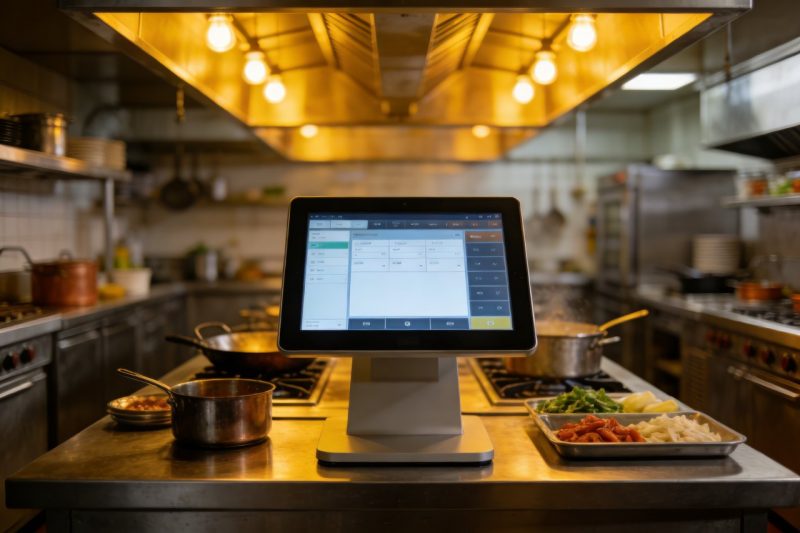
Soğuk demleme dağıtıcıları soğukta çalışır, sık sık su dökülmesinin olduğu nemli koşullar, Kahve, veya temizleme solüsyonları. Ayrıca seyreltme oranları için hassas kontroller gerektirirler, sıcaklık kararlılığı, ve isteğe bağlı hizmet. Yanlış dokunmatik ekran hızla arızalanır, hizmeti yavaşlatmak, veya içecek kalitesini tehlikeye atmayın. Bu kılavuzda öncelik verilmesi gereken temel özellikler ayrıntılı olarak verilmektedir, en iyi performansa sahip dokunmatik ekran türleri, seçim ipuçları, ve mükemmel uyumu bulmanıza yardımcı olacak SSS'ler. İster küçük bir kafe işletiyor olun ister yoğun bir perakende satış noktası işletiyor olun, bu bilgiler dayanıklı bir Soğuk Demleme Dispenseri Dokunmatik Ekranı seçmenize yardımcı olacaktır, Kullanıcı dostu, ve soğuk demlemenin özel ihtiyaçları için tasarlandı.
Soğuk Demleme Dispenseri Dokunmatik Ekranında Öncelik Verilecek Temel Özellikler
En iyi Soğuk Demleme Dispenseri Dokunmatik Ekranı dayanıklılığı dengelemelidir, işlevsellik, ve soğuk demleme ortamlarına uyum. İşte tartışılamaz özellikler:
1. Su geçirmez & Hijyenik Tasarım (Islak Ortamlar İçin Kritik)
Soğuk demleme dağıtıcıları sürekli nem görüyor; dökülmeler, buhar, ve temizleme spreyleri kaçınılmazdır.
IP65+ koruma derecesi: Ekranın su jetlerine ve sıçramalara karşı dayanıklı olmasını sağlar, iç hasarın önlenmesi.
Sıçramaya dayanıklı muhafaza: Sızdırmaz kenarlar ve contalar sıvının bağlantı noktalarına veya devrelere sızmasını engeller.
Temizlemesi kolay yüzey: Oleofobik kaplama, yapışkan kahve kalıntılarını uzaklaştırır, bu nedenle, dezenfekte edici mendillerle hızlı bir silme işlemi hijyenik kalmasını sağlar.
Paslanmaya dayanıklı çerçeve: Alüminyum veya paslanmaz çelik çerçeveler nemli koşullardan veya temizlik kimyasallarından kaynaklanan korozyonu önler.
2. Geniş Sıcaklık Uyarlanabilirliği (Soğuk Dağıtıcı Ortamları İçin)
Soğuk demlemenin stabil düşük sıcaklıklara ihtiyacı vardır (yaklaşık 3°C) taze kalmak, bu nedenle dokunmatik ekranın harika ayarlarda çalışması gerekir.
-20°C ila 70°C çalışma aralığı: Gecikme veya görüntü sorunları olmadan dağıtıcıların serin iç kısmını yönetir.
Buğu önleyici teknoloji: Nemli ortamlarda yoğuşmanın ekranın buğulanmasını önler, serin ortamlar.
Soğuk başlatma özelliği: Dağıtıcı soğuk koşullarda ilk açıldığında bile güvenilir bir şekilde açılır.
Sıcaklık telafisi: Ortam sıcaklıkları dalgalanırken sapma olmadan dokunma hassasiyetini korur.
3. Sezgisel Cold Brew'a Özel Kontroller
Ekran, hem personel hem de müşteriler için temel soğuk demleme işlevlerini basitleştirmelidir.
Seyreltme oranı ön ayarları: Kullanıcıların oranları seçmesine olanak tanır 1:1 ile 30:1 konsantre bazlı soğuk demleme için.
Sıcaklık ayarı: Lezzeti ve güvenliği korumak için servis sıcaklığını görüntüler ve kontrol eder.
Porsiyon kontrolü seçenekleri: Küçükler için ön ayarlar, orta, veya israfı azaltmak ve tutarlılığı sağlamak için büyük porsiyonlar.
Aroma seçim araçları: Hareketsiz gibi seçenekleri kategorilere ayırır, nitro aşılanmış, veya net simgelerle meyve katkılı soğuk demleme.
4. Yoğun Trafikte Kullanım için Dayanıklılık
Soğuk demleme dispenserleri sıklıkla kullanılıyor, bu nedenle dokunmatik ekranın günlük aşınmaya dayanıklı olması gerekir.
9H çizilmeye dayanıklı cam: Temizleme araçlarından kaynaklanan çizilmelere karşı dayanıklıdır, bardak, veya kazara çarpmalar.
Darbeye dayanıklı çerçeve: Güçlendirilmiş kenarlar küçük düşmeleri veya darbeleri çatlamadan karşılar.
Uzun MTBF (Arızalar Arasındaki Ortalama Süre): Hedefle 80,000+ Arıza sürelerini ve değiştirmeleri en aza indirmek için saatler.
Kimyasal direnç: Kahveye maruz kalmaya dayanıklıdır, temizlik çözümleri, ve kaplama hasarı olmayan dezenfektanlar.
5. Uyumluluk & Bağlantı
Dokunmatik ekran, dağıtıcınız ve arka uç sistemlerinizle sorunsuz bir şekilde entegre olmalıdır.
Dispenser kontrol entegrasyonu: Akışı düzenlemek için tezgah altı bileşenlerle senkronize edilir, sıcaklık, ve seyreltme.
POS bağlantısı: Envanter takibi ve raporlama için satış verilerini POS sisteminize gönderir.
Çevrimdışı işlevsellik: İnternet bağlantısı kesilse bile ayarları saklar ve siparişleri işler.
Kolay güncelleme seçenekleri: Teknik uzmanlığa gerek duymadan yeni tatlar eklemenizi veya ayarları uzaktan değiştirmenizi sağlar.
En İyi Soğuk Demleme Dispenseri Dokunmatik Ekran Çeşitleri (Kullanım Durumuna Göre)
Doğru dokunmatik ekran dispenser tipinize bağlıdır, konum, ve kullanıcı tabanı. İşte en iyi seçenekler:
1. Endüstriyel Sınıf PCAP Dokunmatik Ekranlar (Trafiği Yüksek Kafeler için En İyisi)
Öngörülen Kapasitif (PCAP) dokunmatik ekranlar yoğun kafeler ve perakende satış yerleri için idealdir.
Temel faydalar: Çoklu dokunma desteği, hızlı tepki süresi (0.5Bayan), ve su/eldiven reddetme teknolojisi.
Kritik özellikler: IP67 su geçirmezlik derecesi, 1000+ görünürlük için nit parlaklık, ve geniş sıcaklık aralığı.
Şunun için en iyisi:: Yüksek hacimli soğuk demleme istasyonları, self-servis dağıtıcılar, veya personelin sık kullandığı yerler.
Ekstra avantajlar: Güneşli yerler için nem oluşumunu önleyen optik yapıştırma ve parlama önleyici kaplama.
2. Dirençli Dokunmatik Ekranlar (Soğuk/Eldivenli Kullanım için İdeal)
Dirençli dokunmatik ekranlar aşırı soğukta veya personelin eldiven taktığı durumlarda üstün performans gösterir.
Temel faydalar: -40°C ila 85°C sıcaklıklarda güvenilir performans, ve her dokunuşla çalışır (parmak, eldiven, kalem).
Kritik özellikler: 4mm temperli cam, IP65 koruması, hızlı işlemler için basit arayüz.
Şunun için en iyisi:: İçeri girilebilen soğutucular, açık kiosklar, veya temizlik/hazırlık sırasında eldiven giyen personel.
Ekstra avantajlar: Düşük maliyet, kolay bakım, ve sıvı dökülmelerine ve toza karşı dayanıklılık.
3. Kompakt Tezgah Üstü Dokunmatik Ekranlar (Küçük Alanlar için Mükemmel)
İnce, yerden tasarruf sağlayan modeller küçük kafeler veya sınırlı tezgah alanı için tasarlanmıştır.
Temel faydalar: 7–10 inç ekranlar, duvara montaj veya tezgah seçenekleri, ve hafif tasarım.
Kritik özellikler: Entegre dağıtım kontrolleri, basit simge tabanlı arayüz, ve hızlı kurulumlu montaj donanımı.
Şunun için en iyisi:: Küçük kahvehaneler, fırınlar, veya sınırlı gayrimenkule sahip marketler.
Ekstra avantajlar: Enerji tasarruflu (40W veya daha az), sessiz çalışma, ve gıda güvenliği için NSF/UL sertifikaları.
4. Self Servis Dokunmatik Ekranlar (Müşteriye Yönelik Dispenserler İçin)
Kullanıcı dostu modeller, müşterilerin personel yardımı olmadan kendi kendilerine hizmet etmelerine olanak tanır.
Temel faydalar: Büyük, canlı simgeler, tek dokunuşla seçimler, ve çoklu dil desteği.
Kritik özellikler: Promosyon istemleri (örneğin, “2 dolara hamur işi ekleyin”), sipariş onayı, ve dökülmeye dayanıklı tasarım.
Şunun için en iyisi:: Marketler, ofis dinlenme odaları, veya trafiğin yoğun olduğu self-servis alanlar.
Ekstra avantajlar: Markalanabilir arayüz (logo/renk ekle), ödeme entegrasyonu, ve sipariş geçmişi takibi.
Doğru Cold Brew Dispenseri Dokunmatik Ekranı Nasıl Seçilir
Dokunmatik ekranı dağıtıcınız ve iş ihtiyaçlarınız ile eşleştirmek için bu adımları izleyin:
1. Dispenser Tipinizi Değerlendirin & Çevre
Kurulumunuzun özel taleplerini anlayarak başlayın:
Dağıtıcı konumu: Kapalı kafelerin IP65 korumasına ihtiyacı var; dış mekan/soğutucuya monteli dağıtıcılar IP67 ve geniş sıcaklık desteği gerektirir.
Kullanıcı türü: Yalnızca personelin kullanımı dayanıklılığa öncelik verebilir; Self-servis sezgisel tasarıma ve parlak ekranlara ihtiyaç duyar.
Hacim: Trafiğin yoğun olduğu yerlerde hız için PCAP ekranları gerekir; düşük hacimli noktalar uygun maliyetli dirençli modeller kullanabilir.
2. Dispenserinizle Uyumluluğu Doğrulayın
Tüm dokunmatik ekranlar her soğuk demleme dağıtıcısında çalışmaz; bunları kontrol edin:
Kontrol entegrasyonu: Ekranın dağıtıcınızın seyreltmesiyle senkronize olduğundan emin olun, sıcaklık, ve akış kontrolleri.
Montaj seçenekleri: Ekranın boyutunu eşleştirin (7Kompakt dağıtıcılar için –10 inç, 12+ self-servis için inç) kurulumunuza.
Sertifikalar: Gıdayla temas eden ortamlara yönelik gıda güvenliği standartlarını karşılamak için NSF/UL sertifikalarına bakın.
3. Kullanıcı Deneyimine Öncelik Verin & Bakım
Kullanımı kolay ve iyi durumda tutulan bir ekran seçin:
Arayüz testi: Büyük metinli simge tabanlı kontrolleri tercih edin; hizmeti yavaşlatan karmaşık menülerden kaçının.
Temizleme kolaylığı: Yüzeyin lekelere karşı dayanıklı olduğunu doğrulayın ve standart dezenfektanlarla temizleyin.
Destek & garanti: 2-3 yıl garantili modelleri seçin ve 24/7 Hızlı sorun giderme için teknik destek.
Cold Brew Dispenseri Dokunmatik Ekranları Hakkında SSS
1. Çeyrek: Dokunmatik ekran soğuk ortamlarda çalışır mı? (örneğin, gömme soğutucular)?
A1: Evet — -20°C ila 70°C çalışma aralığına ve buğulanmayı önleme teknolojisine sahip modelleri arayın. Bunlar, performans sorunları olmadan serin dağıtıcı iç kısımlarını idare eder.
2. Çeyrek: Dokunmatik ekran hem durgun hem de nitro soğuk demlemeyi kontrol edebilir mi??
A2: Kesinlikle. En iyi modellerde hem gazsız hem de nitro katkılı soğuk demleme için ön ayarlar bulunur, her tip için ayarlanabilir basınç ve akış kontrolleri ile.
3. Çeyrek: Kahve döküldükten sonra dokunmatik ekranın temizlenmesi kolay mı??
A3: Evet. Önerilen tüm modeller IP65+ su geçirmezliğe ve oleofobik kaplamaya sahiptir. Sterilize edici bir mendille hızlı bir silme, ekrana zarar vermeden dökülmeleri giderir.
4. Çeyrek: Personel eldiven takarsa ekran çalışır mı??
A4: Bu, türüne bağlıdır; dirençli ekranlar her eldiven kalınlığında çalışır, PCAP modelleri eldiven kullanımı için kalibre edilebilirken. Size özel bir öneri için ihtiyaçlarınızı bize bildirin.
S5: Menüyü güncelleyebilir miyim (örneğin, mevsimsel lezzetler ekleyin) dokunmatik ekranda?
A5: Evet. Çoğu model tatları güncellemenize izin verir, fiyatlar, veya ayarlar menüsü aracılığıyla dakikalar içinde seyreltme oranları; hiçbir teknik beceri gerektirmez. Bazıları uzaktan güncellemeleri bile destekliyor.
S6: Dokunmatik ekran mevcut POS sistemime entegre oluyor mu??
A6: En iyi modellerin çoğu popüler POS sistemleriyle entegre olur (Kare, Tost, Yonca). Satın almadan önce özel sisteminizle uyumluluğu doğrulayabiliriz.
S7: Kurulum ne kadar sürer?
A7: Kurulum genellikle 30-45 dakika sürer. Ekran evrensel montaj donanımı ve adım adım talimatlarla birlikte gelir, böylece onu temel araçlarla yükleyebilirsiniz.
Çözüm
Doğru Soğuk Demleme Dispenseri Dokunmatik Ekranı, soğuk demleme hizmetinizi dönüştürerek hassas kontroller sunar, ıslak/soğuk ortamlarda dayanıklılık, personel ve müşteriler için kusursuz bir deneyim. Su geçirmez tasarıma öncelik vererek, geniş sıcaklık uyarlanabilirliği, soğuk demlemeye özel kontroller, ve uyumluluk, verimliliği artıran bir ekran seçebilirsiniz, aksama süresini azaltır, ve tutarlı hizmet veriyor, her zaman yüksek kaliteli soğuk demleme.
Artık titiz aramalara gerek yok, yanıt vermeyen düğmeler, veya dökülmelerden dolayı hasar görmüş ekranlar. Amaca yönelik olarak tasarlanmış Soğuk Demleme Dispenseri Dokunmatik Ekranı, soğuk demleme istasyonunuzun sorunsuz çalışmasını sağlar, yoğun saatlerde bile. Zaman kazandıran bir yatırımdır, israfı azaltır, ve müşterilerin en sevdikleri soğuk bira için geri gelmelerini sağlar.
İşletmeniz için mükemmel Soğuk Demleme Dispenseri Dokunmatik Ekranını bulmaya hazırsınız? Dispenser tipinizi paylaşmak için web sitemizdeki formu doldurun, konum, ve günlük hacim. İçecek teknolojisi uzmanlarımız en uyumlu modeli önerecektir, kurulum ipuçları sağlayın, ve soğuk demleme hizmetinizi yükseltmenize yardımcı olacak tüm soruları yanıtlayın. Soğuk demleme istasyonunuzu şehirdeki en güvenilir ve kullanıcı dostu nokta haline getirelim; bugün başlayın!
Seçim sürecinizi kolaylaştırmak için soğuk demleme dağıtıcısı dokunmatik ekran satın alma kontrol listesi oluşturmanıza yardımcı olmamı ister misiniz??
