
Birçok alıcı kiosklar için en iyi dokunmatik ekranı arıyor, fabrika kontrol panelleri, toplantı vitrinleri ve perakende satış tezgahları. Ancak evrensel bir “en iyi” seçenek yoktur. Yerine, doğru dokunmatik ekran tamamen çalışma ortamınıza bağlıdır, dokunmatik giriş stili ve günlük kullanım. Bu makale popüler dokunmatik ekran teknolojilerini karşılaştırmaktadır, onların güçlü yönlerini yıkıyor, ve gerçek dünyadaki ihtiyaçlarınıza uygun dokunmatik ekranı seçmenize yardımcı olur.
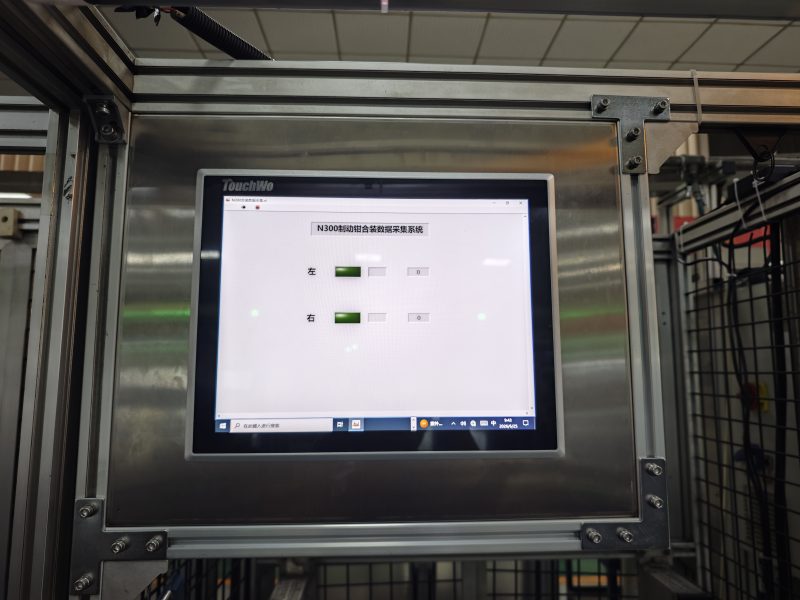
Ana Dokunmatik Ekran Teknolojisi Türleri
Her dokunmatik ekran teknolojisinin farklı çalışma senaryolarına uyan benzersiz özellikleri vardır.
Öngörülen kapasitif dokunmatik ekran
Kapasitif dokunmatik ekranlar pürüzsüz bir his verir ve parmakla dokunmaya duyarlıdır. Çoklu dokunma hareketlerini destekliyorlar, böylece kullanıcılar çimdikleyebilir, doğal bir şekilde yakınlaştırın ve kaydırın. Ofisler ve toplantı odaları gibi temiz iç mekanlarda iyi çalışırlar. Fakat, genellikle kalın eldivenlerin dokunuşlarını algılayamıyorlar.
Kızılötesi dokunmatik ekran
Kızılötesi dokunmatik ekranlar, ekran çerçevesinin etrafındaki ışık ışınlarını kullanır. Parmaklarla çalışabilirler, eldiven veya kalem araçları. Bu teknoloji kolaylıkla büyük ekran boyutlarına ölçeklenebilir, ve cam yüzey yoğun kamusal kullanım için dayanıklı kalır. Çerçeve çevresinde toz birikmesi, düzenli temizlik yapılmazsa performansı etkileyebilir.
Dirençli dokunmatik ekran
Dirençli dokunmatik ekranlar fiziksel basınca tepki verir. Eldivenli eller ve basit kalemlerle güvenilir bir şekilde yanıt veriyorlar. Küçük endüstriyel kontrol panellerine ve basit kiosklara uygundurlar. Olumsuz tarafta, çoğunlukla tek dokunuşu desteklerler ve daha düşük ışık geçirgenliğine sahiptirler.
Yüzey akustik dalga dokunmatik ekranı
SAW dokunmatik ekranlar keskin görüntü kalitesi ve uzun hizmet ömrü sunar. Temiz kapalı büfeler ve müze sergileri için iyi çalışırlar. Ancak su damlacıkları veya yoğun toz, akustik dalga sinyallerini engelleyebilir ve yanlış dokunuşlara neden olabilir..
En İyi Dokunmatik Ekranı Seçmek İçin Temel Kriterler
Dokunmatik ekranı seçmeden önce, bu pratik faktörleri tek tek kontrol edin.
Dokunmatik giriş gereksinimleri
Birinci, ekrana neyin dokunacağına karar verin. Kullanıcılar yalnızca çıplak parmaklarıyla dokunuyorsa, kapasitif dokunmatik harika çalışıyor. Personel eldiven takıyorsa, kızılötesi veya dirençli seçenekler daha iyi uyum sağlar.
Kurulum ortamı
Sonraki, konumunuzu değerlendirin. Temiz ofisler kapasitif dokunuşu tercih ediyor. Kamusal alanlar veya sergi salonları genellikle kızılötesi dokunmayı kullanır. Tozlu fabrika zeminleri yalıtılmış ve dayanıklı dokunmatik ekran tasarımlarına ihtiyaç duyabilir.
Gerekli ekran boyutu
Aşağıdaki küçük paneller 22 inç kapasitif veya dirençli dokunuşu kullanabilir. Orta boyutlar kapasitif dokunuşla iyi çalışır. Yukarıdaki geniş formatlı ekranlar 55 inçler genellikle kızılötesi dokunuşa dayanır.
Dayanıklılık ve bakım ihtiyaçları
Günlük giyimi düşünün. Halka açık büfelerin çizilmeye karşı dayanıklı cama ihtiyacı var. Endüstriyel alanların toza ve neme karşı ekstra korumaya ihtiyacı vardır. Bazı dokunmatik ekran türleri, istikrarlı performansı korumak için basit rutin temizliğe ihtiyaç duyar.
Kullanım Durumuna Göre En İyi Dokunmatik Ekran Önerileri
Projenizi bu pratik önerilerle eşleştirebilirsiniz.
Ofis ve toplantı odası kullanımı
Öngörülen kapasitif dokunmatik ekran en iyi seçimdir. İşbirliğine dayalı sunumlar için kusursuz çoklu dokunuş ve net görseller sunar.
Halka açık kiosklar ve perakende vitrinler
Kızılötesi dokunmatik ekran burada en iyi şekilde çalışır. Farklı dokunma nesnelerini kabul eder ve birçok ziyaretçinin tekrarlanan ağır dokunuşlarıyla başa çıkar.
Fabrika ve endüstriyel kontrol panelleri
Dirençli veya kızılötesi dokunmatik ekranlar yaygın seçimlerdir. Eldivenli çalışmayı destekler ve zorlu atölye koşullarına dayanıklıdırlar.
Müze ve sergi interaktif gösterimleri
Yüzey akustik dalgası veya kızılötesi dokunmatik ekranlar iyi uyum sağlar. Ziyaretçiye yönelik etkileşimli içerik için yüksek görüntü netliğini korurlar.
En iyi dokunmatik ekran hakkında SSS
1. Çeyrek: Her duruma uygun tek bir dokunmatik ekran var mı??
A1: HAYIR. Her dokunmatik ekran teknolojisinin sınırları vardır. Giriş yönteminizle eşleşen en iyi dokunmatik ekran, ortam ve ekran boyutu gereksinimleri.
2. Çeyrek: Hangi dokunmatik ekran en yumuşak parmakla çoklu dokunmayı sunar??
A2: Öngörülen kapasitif dokunmatik ekran, çıplak parmakla çalıştırma için en doğal çoklu dokunma deneyimini sunar.
3. Çeyrek: Kızılötesi dokunmatik ekranlar eldivenli ellerle çalışabilir mi??
A3: Evet. Kızılötesi dokunmatik ekranlar engellenen ışık ışınlarını algılar, böylece eldivenler ve kalemler dokunma girişini normal şekilde tetikleyebilir.
4. Çeyrek: Hangi dokunmatik ekranın bakımı daha kolaydır?
A4: Kızılötesi ve kapasitif dokunmatik ekranlar basit yüzey temizliğine ihtiyaç duyar. Kızılötesi modellerde ayrıca tozun giderilmesi için ara sıra çerçeve temizliği yapılması gerekir.
S5: Ekran boyutu hangi dokunmatik ekranı seçmem gerektiğini değiştirir mi??
A5: Kesinlikle. Kapasitif dokunmatik, daha küçük ve orta boy panellere uyar, kızılötesi dokunmatik, büyük dokunmatik ekran boyutlarını daha kolay yönetirken.
Çözüm
Kısacası, en iyi dokunmatik ekran tek bir evrensel ürün değildir. Kapasitif dokunmatik, ofislere sorunsuz çoklu dokunmatik özelliği getiriyor, kızılötesi dokunmatik, halka açık büyük ekranları yönetir, dirençli dokunma, eldivenli endüstriyel çalışmayı destekler, ve SAW temiz sergi alanları için yüksek netlik sağlar. Dokunmatik giriş türünüz, Nihai tercihi ortam ve ekran boyutu belirler.
Projeniz için uygun dokunmatik ekranı seçme konusunda tavsiye almak istiyorsanız, lütfen web sitemizdeki talep formunu doldurun. Çalışma ortamınızı paylaşın, dokunmatik giriş ihtiyaçları ve hedef ekran boyutu, ve ekibimiz uygun bir dokunmatik ekran çözümü sağlayacaktır.