
Smoothie-Riegel leben von der Individualisierung – Kunden lieben es, ihre Basis selbst auszuwählen, Früchte, und Add-Ins (Denken Sie an Proteinpulver, Chiasamen, oder Nussbutter) um ein Getränk zu kreieren, das einzigartig für sie ist. Aber die manuelle Add-in-Auswahl – bei der Kunden den Mitarbeitern ihre Präferenzen mitteilen oder eine Papiercheckliste markieren – verlangsamt den Service, führt zu Fehlern, und frustriert Gäste während der Stoßzeiten. Ein Smoothie-Add-In-Kiosk-Touchscreen löst diese Probleme, indem er die Anpassung direkt in die Hände der Kunden legt.
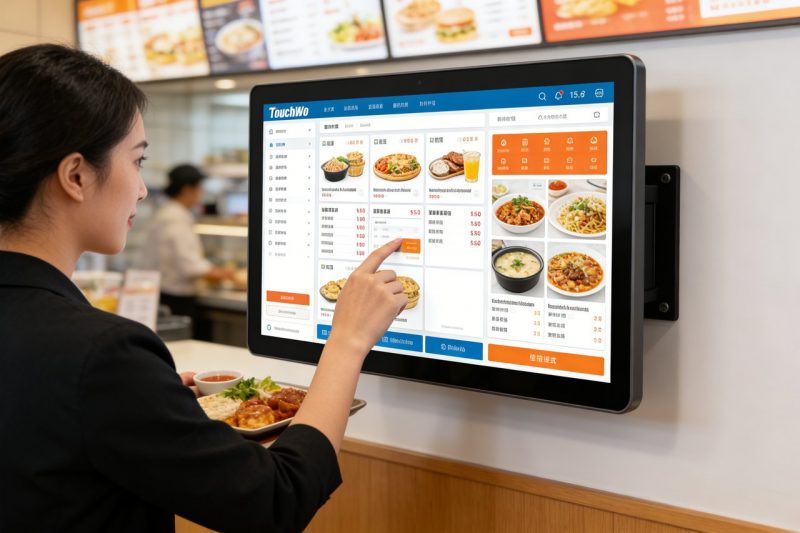
Diese haben sich spezialisiert Touchscreens sind für Schnelllebige konzipiert, chaotische Umgebung von Smoothie-Bars, Gästen das Durchsuchen von Add-Ins ermöglichen, Optionen auswählen, und bestätigen Sie ihre Bestellung in Sekundenschnelle. Jedoch, Nicht alle Touchscreens passen in Smoothie-Bar-Kioske – manche sind zu klobig, zu zerbrechlich, oder nicht benutzerfreundlich genug für schnelle Kundeninteraktionen. In diesem Leitfaden wird erläutert, welche Touchscreens sich am besten für die Auswahl von Smoothie-Bar-Add-Ins eignen, Hauptfunktionen, die Priorität haben sollen, Topmodelle nach Balkengröße, Tipps zur Fehlerbehebung, und FAQs, die Ihnen helfen, die richtige Wahl zu treffen. Egal, ob Sie einen kleinen Smoothie-Laden in der Nachbarschaft oder eine geschäftige Kette betreiben, Diese Erkenntnisse helfen Ihnen, die Anpassung zu optimieren, Beschleunigen Sie den Service, und dafür sorgen, dass die Kunden für ihren perfekten Smoothie immer wiederkommen.
Hauptmerkmale, die einen Smoothie-Add-In-Kiosk-Touchscreen zu einer guten Wahl machen
Nicht alle Touchscreens sind für Kioske mit Smoothie-Bar-Zusatz konzipiert – achten Sie auf diese nicht verhandelbaren Funktionen, um einen reibungslosen Ablauf zu gewährleisten, benutzerfreundliches Erlebnis für Kunden und Mitarbeiter.
1. Intuitiv, Kundenfreundliche Schnittstelle (Schnelle Anpassung)
Smoothie-Kunden möchten schnell Anpassungen vornehmen – keine komplizierten Menüs oder verwirrende Navigation.
Groß, Bunte Symbole für Add-In-Kategorien (Z.B., "Protein," "Samen," "Obst,” „Nussbutter“) Machen Sie das Surfen einfach.
Mit der einfachen „Tap-to-Select“-Funktion können Kunden Add-Ins mit nur einem Tastendruck hinzufügen oder entfernen – ohne dass eine Eingabe erforderlich ist.
Klare Visuals (Fotos von Add-Ins, Portionsgrößen) Helfen Sie Kunden, schnelle Entscheidungen zu treffen, Reduzierung der Zeit pro Kiosknutzung.
Ein Fortschrittsbalken zeigt Kunden an, wie viele Add-Ins sie ausgewählt haben, Vermeidung übermäßiger Anpassungen oder verpasster Optionen.
2. Dauerhaft, Leicht zu reinigendes Design (Für Smoothie-Bar-Messen)
Smoothie-Riegel sind chaotisch – es kleckert etwas, klebrige Fruchtreste, und häufiges Reinigen sind unvermeidlich.
Die Spritzwasserschutzart IP65 schützt vor verschüttetem Smoothie, Fruchtsäfte, und Reinigungssprays, innere Schäden verhindern.
Glatt, Die porenfreie Glasoberfläche lässt sich in Sekundenschnelle mit einem Desinfektionstuch abwischen – entscheidend für die Lebensmittelsicherheit.
9H kratzfestes Glas widersteht Kratzern durch Nägel, Strohhalme, oder versehentliche Stöße.
Stabile Kioskmontage (Arbeitsplatte oder Wandmontage) verhindert Trinkgeld oder Schäden durch vielbeschäftigte Kunden.
3. Hell, Blendfreies Display (Sichtbar bei jeder Beleuchtung)
Smoothie-Bars haben oft helles Tageslicht oder Deckenbeleuchtung – Touchscreens müssen gut lesbar sein.
Displays mit hoher Helligkeit (500+ Nissen) sorgen für Sichtbarkeit auch bei direkter Sonneneinstrahlung (für Außenkioske oder Schaufenster).
Die Anti-Glare-Beschichtung reduziert Reflexionen, So können Kunden die Add-in-Optionen deutlich erkennen, ohne die Augen zusammenzukneifen.
Mit der einstellbaren Helligkeit können Sie den Bildschirm an dunkle oder helle Umgebungen anpassen, Aufrechterhaltung der Lesbarkeit den ganzen Tag.
4. Schnelle Reaktionszeit (Keine Verzögerung während der Hauptverkehrszeiten)
Bei geschäftigem Ansturm am Morgen oder Nachmittag, Verzögerungsfähige Touchscreens frustrieren die Kunden und verlangsamen den Service.
Responsive Touch-Technologie (10ms oder schnellere Reaktionszeit) Registriert Berührungen sofort, auch mit nassen oder klebrigen Fingern.
Keine Verzögerung beim Wechseln zwischen Add-In-Kategorien oder beim Auswählen mehrerer Optionen – entscheidend für Zeiten mit hohem Datenverkehr.
Eine leichte Software sorgt für einen reibungslosen Betrieb des Kiosks, auch bei ständiger Nutzung über den Tag verteilt.
5. Kompatibilität mit Smoothie Bar POS & Inventarsysteme
Die Effizienz hängt davon ab, dass Ihr Touchscreen mit den Tools funktioniert, die Sie bereits verwenden.
Synchronisiert sich mit Ihrem Smoothie-Bar-Kassensystem, um individuelle Bestellungen direkt an die Mixerstation zu senden, Dadurch entfällt die manuelle Eingabe.
Integriert sich in Bestandsverwaltungstools, um das Personal zu benachrichtigen, wenn die Add-Ins zur Neige gehen (Z.B., „Wenig Chiasamen“).
Add-In-Optionen und Preise werden automatisch aktualisiert, So sehen Kunden stets die richtige Auswahl (Keine Enttäuschungen mehr, wenn der Artikel nicht mehr vorrätig ist).
Top-Smoothie-Add-In-Kiosk-Touchscreens (Nach Balkengröße)
Der beste Smoothie-Add-In-Kiosk-Touchscreen hängt von der Größe Ihrer Bar ab, Verkehr, und Anpassungsbedürfnisse. Hier sind die Top-Modelle für verschiedene Geschäftstypen:
1. Elo 10-Zoll-Kompakt-Touchscreen (Ideal für kleine Smoothie-Riegel)
Eine platzsparende Option für kleine Geschäfte mit begrenzter Ladenfläche und mäßigem Verkehr.
Hauptvorteile: 10-Zoll-Anzeige, intuitive Touch-to-Select-Oberfläche, und IP65-Spritzwasserschutz.
Kritische Funktionen: Schnelle Reaktionszeit, Anti-Glare-Beschichtung, und synchronisiert sich mit grundlegenden POS-Systemen.
Am besten für: Kleine Smoothie-Bars in der Nachbarschaft, Kioske in Fitnessstudios, oder Pop-up-Smoothie-Stände.
Zusätzliche Vorteile: Leichtes Design (passt auf kleine Theken), 2-Jahr Garantie, und einfache Installation.
2. ViewSonic 15-Zoll-Industrie-Touchscreen (Perfekt für stark frequentierte Bars)
Ein Hochleistungsmodell für stark frequentierte Smoothie-Bars mit starkem Fußgängerverkehr (Z.B., Einkaufszentren, Hochschulgelände).
Hauptvorteile: 15-Zoll großes Display, Multi-Touch-Funktionalität (Mehrere Kunden können gleichzeitig interagieren), und robustes Design.
Kritische Funktionen: Schnelle Reaktionszeit, Erweiterte POS-Integration, und Inventarsynchronisierung.
Am besten für: Stark frequentierte Smoothie-Ketten, Kioske in Einkaufszentren, oder Riegel mit 50+ Kunden pro Stunde.
Zusätzliche Vorteile: Haltbarkeit in Industriequalität, 3-Jahr Garantie, und blendfrei, Display mit hoher Helligkeit.
3. Budgetfreundlicher planarer 8-Zoll-Touchscreen (Ideal für neue Smoothie-Riegel)
Eine kostengünstige Option für neue Startups oder kleine Bars mit knappem Budget.
Hauptvorteile: 8-Zoll-Anzeige, Grundlegende Add-In-Auswahlfunktionen, und IP65-Spritzwasserschutz.
Kritische Funktionen: Einfache Schnittstelle, schnelle Reaktionszeit, und Kompatibilität mit POS-Systemen der Einstiegsklasse.
Am besten für: Neue Smoothie-Unternehmen, Pop-up-Stände, oder Bars, die nur Selbstbedienungskioske hinzufügen.
Zusätzliche Vorteile: Geringer Stromverbrauch, schnelle Einrichtung, und eine 1-jährige Herstellergarantie.
4. NEC 12-Zoll-Premium-Touchscreen (Für High-End-Smoothie-Riegel)
Ein Premium-Modell für Bars, bei dem das Kundenerlebnis und die Markenkonsistenz im Vordergrund stehen.
Hauptvorteile: 12-Zoll-FHD-Display, anpassbare Schnittstelle (Fügen Sie Ihr Logo hinzu, Markenfarben), und erweiterte Analytik.
Kritische Funktionen: Multi-Touch-Funktionalität, Bestandswarnungen in Echtzeit, und POS-Integration.
Am besten für: High-End-Smoothie-Riegel, gesundheitsorientierte Cafés, oder Ketten, die poliert werden sollen, Marken-Kiosk-Erlebnis.
Zusätzliche Vorteile: Blendfreies Display, wasserdichtes Gehäuse, und professionelle Installationsunterstützung.
So wählen Sie den richtigen Smoothie-Add-In-Kiosk-Touchscreen aus
Befolgen Sie diese einfachen Schritte, um einen Touchscreen zu finden, der zu den individuellen Anforderungen und Arbeitsabläufen Ihrer Smoothie-Bar passt.
1. Bewerten Sie die Größe und den Verkehr Ihrer Bar
Bewerten Sie zunächst, wie viel Platz Sie haben und wie viele Kunden Sie täglich bedienen.
Kleine Bars (10–20 Kunden/Stunde): Entscheiden Sie sich für einen kompakten 8–10-Zoll-Touchscreen, um Platz auf der Theke zu sparen.
Stark frequentierte Bars (30+ Kunden/Stunde): Wählen Sie einen größeren 12–15-Zoll-Bildschirm mit Multi-Touch-Funktionalität, um mehrere Kunden zu bedienen.
Außenbereiche oder helle Räume: Priorisieren Sie Blendschutz, Displays mit hoher Helligkeit für gute Sichtbarkeit.
2. Priorisieren Sie Haltbarkeit und Sauberkeit
In Smoothie-Riegeln herrscht Chaos – gehen Sie keine Kompromisse ein, wenn es um einen leicht zu reinigenden und robusten Touchscreen geht.
Stellen Sie sicher, dass der Bildschirm spritzwassergeschützt gemäß IP65 ist, um verschütteten Flüssigkeiten und der Reinigung standzuhalten.
Wählen Sie eine glatte, porenfreie Oberfläche, die sich schnell abwischen lässt (entscheidend für die Einhaltung der Lebensmittelsicherheit).
Suchen Sie nach kratzfestem Glas, das dem täglichen Gebrauch und versehentlichen Beschädigungen standhält.
3. Überprüfen Sie die Kompatibilität mit Ihren POS- und Inventar-Tools
Vermeiden Sie zusätzliche Arbeit, indem Sie einen Touchscreen wählen, der mit Ihren aktuellen Systemen synchronisiert wird.
Bestätigen Sie, dass es in Ihr Smoothie-Bar-Kassensystem integriert ist, um Bestellungen direkt an die Mixerstation zu senden.
Wenn Sie eine Bestandsverwaltungssoftware verwenden, Stellen Sie sicher, dass der Touchscreen Sie auf einen niedrigen Bestand an Zusatzgeräten aufmerksam macht.
Fragen Sie den Hersteller, ob der Bildschirm Add-in-Optionen automatisch aktualisieren kann, wenn Sie Ihr Menü ändern.
4. Testen Sie die Benutzeroberfläche auf Kundenfreundlichkeit
Ihre Kunden werden den Touchscreen nutzen – stellen Sie sicher, dass er für alle Altersgruppen intuitiv ist.
Testen Sie, wie schnell Sie Add-Ins auswählen können (sollte nehmen 30 Sekunden oder weniger für eine vollständige Anpassung).
Suchen Sie nach einer einfachen Navigation (keine versteckten Menüs) und klare Bilder (Fotos von Add-Ins helfen Kunden bei der Entscheidung).
Stellen Sie sicher, dass der Bildschirm auch mit nassen oder klebrigen Fingern leicht zu bedienen ist (häufig in Smoothie-Bars).
Behebung häufiger Probleme mit dem Touchscreen des Smoothie-Add-In-Kiosks
Kleinere Störungen können den Service verlangsamen – hier erfahren Sie, wie Sie sie schnell beheben können.
1. Der Touchscreen reagiert nicht (Klebrige Flecken oder Rückstände)
Wischen Sie den Bildschirm mit einem weichen Mikrofasertuch ab und a 50/50 Mischung aus destilliertem Wasser und Isopropylalkohol.
Vermeiden Sie scharfe Reinigungsmittel (Ammoniak, bleichen) die die Schutzbeschichtung des Bildschirms beschädigen.
Wenn der Bildschirm immer noch nicht reagiert, Schalten Sie den Kiosk aus und wieder ein (ausstecken und wieder einstecken) um es zurückzusetzen.
2. Add-In-Optionen werden nicht aktualisiert (Ausverkauft oder neue Add-Ins)
Überprüfen Sie, ob der Touchscreen mit Ihrem Kassensystem synchronisiert ist – stellen Sie die Verbindung wieder her, wenn es offline ist.
Aktualisieren Sie das Menü in Ihrem Kassensystem; Der Touchscreen sollte sich innerhalb weniger Minuten automatisch synchronisieren.
Starten Sie den Kiosk neu, um eine Synchronisierung zu erzwingen, wenn keine Updates angezeigt werden.
3. Der Bildschirm ist zu dunkel oder die Blendung erschwert das Ablesen
Passen Sie die Helligkeit des Bildschirms im Einstellungsmenü an (Erhöhung für helle Umgebungen).
Reinigen Sie den Bildschirm mit einem Mikrofasertuch, um Flecken zu entfernen, die zusätzliche Blendung verursachen.
Bei Nutzung eines Außenkiosks, Fügen Sie einen Sonnenschirm hinzu, um direktes Sonnenlicht zu blockieren.
FAQs zu Smoothie-Add-In-Kiosk-Touchscreens
Q1: Können Kunden mehrere Add-Ins gleichzeitig auf dem Touchscreen auswählen??
A1: Ja! Alle empfohlenen Modelle verfügen über eine Mehrfachauswahlfunktion – Kunden können auf mehrere Add-Ins tippen (Z.B., Proteinpulver + Chiasamen + Erdnussbutter) in Sekunden.
Q2: Ist der Touchscreen nach verschüttetem Smoothie leicht zu reinigen??
A2: Absolut. Die Schutzart IP65 ist spritzwassergeschützt, Die porenfreie Oberfläche lässt sich in Sekundenschnelle mit einem Desinfektionstuch abwischen – kein Schrubben erforderlich.
Q3: Muss ich das Personal im Umgang mit dem Touchscreen schulen??
A3: Nein – die meisten Modelle verfügen über eine intuitive Benutzeroberfläche, die nur minimale Schulung erfordert. Mitarbeiter können lernen, grundlegende Probleme zu beheben (Z.B., Bildschirm reagiert nicht) in 10–15 Minuten.
Q4: Funktioniert der Touchscreen mit meinem vorhandenen Smoothie-Bar-Kassensystem??
A4: Die meisten Smoothie-Add-In-Kiosk-Touchscreens lassen sich nahtlos in gängige POS-Systeme integrieren (Toast, Quadrat, Klee) ohne dass ein vollständiger Ersatz erforderlich wäre.
F5: Kann ich den Touchscreen an meine Marke anpassen??
A5: Ja – bei Premium-Modellen können Sie Ihr Logo hinzufügen, Markenfarben, und benutzerdefinierte Nachrichten an die Schnittstelle, Schaffung eines zusammenhängenden Markenerlebnisses.
F6: Wie lange hält der Touchscreen in einer belebten Smoothie-Bar??
A6: Bei richtiger Reinigung und Wartung, Ein hochwertiger Touchscreen hält 3–5 Jahre. Dauerhaft, Industrietaugliche Modelle können in stark frequentierten Umgebungen sogar noch länger halten.
F7: Funktioniert der Touchscreen auch mit nassen oder klebrigen Fingern??
A7: Ja. Die reaktionsfähige Touch-Technologie registriert Berührungen auch mit nassen oder klebrigen Fingern – perfekt für Kunden, die gerade Obst oder Smoothies in der Hand hatten.
Abschluss
Mit dem richtigen Smoothie-Add-In-Kiosk-Touchscreen liegt die individuelle Gestaltung in den Händen Ihrer Kunden, optimiert den Service, und reduziert Fehler – und das alles, während Ihre Smoothie-Bar effizient läuft. Durch die Priorisierung einer intuitiven Benutzeroberfläche, langlebiges Design, helles Display, und nahtlose Integration, Sie können einen Touchscreen wählen, der zur Größe Ihrer Bar passt, Verkehr, und Marke.
Keine langsame manuelle Add-In-Auswahl mehr, frustrierte Kunden, oder Bestellfehler. Ein speziell entwickelter Smoothie-Add-In-Kiosk-Touchscreen spart Zeit, steigert die Kundenzufriedenheit, und hilft Ihnen, sich in einem wettbewerbsintensiven Markt abzuheben – der Schlüssel zum Wachstum Ihres Smoothie-Geschäfts.
Sind Sie bereit, den perfekten Smoothie-Add-In-Kiosk-Touchscreen für Ihre Bar zu finden?? Füllen Sie das Formular auf unserer Website aus, um die Größe Ihrer Bar mitzuteilen, täglicher Verkehr, und bestehendem Kassensystem. Unsere Experten für Gastronomietechnik empfehlen Ihnen das am besten kompatible Modell, Geben Sie Installationstipps, und beantworten Sie alle Fragen, um die Anpassung zu optimieren und Ihre Kunden zufrieden zu stellen. Machen wir Ihre Smoothie-Bar zur Anlaufstelle für personalisierte Produkte, Schneller Service – starten Sie noch heute!
