
Monitores touchscreen proporcionam fácil operação e maior eficiência para escritórios, lojas e espaços de trabalho industriais. Muitos usuários os escolhem para substituir as configurações tradicionais de mouse e teclado. Mesmo assim, esses dispositivos vêm com desvantagens perceptíveis que você precisa saber antes de comprar.
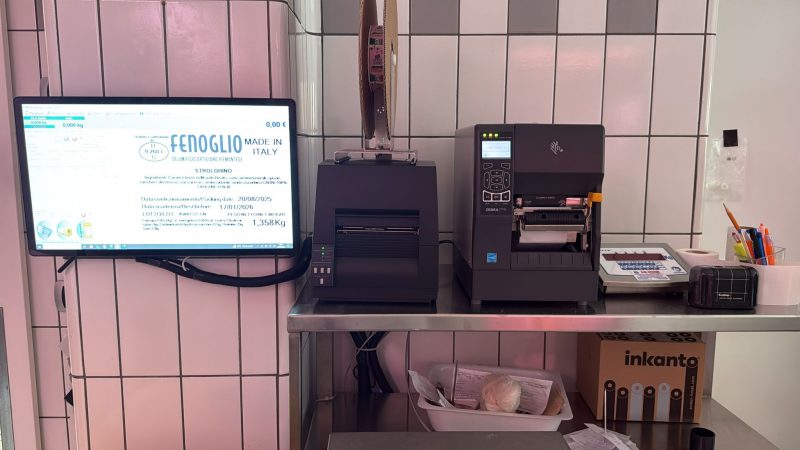
Algumas falhas afetam o conforto diário, enquanto outros aumentam os custos de manutenção ou limitam o uso em determinadas cenas. Conhecer essas desvantagens ajuda você a tomar uma decisão de compra sábia e a se preparar para possíveis problemas. Este guia cobre desvantagens comuns, limites relacionados com o ambiente, problemas de uso e soluções úteis para monitores touchscreen.
Desvantagens do uso diário de monitores touchscreen
O uso regular irá expor vários problemas pequenos, mas irritantes, na maioria monitores touchscreen.
1. Manchas visíveis e acúmulo de graxa
Toques frequentes com os dedos deixam impressões digitais e marcas de óleo na tela. Essas manchas desfocam o visual e arruinam uma experiência de visualização limpa. Você precisa limpar repetidamente para manter a tela limpa o dia todo.
2. Toques acidentais não intencionais
Suas mãos ou braços podem roçar na tela durante o trabalho. Esses toques aleatórios acionam comandos errados e interrompem tarefas em andamento. O problema acontece com mais frequência em grandes monitores touchscreen de desktop.
3. Cansaço ocular devido à visão próxima
Os usuários se inclinam para frente para tocar nos ícones enquanto trabalham. Essa postura mantém os olhos muito próximos da tela por horas. Facilmente leva a olhos cansados e dores musculares no pescoço ao longo do tempo.
4. Menos conforto para trabalhos com textos longos
A digitação por toque funciona para notas curtas e entradas rápidas. Não consegue igualar a velocidade e o conforto dos teclados físicos. Os funcionários se sentem cansados quando terminam grandes quantidades de trabalho de digitação.
Desvantagens relacionadas à durabilidade e manutenção
Estruturas de tela sensível ao toque criam cargas extras de manutenção em comparação com monitores padrão.
1. Maior risco de arranhões superficiais
A camada superior de vidro fica em contato direto com os dedos, ferramentas e pequenos objetos. Itens pontiagudos ou toques ásperos deixam arranhões permanentes facilmente. Marcas profundas prejudicarão a sensibilidade da tela e do toque.
2. Necessidades de limpeza mais frequentes
Pó, respingos e detritos da oficina aderem rapidamente à superfície lisa. Você precisa de limpeza diária para proteger a camada de detecção. O trabalho frequente adiciona tarefas extras para sua equipe de limpeza.
3. Maiores custos de reparo após danos
Uma tela sensível ao toque quebrada precisa de substituição completa do painel na maioria dos casos. Seu design integrado torna quase impossíveis reparos parciais. A despesa geral de reparo é muito maior do que consertar um monitor normal.
4. Declínio gradual da sensibilidade ao toque
As peças de detecção internas se desgastam após milhões de toques. A tela reage mais lentamente ou perde toques com o passar do tempo. Você precisa substituir a unidade muito antes que um monitor padrão falhe.
Limitações Ambientais e Funcionais
Os monitores touchscreen não conseguem se adaptar bem a todas as condições de trabalho e estilos de operação.
1. Mau desempenho sob luz solar direta
A forte luz externa cria reflexos na superfície da tela. Você tem dificuldade para ler o conteúdo com clareza em locais claros. A maioria dos modelos padrão não consegue resolver esse problema de visualização.
2. Compatibilidade limitada com luvas grossas
Monitores touchscreen comuns dependem da eletricidade do corpo ou da pressão da luz. Luvas de segurança grossas bloqueiam a indução de toque normal. Eles não respondem pelos trabalhadores em oficinas industriais.
3. Fraca resistência a produtos químicos agressivos
Limpadores líquidos, soluções fertilizantes ou molhos alimentares danificam revestimentos de tela especiais. Substâncias corrosivas interromperão as funções de toque em um curto período. Os modelos comuns não são adequados para áreas de trabalho ricas em produtos químicos.
4. Consumo extra de energia
O sistema de detecção de toque integrado funciona sem parar enquanto o monitor funciona. Ele consome mais energia do que uma tela básica. O uso a longo prazo leva a contas de eletricidade ligeiramente mais altas.
Maneiras simples de reduzir as desvantagens do monitor touchscreen
Você pode tomar medidas fáceis para aliviar a maioria das desvantagens e prolongar a vida útil do dispositivo.
1. Use películas protetoras de tela
Um filme de qualidade bloqueia arranhões, impressões digitais e pequenos respingos. Reduz muito o trabalho diário de limpeza. Ele também mantém a sensibilidade ao toque original totalmente intacta.
2. Combine acessórios para diferentes tarefas
Emparelhe o monitor com um teclado para trabalhos pesados de digitação. Mantenha um mouse por perto para evitar toques acidentais na tela. Esta mistura equilibra perfeitamente eficiência e conforto.
3. Escolha modelos direcionados para locais de trabalho
Escolha versões antirreflexo para áreas claras. Selecione telas sensíveis ao toque de nível industrial para espaços empoeirados ou químicos. Modelos profissionais se adaptam melhor a ambientes difíceis.
4. Siga regras de limpeza suaves
Use um pano macio e limpador suave para limpeza regular. Nunca use pano áspero ou líquidos químicos fortes. O cuidado suave retarda o envelhecimento e protege a camada sensível.
Perguntas frequentes sobre as desvantagens do monitor com tela sensível ao toque
Q1: Todos os monitores touchscreen obtêm impressões digitais facilmente?
A1: Sim. Superfícies de vidro lisas capturam impressões digitais do contato diário dos dedos. Modelos com revestimento especial podem reduzir, mas não eliminar totalmente, esse problema.
Q2: Arranhões podem fazer com que uma tela sensível ao toque pare de funcionar?
A2: Arranhões leves afetam apenas a aparência. Arranhões profundos podem danificar a camada de detecção e causar falha parcial no toque.
Q3: Um monitor touchscreen é uma má escolha para oficinas industriais?
A3: Não exatamente. Os modelos padrão funcionam mal, mas os monitores touchscreen industriais resistem à poeira, impacto e luvas bem.
4º trimestre: Um monitor touchscreen reduz o tempo de postura de trabalho?
A4: Não. Postura inadequada de batidas ainda causa fadiga no pescoço e nos olhos. Você precisa ajustar os hábitos de sentar ao usá-lo.
Q5: Posso corrigir a resposta lenta ao toque em uma tela sensível ao toque antiga??
A5: A limpeza básica ajuda um pouco. O envelhecimento severo requer a substituição completa do painel para restaurar o desempenho normal.
Conclusão
Resumindo, monitores touchscreen têm desvantagens claras, incluindo manchas, riscos de arranhões, adaptação ambiental limitada e custos de manutenção mais elevados. Esses problemas não significam que os dispositivos sejam inúteis. Você só precisa julgar suas cenas reais de trabalho antes da compra.
Com acessórios de proteção adequados e hábitos de uso corretos, você pode reduzir bastante a maioria das desvantagens. Os monitores touchscreen ainda oferecem grande valor para operação rápida, trabalho de autoatendimento e controle no local.
Se você quiser selecionar durável, monitores touchscreen de baixa manutenção que se adaptam ao seu ambiente de trabalho, por favor preencha o formulário em nosso site. Compartilhe seu local de uso, funções necessárias e tamanho da tela. Nossa equipe recomendará os produtos mais adequados e compartilhará com você dicas de uso profissional.