
As empresas modernas de varejo e serviços de alimentação priorizam rapidamente, experiências tranquilas do cliente. Pedidos manuais geralmente causam longas filas, erros humanos e pressão da carga de trabalho da equipe. Por esta razão, mais proprietários de lojas instalam dispositivos inteligentes de autoatendimento para operação diária. Um quiosque de auto-pedido agiliza todo o processo de pedido do cliente sem intervenção manual.
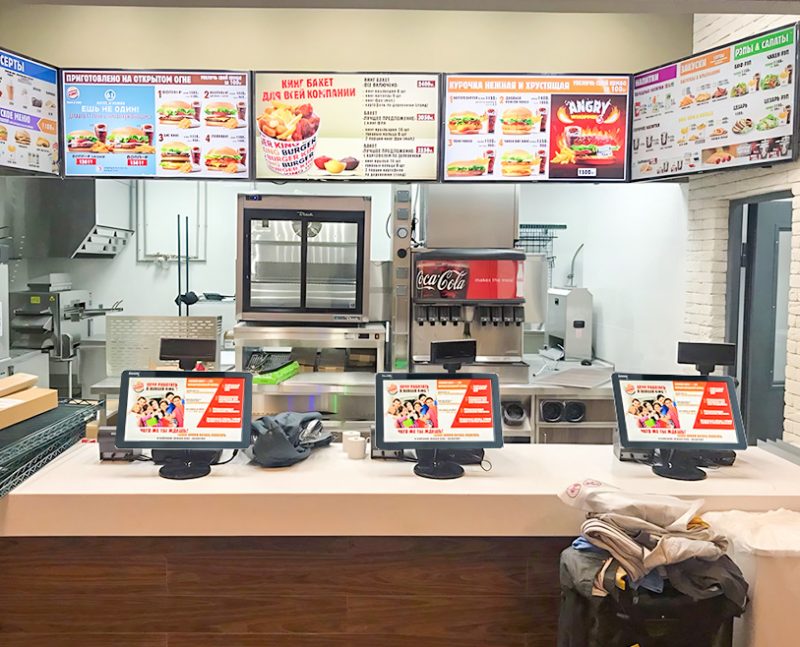
Combina interação por toque, transmissão de dados e processamento de pagamentos em um fluxo de trabalho simples. Além disso, aumenta a eficiência da loja e otimiza as experiências de compra dos clientes. Este artigo detalha seus componentes principais, etapas de trabalho completas, funções principais e vantagens operacionais práticas.
Principais componentes internos de um quiosque de autoatendimento
Cada quiosque funcional de auto-encomenda depende de módulos de hardware e software correspondentes para funcionar de forma constante.
1. Módulo de exibição de toque interativo
A tela sensível ao toque atua como a interface principal do usuário. Suporta toque, operações de seleção e deslizamento. Ele oferece exibições de menu claras e resposta sensível para uso frequente do cliente.
2. Sistema de controle inteligente
O sistema integrado armazena dados do menu, regras de preços e políticas de desconto. Ele calcula os valores dos pedidos e registra as escolhas do cliente em tempo real. Ele suporta toda a lógica de pedido principal.
3. Módulo de identificação de pagamento
Este componente lê vários códigos de pagamento e verifica o status da transação. Ele confirma pagamentos bem-sucedidos instantaneamente. Ele também envia dados de pagamento de volta ao sistema principal.
4. Módulo de transmissão de dados
Esta parte conecta o quiosque aos sistemas de armazenamento back-end. Ele sincroniza dados de pedidos com terminais de cozinha e plataformas de gerenciamento de lojas. Ele garante informações consistentes em todos os dispositivos.
Processo de trabalho passo a passo de um quiosque de auto-encomenda
Um fluxo de trabalho completo para pedidos em quiosques segue quatro etapas simples, etapas ordenadas para cada cliente.
1. Inicie a operação e navegue pelos itens
Primeiro, os clientes ativam a tela do quiosque de espera. Eles navegam em listas de produtos categorizados, veja detalhes do item e verifique as promoções disponíveis. Eles criam pedidos personalizados livremente.
2. Confirme pedidos e aplique descontos
Próximo, os usuários adicionam itens preferidos, ajustar quantidades e modificar opções personalizadas. Enquanto isso, o sistema aplica automaticamente descontos válidos na loja. Ele gera uma fatura total precisa instantaneamente.
3. Pagamento independente completo
Após confirmação do pedido, os clientes escolhem seu método de pagamento favorito. Eles terminam a digitalização e a verificação do pagamento no quiosque. O sistema registra dados de transações bem-sucedidas imediatamente.
4. Sincronize pedidos e gere recibos
Finalmente, o quiosque envia pedidos verificados para sistemas de cozinha ou back-end. Imprime recibos em papel para referência do cliente. Esta etapa finaliza todo o processo de pedido de autoatendimento.
Principais funções auxiliares de trabalho de quiosques de auto-encomenda
Além do pedido básico, quiosques modernos possuem funções auxiliares práticas para gerenciamento de loja.
1. Estatísticas de dados de pedidos em tempo real
O quiosque conta automaticamente o volume de pedidos diários e os dados de produtos populares. Ajuda os lojistas a analisar tendências de negócios e ajustar planos de estoque.
2. Correção automática de erros do sistema
Além disso, o sistema filtra pedidos inválidos e pagamentos repetidos. Evita erros anormais de dados durante horários de pico. Mantém a operação estável da loja.
3. Espera inteligente e economia de energia
O dispositivo entra no modo de espera de baixo consumo de energia durante o tempo ocioso. Ele acorda rapidamente quando os usuários tocam na tela. Este design economiza custos de eletricidade da loja a longo prazo.
Benefícios práticos de trabalhar em quiosques de auto-encomenda
As lojas obtêm melhorias operacionais óbvias após a implantação de dispositivos de quiosque de autoatendimento.
1. Elimine longos tempos de fila de clientes
Os quiosques dispersam o fluxo de clientes durante os períodos de pico. Vários usuários fazem pedidos ao mesmo tempo. Por isso, lojas melhoram muito a rotatividade diária de serviços.
2. Reduza erros de pedidos manuais
Os clientes selecionam itens sozinhos na tela. Eles evitam problemas de falta de comunicação com a equipe. Reduz erros de pedidos e reduz o desperdício desnecessário de produtos.
3. Menor pressão operacional de mão de obra na loja
Os quiosques realizam trabalhos repetitivos de pedidos. A equipe se concentra na preparação de alimentos e orientação no local. Por sua vez, as lojas organizam os recursos humanos de forma mais razoável.
4. Padronize os processos de atendimento da loja
Todos os clientes seguem etapas de pedido unificadas. O sistema executa regras fixas de preços e descontos. Ele constrói uma imagem de serviço de loja padronizada e profissional.
Perguntas frequentes sobre como funciona um quiosque de autoatendimento
Q1: Um quiosque de autoatendimento precisa de operação manual para funcionar?
A1: Não. Ele é executado de forma totalmente automática após uma configuração simples de inicialização. Os clientes concluem o pedido e o pagamento sem assistência da equipe.
Q2: Os quiosques podem processar pedidos com desconto e refeições combinadas corretamente??
A2: Sim. O sistema integrado pré-define todas as regras de descontos e combos. Ele calcula as contas com precisão para todos os tipos de pedidos promocionais.
Q3: As falhas no pagamento causarão confusão nos pedidos no quiosque?
A3: Não. O sistema marca pedidos não pagos separadamente. Limpa dados inválidos automaticamente e evita a geração de pedidos duplicados.
4º trimestre: Os quiosques de auto-pedido podem sincronizar dados com sistemas de exibição de cozinha?
A4: Absolutamente. Quiosques qualificados suportam sincronização de dados em tempo real. A equipe da cozinha recebe lembretes de novos pedidos sem demora.
Q5: Esses quiosques precisam de manutenção frequente do sistema?
A5: Não. Sistemas de quiosque maduros funcionam de forma estável por longos períodos. Somente atualizações regulares do menu e verificações de rotina mantêm a operação normal.
Conclusão
Geral, um quiosque de autoatendimento funciona por meio de módulos coordenados de hardware e software. Conclui a seleção do item, cobrança, pagamento e sincronização de dados em um fluxo de trabalho padronizado. Ele resolve problemas comuns de catering, como longas filas, erros manuais e forte pressão de trabalho. Ele oferece estável, serviço eficiente e padronizado para serviços de alimentação e lojas de varejo.
Se você deseja equipar sua loja com equipamentos de alto desempenho, dispositivos de quiosque de auto-encomenda estáveis para melhorar a eficiência do seu serviço, por favor preencha o formulário de consulta em nosso site oficial. Compartilhe seu tipo de loja, tamanho do espaço e requisitos funcionais, e nossa equipe entregará soluções profissionais customizadas para o seu negócio.
