
ธุรกิจค้าปลีกและบริการอาหารสมัยใหม่ให้ความสำคัญอย่างรวดเร็ว, ประสบการณ์ของลูกค้าที่ราบรื่น. การสั่งซื้อด้วยตนเองมักทำให้คิวยาว, ข้อผิดพลาดของมนุษย์และความกดดันด้านภาระงานของพนักงาน. ด้วยเหตุนี้, เจ้าของร้านค้าจำนวนมากขึ้นติดตั้งอุปกรณ์บริการตนเองอัจฉริยะสำหรับการดำเนินงานในแต่ละวัน ตู้สั่งซื้อด้วยตนเองช่วยปรับปรุงกระบวนการสั่งซื้อของลูกค้าทั้งหมดโดยไม่ต้องมีการแทรกแซงด้วยตนเอง.
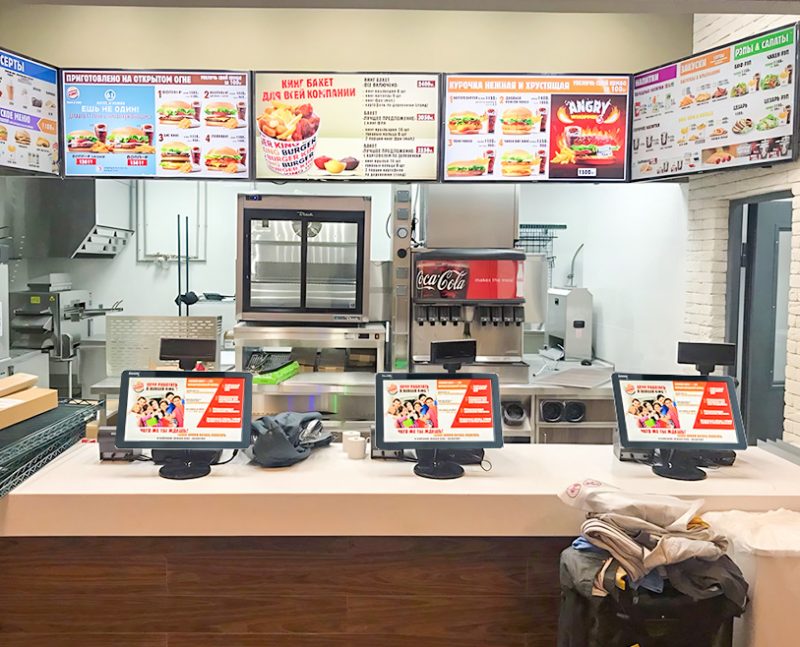
มันผสมผสานการโต้ตอบแบบสัมผัส, การส่งข้อมูลและการประมวลผลการชำระเงินเป็นขั้นตอนการทำงานง่ายๆ เพียงหนึ่งเดียว. นอกจากนี้, ช่วยเพิ่มประสิทธิภาพร้านค้าและเพิ่มประสิทธิภาพประสบการณ์การช็อปปิ้งของลูกค้า. บทความนี้จะแจกแจงองค์ประกอบหลัก, เสร็จสิ้นขั้นตอนการทำงาน, ฟังก์ชั่นหลักและข้อได้เปรียบในการปฏิบัติงานจริง.
ส่วนประกอบภายในหลักของคีออสก์สั่งซื้อด้วยตนเอง
ตู้สั่งซื้อด้วยตนเองทุกฟังก์ชันอาศัยโมดูลฮาร์ดแวร์และซอฟต์แวร์ที่ตรงกันเพื่อให้ทำงานได้อย่างมั่นคง.
1. โมดูลแสดงผลแบบสัมผัสแบบโต้ตอบ
หน้าจอสัมผัสทำหน้าที่เป็นอินเทอร์เฟซผู้ใช้หลัก. รองรับการแตะ, การเลือกและการเลื่อนการดำเนินการ. โดยให้การแสดงเมนูที่ชัดเจนและการตอบสนองที่ละเอียดอ่อนสำหรับการใช้งานของลูกค้าบ่อยครั้ง.
2. ระบบควบคุมอัจฉริยะ
ระบบในตัวจัดเก็บข้อมูลเมนู, กฎการกำหนดราคาและนโยบายส่วนลด. โดยจะคำนวณจำนวนคำสั่งซื้อและบันทึกตัวเลือกของลูกค้าแบบเรียลไทม์. รองรับตรรกะการสั่งซื้อหลักทั้งหมด.
3. โมดูลระบุการชำระเงิน
ส่วนประกอบนี้อ่านรหัสการชำระเงินหลายรหัสและตรวจสอบสถานะธุรกรรม. ยืนยันการชำระเงินสำเร็จทันที. อีกทั้งยังดึงข้อมูลการชำระเงินกลับไปยังระบบหลักอีกด้วย.
4. โมดูลการส่งข้อมูล
ส่วนนี้จะเชื่อมต่อคีออสก์กับระบบจัดเก็บส่วนหลัง. ซิงค์ข้อมูลคำสั่งซื้อกับเครื่องใช้ในครัวและแพลตฟอร์มการจัดการร้านค้า. ช่วยให้มั่นใจได้ถึงข้อมูลที่สอดคล้องกันในทุกอุปกรณ์.
กระบวนการทำงานทีละขั้นตอนของตู้สั่งซื้อด้วยตนเอง
ขั้นตอนการสั่งซื้อคีออสก์ที่สมบูรณ์มีขั้นตอนง่ายๆ สี่ประการ, ขั้นตอนที่เป็นระเบียบเรียบร้อยสำหรับลูกค้าทุกคน.
1. เริ่มดำเนินการและเรียกดูรายการ
อันดับแรก, ลูกค้าเปิดใช้งานหน้าจอคีออสก์สแตนด์บาย. พวกเขาเรียกดูรายการผลิตภัณฑ์ตามหมวดหมู่, ดูรายละเอียดรายการและตรวจสอบโปรโมชั่นที่มีอยู่. พวกเขาสร้างคำสั่งซื้อส่วนบุคคลได้อย่างอิสระ.
2. ยืนยันคำสั่งซื้อและใช้ส่วนลด
ต่อไป, ผู้ใช้เพิ่มรายการที่ต้องการ, ปรับปริมาณและแก้ไขตัวเลือกที่กำหนดเอง. ขณะเดียวกัน, ระบบจะใช้ส่วนลดร้านค้าที่ถูกต้องโดยอัตโนมัติ. มันสร้างบิลรวมที่แม่นยำทันที.
3. ชำระเงินอิสระให้เสร็จสิ้น
หลังจากยืนยันการสั่งซื้อ, ลูกค้าเลือกวิธีการชำระเงินที่ชื่นชอบ. พวกเขาสแกนและยืนยันการชำระเงินบนตู้เสร็จแล้ว. ระบบบันทึกข้อมูลการทำรายการสำเร็จทันที.
4. ซิงค์คำสั่งซื้อและสร้างใบเสร็จรับเงิน
ในที่สุด, คีออสก์จะส่งคำสั่งซื้อที่ได้รับการยืนยันแล้วไปยังห้องครัวหรือระบบแบ็กเอนด์. มันพิมพ์ใบเสร็จรับเงินกระดาษเพื่อการอ้างอิงของลูกค้า. ขั้นตอนนี้จะทำให้กระบวนการสั่งซื้อแบบบริการตนเองทั้งหมดเสร็จสิ้น.
ฟังก์ชั่นการทำงานเสริมที่สำคัญของตู้สั่งซื้อด้วยตนเอง
นอกเหนือจากการสั่งซื้อขั้นพื้นฐาน, ซุ้มที่ทันสมัยมีฟังก์ชันเสริมที่ใช้งานได้จริงสำหรับการจัดการร้านค้า.
1. สถิติข้อมูลการสั่งซื้อแบบเรียลไทม์
คีออสก์จะนับปริมาณการสั่งซื้อรายวันและข้อมูลผลิตภัณฑ์ยอดนิยมโดยอัตโนมัติ. ช่วยให้เจ้าของร้านค้าวิเคราะห์แนวโน้มธุรกิจและปรับแผนสินค้าคงคลัง.
2. แก้ไขข้อผิดพลาดของระบบอัตโนมัติ
นอกจากนี้, ระบบกรองคำสั่งซื้อที่ไม่ถูกต้องและการชำระเงินซ้ำ. หลีกเลี่ยงข้อผิดพลาดของข้อมูลที่ผิดปกติในช่วงเวลาเร่งด่วน. ช่วยให้การดำเนินงานของร้านค้ามีเสถียรภาพ.
3. สแตนด์บายอัจฉริยะและการประหยัดพลังงาน
อุปกรณ์เข้าสู่โหมดสแตนด์บายพลังงานต่ำในช่วงเวลาว่าง. โดยจะเริ่มทำงานอย่างรวดเร็วเมื่อผู้ใช้สัมผัสหน้าจอ. การออกแบบนี้ช่วยประหยัดค่าไฟฟ้าในการจัดเก็บในระยะยาว.
ประโยชน์เชิงปฏิบัติของการทำงานตู้สั่งซื้อด้วยตนเอง
ร้านค้าได้รับการปรับปรุงการปฏิบัติงานอย่างเห็นได้ชัดหลังจากปรับใช้อุปกรณ์คีออสก์ที่สั่งซื้อด้วยตนเอง.
1. ขจัดเวลาการเข้าคิวของลูกค้าที่ยาวนาน
ซุ้มกระจายการไหลเวียนของลูกค้าในช่วงเวลาเร่งด่วน. ผู้ใช้หลายคนสั่งซื้อพร้อมกัน. ดังนั้น, ร้านค้าปรับปรุงการหมุนเวียนการบริการรายวันอย่างมาก.
2. ลดข้อผิดพลาดในการสั่งซื้อด้วยตนเอง
ลูกค้าเลือกรายการด้วยตัวเองบนหน้าจอ. พวกเขาหลีกเลี่ยงปัญหาการสื่อสารผิดพลาดกับพนักงาน. ลดข้อผิดพลาดในการสั่งซื้อและลดการสูญเสียผลิตภัณฑ์ที่ไม่จำเป็น.
3. แรงกดดันในการปฏิบัติงานของแรงงานในร้านค้าลดลง
ซุ้มรับสั่งงานซ้ำๆ. พนักงานมุ่งเน้นไปที่การเตรียมอาหารและคำแนะนำในสถานที่. ในทางกลับกัน, ร้านค้าจัดทรัพยากรบุคคลอย่างสมเหตุสมผลมากขึ้น.
4. สร้างมาตรฐานกระบวนการบริการของร้านค้า
ลูกค้าทุกคนทำตามขั้นตอนการสั่งซื้อแบบรวม. ระบบดำเนินการกฎการกำหนดราคาคงที่และส่วนลด. สร้างภาพลักษณ์การบริการร้านค้าที่ได้มาตรฐานและเป็นมืออาชีพ.
คำถามที่พบบ่อยเกี่ยวกับวิธีการทำงานของคีออสก์แบบสั่งซื้อด้วยตนเอง
ไตรมาสที่ 1: ตู้สั่งซื้อด้วยตนเองจำเป็นต้องดำเนินการด้วยตนเองหรือไม่?
A1: เลขที่. มันทำงานโดยอัตโนมัติอย่างสมบูรณ์หลังจากการตั้งค่าเริ่มต้นง่ายๆ. ลูกค้าดำเนินการสั่งซื้อและชำระเงินให้เสร็จสิ้นโดยไม่ต้องให้เจ้าหน้าที่ช่วย.
ไตรมาสที่ 2: ซุ้มสามารถประมวลผลคำสั่งซื้อส่วนลดและอาหารคอมโบได้อย่างถูกต้อง?
A2: ใช่. ระบบในตัวจะตั้งค่ากฎส่วนลดและคำสั่งผสมทั้งหมดไว้ล่วงหน้า. คำนวณใบเรียกเก็บเงินอย่างแม่นยำสำหรับคำสั่งซื้อส่งเสริมการขายทุกประเภท.
ไตรมาสที่ 3: การชำระเงินล้มเหลวจะทำให้เกิดความสับสนในการสั่งซื้อบนตู้หรือไม่?
A3: เลขที่. ระบบจะทำเครื่องหมายคำสั่งซื้อที่ค้างชำระแยกกัน. จะล้างข้อมูลที่ไม่ถูกต้องโดยอัตโนมัติและหลีกเลี่ยงการสร้างคำสั่งซื้อที่ซ้ำกัน.
ไตรมาสที่ 4: ตู้สั่งซื้อด้วยตนเองสามารถซิงค์ข้อมูลกับระบบแสดงผลในห้องครัวได้?
A4: อย่างแน่นอน. คีออสก์ที่ผ่านการรับรองรองรับการซิงโครไนซ์ข้อมูลแบบเรียลไทม์. พนักงานครัวจะได้รับการแจ้งเตือนคำสั่งซื้อใหม่โดยไม่ชักช้า.
คำถามที่ 5: ซุ้มเหล่านี้จำเป็นต้องบำรุงรักษาระบบบ่อยครั้งหรือไม่?
A5: เลขที่. ระบบคีออสก์ที่สมบูรณ์ทำงานได้อย่างเสถียรเป็นระยะเวลานาน. เฉพาะการอัปเดตเมนูปกติและการตรวจสอบตามปกติเท่านั้นที่ทำให้การทำงานเป็นปกติ.
บทสรุป
โดยรวม, ตู้สั่งซื้อด้วยตนเองทำงานผ่านโมดูลฮาร์ดแวร์และซอฟต์แวร์ที่ประสานงานกัน. เป็นอันเสร็จสิ้นการเลือกรายการ, การเรียกเก็บเงิน, การชำระเงินและการซิงโครไนซ์ข้อมูลในขั้นตอนการทำงานที่ได้มาตรฐาน. ช่วยแก้ปัญหาปัญหาทั่วไปในการจัดเลี้ยง เช่น การต่อคิวยาว, ข้อผิดพลาดด้วยตนเองและความกดดันด้านแรงงานจำนวนมาก. มันให้ความเสถียร, การบริการที่มีประสิทธิภาพและได้มาตรฐานสำหรับบริการอาหารและร้านค้าปลีก.
หากคุณต้องการให้ร้านค้าของคุณมีประสิทธิภาพสูง, อุปกรณ์คีออสก์สั่งซื้อด้วยตนเองที่เสถียรเพื่อยกระดับประสิทธิภาพการบริการของคุณ, กรุณากรอกแบบฟอร์มสอบถามบนเว็บไซต์อย่างเป็นทางการของเรา. แบ่งปันประเภทร้านค้าของคุณ, ขนาดพื้นที่และข้อกำหนดการใช้งาน, และทีมงานของเราจะนำเสนอโซลูชั่นระดับมืออาชีพที่ปรับแต่งเฉพาะสำหรับธุรกิจของคุณ.
