
Zelfbedieningskiosken worden steeds populairder in restaurants, winkels en openbare voorzieningen. De meeste gebruikers communiceren met deze machines door op het voorpaneel te tikken en te vegen. Toch kunnen veel mensen de exacte relatie tussen kiosken en touchscreens niet vertellen.
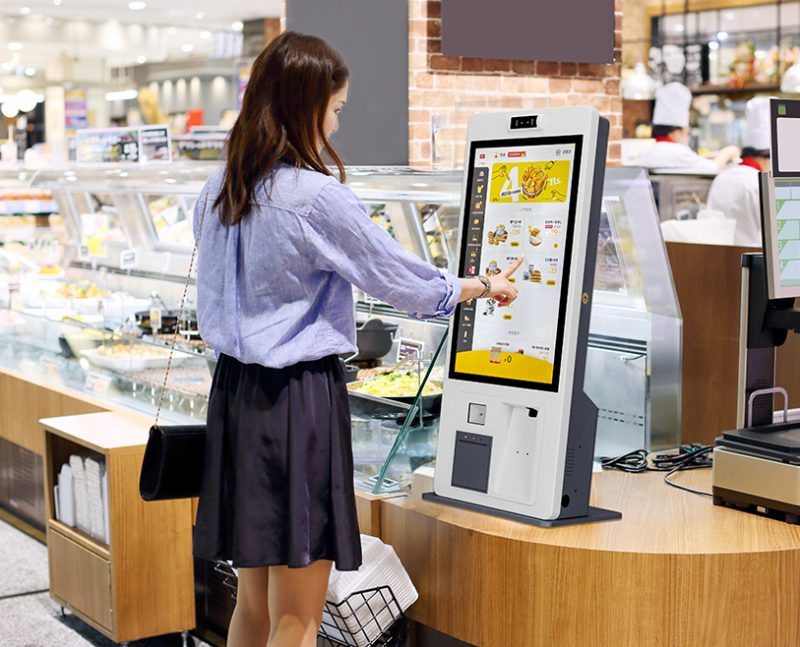
Sommige mensen gaan ervan uit dat alle kiosken aanraakbediening gebruiken, terwijl anderen kiosken en schermen als afzonderlijke hardware behandelen. In werkelijkheid, de meeste moderne servicekiosken integreren interactieve displays. Toch, niet bij elke kiosk hoort een standaard touchscreen toestel. Dit artikel verduidelijkt hun definities, verschillen, bijpassende typen en praktische toepassingsregels.
Kerndefinitie van kiosken en touchscreen-apparaten
Om verwarring op te helderen, je moet eerst de twee professionele definities onderscheiden.
1. Wat een standaardkiosk is
A kiosk is een complete zelfbedieningsterminal. Het bevat een hardwareshell, besturingsbord, besturingssysteem en interactieve modules. Het dient onafhankelijke bestelling, betalings- en aanvraagfuncties.
2. Wat een touchscreen-apparaat is
Een touchscreen-apparaat verwijst naar elk scherm met detectielagen. Het legt de aanraakbewegingen van gebruikers vast en zet acties om in systeemopdrachten. Het fungeert als een interactief invoerhulpmiddel.
3. Fundamentele logische relatie tussen hen
Een kiosk is een volledige set serviceapparatuur. In de tussentijd, een touchscreen-apparaat is een interactief kernonderdeel. Moderne commerciële kiosken zijn voor de bediening door de gebruiker sterk afhankelijk van touchscreenmodules.
Zijn de meeste commerciële kiosken met touchscreen-apparaten?
Kortom, Reguliere servicekiosken gelden als geïntegreerde touchscreen-apparaten voor dagelijkse bedrijfsscenario's.
1. Touchscreens worden standaardconfiguratie
Bijna alle nieuwe catering- en retailkiosken maken gebruik van touchscreenpanelen. Ze vervangen de oude knop- en toetsenbordmodi. Dus, ze zorgen voor meer intuïtieve en snelle interacties.
2. Alles-in-één structuur vereenvoudigt de bediening
Moderne kiosken combineren display- en aanraakdetectie in één scherm. Gebruikers bladeren door inhoud en voeren opdrachten in op hetzelfde paneel. Dit ontwerp vermindert extra hulpapparatuur.
3. Het touchscreen-ontwerp past bij de behoeften van de publieke dienstverlening
Aanraakbediening is geschikt voor gebruikers van alle leeftijden. Het verlaagt de leerkosten voor nieuwe klanten. Het verbetert ook de service-efficiëntie tijdens piekdrukte.
Zijn er kiosken zonder touchscreen-functies??
Niet alle kioskmodellen maken gebruik van touchscreen-apparaattechnologie. Sommige speciale versies gebruiken andere interactieve modi.
1. Speciale informatiekiosken met knoppen
Eenvoudige openbare informatiekiosken maken gebruik van fysieke knoppen. Ze installeren geen touchscreenpanelen. Ze voltooien alleen vaste informatiequerytaken.
2. Servicekiosken met toetsenbordbediening
Individuele professionele servicekiosken passen bij externe toetsenborden. Ze vertrouwen op handmatig typen in plaats van tikken op het scherm. Ze richten zich op nauwkeurige gegevensinvoerscenario's.
3. Sensorgebaseerde non-touch kiosken
Sommige onbemande toegangskiosken maken gebruik van infraroodsensoren. Ze veroorzaken operaties via lichaamsinductie. Ze slaan touchscreen-interactie volledig over.
Belangrijkste kenmerken van touchscreen-kioskapparaten
Kiosken met touchscreen hebben unieke voordelen ten opzichte van traditionele non-touchmodellen.
1. Intuïtieve visuele interactie
Gebruikers volgen menu's op het scherm om bewerkingen te voltooien. Ze vermijden ingewikkeld knopgeheugen. In aanvulling, de visuele interface ondersteunt persoonlijk maatwerk.
2. Hoge gevoeligheid en snelle respons
Gekwalificeerde touchscreen-apparaten reageren binnen milliseconden. Ze ondersteunen continu tikken en glijden. Ze behouden soepele prestaties tijdens hoogfrequent gebruik.
3. Sterk aanpassingsvermogen aan de omgeving
Commerciële touchscreenpanelen zijn bestand tegen stof en kleine krassen. Ze werken stabiel in drukke binnen- en semi-buitenomgevingen. Ze passen zich aan aan langdurig continu gebruik.
4. Flexibele functie-uitbreiding
Touchscreen-kiosken updaten menu's en programma's op afstand. Ze voegen nieuwe servicefuncties toe zonder hardwarevervanging. Ze ondersteunen zakelijke iteratie op de lange termijn.
Veelgestelde vragen over kiosken en touchscreen-apparaten
Q1: Is een reguliere zelfbedieningskiosk een touchscreen-apparaat?
A1: Ja. De meeste commerciële zelfbedieningskiosken integreren standaard touchscreen-apparaatmodules. Ze gebruiken aanraakbediening als de enige interactieve methode.
Vraag 2: Kunnen kiosken normaal werken zonder touchscreen-apparaten??
A2: Ja. Gespecialiseerde kiosken gebruiken knoppen, sensoren of toetsenborden. Deze non-touchmodi voldoen aan eenvoudige en vaste servicevereisten.
Q3: Wat beter is, touchscreen- of knopkiosken?
A3: Touchscreenkiosken passen in de meeste commerciële scenario's. Ze ondersteunen rijkere functies en eenvoudiger bediening. Button-kiosken zijn alleen geschikt voor enkele vaste diensten.
Q4: Hebben touchscreen-kiosken een hoger uitvalpercentage??
A4: Nee. Moderne industriële touchscreen-apparaten hebben duurzame oppervlakken. Ze zijn bestand tegen dagelijkse slijtage en blijven stabiel bij langdurig gebruik.
Vraag 5: Kunnen we de touchscreenformaten voor kiosken aanpassen??
A5: Zeker. U kunt verschillende formaten touchscreen-apparaten matchen. Aangepaste opties passen perfect bij de winkelindeling en de eisen van de bedrijfsschaal.
Conclusie
Om samen te vatten, De meeste moderne commerciële kiosken zijn complete terminals met touchscreen-apparaat. Touchscreens vormen het belangrijkste interactieve onderdeel van reguliere zelfbedieningsapparatuur. In de tussentijd, een klein aantal professionele kiosken gebruikt interactieve structuren zonder aanraking voor speciale scenario's. Touchscreenkiosken bieden betere flexibiliteit, hogere efficiëntie en bredere toepasbaarheid voor de catering, detailhandel en openbare diensten.
Als u hoogwaardige kwaliteit nodig heeft, duurzame touchscreen-apparaatkiosken voor uw commerciële of openbare dienstverleningsprojecten, voel je vrij om het aanvraagformulier op onze officiële website in te vullen. Vertel ons uw gebruiksscenario's en groottevereisten, en ons team zal professionele, op maat gemaakte kioskoplossingen voor u leveren.
