
Cold brew đã trở thành mặt hàng chủ lực quanh năm ở các quán cà phê, quán cà phê, và cửa hàng tiện lợi, được yêu thích vì sự mượt mà của nó, hương vị axit thấp và hương vị tươi mát. Để phục vụ nó một cách hiệu quả, máy pha chế bia lạnh cần có bộ điều khiển đáng tin cậy để xử lý việc điều chỉnh nhiệt độ, độ chính xác của phần, và tùy chỉnh hương vị. Màn hình cảm ứng máy pha chế bia lạnh là giải pháp hiện đại—nhưng không phải tất cả màn hình cảm ứng được xây dựng cho nhu cầu đặc biệt của môi trường ủ lạnh.
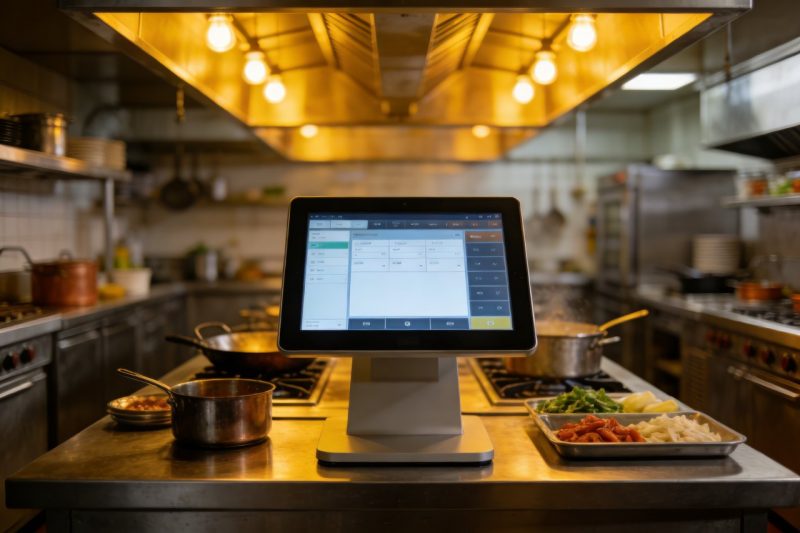
Máy pha chế bia lạnh hoạt động ở chế độ mát mẻ, điều kiện ẩm ướt với sự cố tràn nước thường xuyên, cà phê, hoặc dung dịch tẩy rửa. Họ cũng yêu cầu kiểm soát chính xác tỷ lệ pha loãng, ổn định nhiệt độ, và phục vụ theo yêu cầu. Màn hình cảm ứng sai sẽ nhanh hỏng, làm chậm dịch vụ, hoặc làm giảm chất lượng đồ uống. Hướng dẫn này chia nhỏ các tính năng chính để ưu tiên, các loại màn hình cảm ứng hiệu suất cao nhất, mẹo lựa chọn, và Câu hỏi thường gặp để giúp bạn tìm thấy sự phù hợp hoàn hảo. Cho dù bạn điều hành một quán cà phê nhỏ hay một địa điểm bán lẻ sầm uất, những thông tin chi tiết này sẽ giúp bạn chọn Màn hình cảm ứng Máy làm bia lạnh bền bỉ, thân thiện với người dùng, và được xây dựng cho nhu cầu cụ thể của bia lạnh.
Các tính năng chính cần được ưu tiên trong màn hình cảm ứng máy pha chế bia lạnh
Màn hình cảm ứng Cold Brew Dispenser tốt nhất phải cân bằng độ bền, chức năng, và khả năng thích ứng với môi trường bia lạnh. Dưới đây là các tính năng không thể thương lượng:
1. không thấm nước & Thiết kế hợp vệ sinh (Quan trọng đối với môi trường ẩm ướt)
Máy pha chế bia lạnh có độ ẩm liên tục—tràn đổ, hơi nước, và việc xịt tẩy rửa là điều không thể tránh khỏi.
Xếp hạng bảo vệ IP65+: Đảm bảo màn hình chống được tia nước và nước bắn, ngăn ngừa thiệt hại bên trong.
Vỏ chống nước: Viền và miếng đệm kín ngăn chất lỏng thấm vào cổng hoặc mạch điện.
Bề mặt dễ lau chùi: Lớp phủ kỵ dầu đẩy lùi cặn cà phê dính, vì vậy lau nhanh bằng khăn lau khử trùng sẽ giữ vệ sinh.
Khung chống gỉ: Khung nhôm hoặc thép không gỉ tránh bị ăn mòn do điều kiện ẩm ướt hoặc hóa chất tẩy rửa.
2. Khả năng thích ứng nhiệt độ rộng (Dành cho môi trường phân phối mát mẻ)
Bia lạnh cần nhiệt độ thấp ổn định (khoảng 3°C) để luôn tươi mới, vì vậy màn hình cảm ứng phải hoạt động ở chế độ cài đặt mát mẻ.
Phạm vi hoạt động từ -20°C đến 70°C: Xử lý phần bên trong mát mẻ của bộ phân phối mà không gặp vấn đề về độ trễ hoặc hiển thị.
Công nghệ chống sương mù: Ngăn chặn sự ngưng tụ làm mờ màn hình trong điều kiện ẩm ướt, môi trường mát mẻ.
Khả năng khởi động nguội: Khởi động đáng tin cậy ngay cả khi bật bộ phân phối lần đầu trong điều kiện lạnh.
Bù nhiệt độ: Duy trì độ nhạy cảm ứng mà không bị trôi khi nhiệt độ môi trường dao động.
3. Điều khiển dành riêng cho bia lạnh trực quan
Màn hình sẽ đơn giản hóa các chức năng pha chế lạnh chính cho nhân viên cũng như khách hàng.
Cài đặt trước tỷ lệ pha loãng: Cho phép người dùng chọn tỷ lệ từ 1:1 ĐẾN 30:1 cho bia lạnh đậm đặc.
Điều chỉnh nhiệt độ: Hiển thị và kiểm soát nhiệt độ phục vụ để bảo quản hương vị và an toàn.
Tùy chọn kiểm soát khẩu phần: Đặt trước cho nhỏ, trung bình, hoặc khẩu phần lớn để giảm lãng phí và đảm bảo tính nhất quán.
Công cụ lựa chọn hương vị: Phân loại các tùy chọn như tĩnh, truyền nitro, hoặc bia lạnh pha trái cây với các biểu tượng rõ ràng.
4. Độ bền khi sử dụng với lưu lượng cao
Máy pha chế bia lạnh được sử dụng thường xuyên, vì vậy màn hình cảm ứng phải chịu được sự hao mòn hàng ngày.
9Kính chống xước H.: Chống trầy xước từ dụng cụ vệ sinh, cốc, hoặc va chạm vô tình.
Khung chống va đập: Các cạnh được gia cố xử lý những cú rơi hoặc va chạm nhỏ mà không bị nứt.
MTBF dài (Thời gian trung bình giữa các lần thất bại): Nhằm mục đích 80,000+ giờ để giảm thiểu thời gian ngừng hoạt động và thay thế.
Kháng hóa chất: Chịu được tiếp xúc với cà phê, giải pháp làm sạch, và chất khử trùng mà không làm hỏng lớp phủ.
5. Khả năng tương thích & Kết nối
Màn hình cảm ứng phải tích hợp liền mạch với hệ thống phân phối và phụ trợ của bạn.
Tích hợp điều khiển bộ phân phối: Đồng bộ hóa với các thành phần dưới quầy để điều chỉnh lưu lượng, nhiệt độ, và pha loãng.
Kết nối POS: Gửi dữ liệu bán hàng đến hệ thống POS của bạn để theo dõi và báo cáo hàng tồn kho.
Chức năng ngoại tuyến: Lưu trữ cài đặt và xử lý đơn hàng ngay cả khi kết nối internet bị rớt.
Tùy chọn cập nhật dễ dàng: Cho phép bạn thêm hương vị mới hoặc điều chỉnh cài đặt từ xa mà không cần chuyên môn kỹ thuật.
Các loại màn hình cảm ứng máy làm bia lạnh hàng đầu (Theo trường hợp sử dụng)
Màn hình cảm ứng phù hợp tùy thuộc vào loại bộ phân phối của bạn, vị trí, và cơ sở người dùng. Dưới đây là những lựa chọn hàng đầu:
1. Màn hình cảm ứng PCAP cấp công nghiệp (Tốt nhất cho các quán cà phê có lượng người qua lại cao)
Điện dung dự kiến (PCAP) màn hình cảm ứng lý tưởng cho các cửa hàng cà phê và địa điểm bán lẻ đông đúc.
Lợi ích chính: Hỗ trợ cảm ứng đa điểm, thời gian phản hồi nhanh (0.5bệnh đa xơ cứng), và công nghệ loại bỏ nước/găng tay.
Tính năng quan trọng: Đánh giá chống nước IP67, 1000+ độ sáng nits cho khả năng hiển thị, và phạm vi nhiệt độ rộng.
Tốt nhất cho: Trạm ủ lạnh khối lượng lớn, máy pha chế tự phục vụ, hoặc những địa điểm có nhân viên thường xuyên sử dụng.
Đặc quyền bổ sung: Liên kết quang học để ngăn chặn sự tích tụ độ ẩm và lớp phủ chống chói cho những nơi có nhiều ánh nắng.
2. Màn hình cảm ứng điện trở (Lý tưởng cho việc sử dụng khi trời lạnh/đeo găng)
Màn hình cảm ứng điện trở hoạt động tốt khi trời cực lạnh hoặc khi nhân viên đeo găng tay.
Lợi ích chính: Hiệu suất đáng tin cậy ở nhiệt độ -40°C đến 85°C, và hoạt động với bất kỳ cú chạm nào (ngón tay, găng tay, bút cảm ứng).
Tính năng quan trọng: 4kính cường lực mm, Bảo vệ IP65, và giao diện đơn giản để thao tác nhanh chóng.
Tốt nhất cho: Máy làm mát không cửa ngăn, ki-ốt ngoài trời, hoặc nhân viên đeo găng tay trong quá trình dọn dẹp/chuẩn bị.
Đặc quyền bổ sung: Chi phí thấp, bảo trì dễ dàng, và khả năng chống tràn chất lỏng và bụi.
3. Màn hình cảm ứng mặt bàn nhỏ gọn (Hoàn hảo cho không gian nhỏ)
Mảnh khảnh, mô hình tiết kiệm không gian được thiết kế cho các quán cà phê nhỏ hoặc không gian quầy hạn chế.
Lợi ích chính: 7–Màn hình 10 inch, tùy chọn treo tường hoặc mặt bàn, và thiết kế nhẹ.
Tính năng quan trọng: Kiểm soát phân phối tích hợp, giao diện dựa trên biểu tượng đơn giản, và phần cứng gắn cài đặt nhanh.
Tốt nhất cho: Quán cà phê nhỏ, tiệm bánh, hoặc các cửa hàng tiện lợi với số lượng quầy hạn chế.
Đặc quyền bổ sung: Tiết kiệm năng lượng (40W hoặc ít hơn), hoạt động yên tĩnh, và chứng nhận NSF/UL về an toàn thực phẩm.
4. Màn hình cảm ứng tự phục vụ (Dành cho máy phân phối hướng tới khách hàng)
Các mô hình thân thiện với người dùng cho phép khách hàng tự phục vụ mà không cần sự trợ giúp của nhân viên.
Lợi ích chính: Lớn, biểu tượng sống động, lựa chọn một chạm, và hỗ trợ đa ngôn ngữ.
Tính năng quan trọng: Lời nhắc khuyến mại (ví dụ., “Thêm một chiếc bánh ngọt với giá 2 đô la”), xác nhận đơn hàng, và thiết kế chống tràn.
Tốt nhất cho: Cửa hàng tạp hóa, phòng nghỉ văn phòng, hoặc các khu vực tự phục vụ có lưu lượng người qua lại cao.
Đặc quyền bổ sung: Giao diện có thương hiệu (thêm logo/màu sắc), tích hợp thanh toán, và theo dõi lịch sử đơn hàng.
Cách chọn màn hình cảm ứng máy làm bia lạnh phù hợp
Hãy làm theo các bước sau để điều chỉnh màn hình cảm ứng phù hợp với nhu cầu kinh doanh và bộ phân phối của bạn:
1. Đánh giá loại máy phân phối của bạn & Môi trường
Bắt đầu bằng cách hiểu nhu cầu cụ thể của thiết lập của bạn:
Vị trí phân phối: Quán cà phê trong nhà cần bảo vệ IP65; bộ phân phối gắn ngoài trời/làm mát yêu cầu IP67 và hỗ trợ nhiệt độ rộng.
Loại người dùng: Việc sử dụng chỉ dành cho nhân viên có thể ưu tiên độ bền; dịch vụ tự phục vụ cần thiết kế trực quan và màn hình sáng.
Âm lượng: Các vị trí có lưu lượng truy cập cao cần màn hình PCAP để đảm bảo tốc độ; các điểm có khối lượng thấp có thể sử dụng mô hình điện trở tiết kiệm chi phí.
2. Xác minh khả năng tương thích với bộ phân phối của bạn
Không phải tất cả màn hình cảm ứng đều hoạt động với mọi máy pha chế bia lạnh—hãy kiểm tra những điều này:
Kiểm soát tích hợp: Đảm bảo màn hình đồng bộ với độ pha loãng của bộ phân phối của bạn, nhiệt độ, và điều khiển dòng chảy.
Tùy chọn lắp đặt: Phù hợp với kích thước của màn hình (7–10 inch cho bộ phân phối nhỏ gọn, 12+ inch để tự phục vụ) để thiết lập của bạn.
Chứng chỉ: Tìm kiếm các chứng nhận NSF/UL để đáp ứng các tiêu chuẩn an toàn thực phẩm cho môi trường tiếp xúc với thực phẩm.
3. Ưu tiên trải nghiệm người dùng & BẢO TRÌ
Chọn màn hình dễ sử dụng và bảo quản tốt:
Kiểm tra giao diện: Chọn điều khiển dựa trên biểu tượng với văn bản lớn—tránh các menu phức tạp làm chậm dịch vụ.
Dễ dàng vệ sinh: Xác nhận bề mặt chống lại vết bẩn và lau sạch bằng chất khử trùng tiêu chuẩn.
Ủng hộ & bảo hành: Chọn các mẫu có bảo hành 2–3 năm và 24/7 hỗ trợ kỹ thuật để khắc phục sự cố nhanh chóng.
Câu hỏi thường gặp về màn hình cảm ứng máy pha chế bia lạnh
Q1: Màn hình cảm ứng có hoạt động trong môi trường lạnh không (ví dụ., máy làm mát không cửa ngăn)?
A1: Có—hãy tìm những mẫu máy có phạm vi hoạt động từ -20°C đến 70°C và công nghệ chống sương mù. Những thiết bị này xử lý nội thất của bộ phân phối mát mà không gặp vấn đề về hiệu suất.
Q2: Màn hình cảm ứng có thể điều khiển cả bia tĩnh và bia lạnh nitro không?
A2: Tuyệt đối. Các mẫu hàng đầu bao gồm các cài đặt trước cho cả bia lạnh tĩnh và bia lạnh tẩm nitro, với điều chỉnh áp suất và lưu lượng cho từng loại.
Q3: Màn hình cảm ứng có dễ lau chùi sau khi đổ cà phê không?
A3: Đúng. Tất cả các mẫu được đề xuất đều có khả năng chống thấm IP65+ và lớp phủ kỵ dầu. Lau nhanh bằng khăn lau khử trùng sẽ loại bỏ vết đổ mà không làm hỏng màn hình.
Q4: Màn hình sẽ hoạt động nếu nhân viên đeo găng tay?
A4: Nó phụ thuộc vào loại—màn hình điện trở hoạt động với mọi độ dày găng tay, trong khi các mẫu PCAP có thể được hiệu chỉnh để sử dụng găng tay. Hãy cho chúng tôi biết nhu cầu của bạn để được tư vấn phù hợp.
Q5: Tôi có thể cập nhật thực đơn không (ví dụ., thêm hương vị theo mùa) trên màn hình cảm ứng?
A5: Đúng. Hầu hết các mẫu đều cho phép bạn cập nhật hương vị, giá cả, hoặc tỷ lệ pha loãng tính bằng phút thông qua menu cài đặt—không yêu cầu kỹ năng kỹ thuật. Một số thậm chí còn hỗ trợ cập nhật từ xa.
Q6: Màn hình cảm ứng có tích hợp với hệ thống POS hiện tại của tôi không?
A6: Hầu hết các mô hình hàng đầu đều tích hợp với các hệ thống POS phổ biến (Quảng trường, Nướng, cỏ ba lá). Chúng tôi có thể xác minh khả năng tương thích với hệ thống cụ thể của bạn trước khi mua.
Q7: Quá trình cài đặt mất bao lâu?
A7: Quá trình cài đặt thường mất 30–45 phút. Màn hình đi kèm với phần cứng gắn phổ quát và hướng dẫn từng bước, để bạn có thể cài đặt nó bằng các công cụ cơ bản.
Phần kết luận
Màn hình cảm ứng máy pha chế bia lạnh phù hợp sẽ biến đổi dịch vụ pha chế bia lạnh của bạn—cung cấp khả năng điều khiển chính xác, độ bền trong môi trường ẩm ướt/lạnh, và trải nghiệm liền mạch cho nhân viên và khách hàng. Bằng cách ưu tiên thiết kế chống nước, khả năng thích ứng nhiệt độ rộng, điều khiển dành riêng cho bia lạnh, và khả năng tương thích, bạn có thể chọn một màn hình giúp tăng hiệu quả, giảm thời gian chết, và phục vụ nhất quán, bia lạnh chất lượng cao mọi lúc.
Không còn những cuộc quay số phức tạp, nút không phản hồi, hoặc màn hình bị hư hỏng do đổ tràn. Màn hình cảm ứng máy pha chế bia lạnh được thiết kế có mục đích đảm bảo trạm pha lạnh của bạn hoạt động trơn tru, ngay cả trong giờ cao điểm. Đó là một khoản đầu tư giúp tiết kiệm thời gian, cắt giảm chất thải, và giữ chân khách hàng quay trở lại để thưởng thức món bia lạnh yêu thích của họ.
Sẵn sàng tìm kiếm Màn hình cảm ứng Cold Brew Dispenser hoàn hảo cho doanh nghiệp của bạn? Điền vào biểu mẫu trên trang web của chúng tôi để chia sẻ loại máy phân phối của bạn, vị trí, và khối lượng hàng ngày. Các chuyên gia công nghệ đồ uống của chúng tôi sẽ đề xuất mẫu tương thích nhất, cung cấp lời khuyên cài đặt, và trả lời bất kỳ câu hỏi nào để giúp bạn nâng cao dịch vụ bia lạnh của mình. Hãy biến trạm bia lạnh của bạn thành địa điểm đáng tin cậy và thân thiện với người dùng nhất trong thị trấn—hãy bắt đầu ngay hôm nay!
Bạn có muốn tôi giúp bạn tạo danh sách kiểm tra mua màn hình cảm ứng cho máy pha chế bia lạnh để hợp lý hóa quy trình lựa chọn của bạn không?
