
بوفيهات تقديم الطعام في حفلات الزفاف تدور حول الأناقة, كفاءة, وخلق تجربة سلسة للأزواج وضيوفهم. لكن يوم الإعداد غالبًا ما يكون فوضويًا: يتم عرض القائمة المنسقة, إدارة الاحتياجات الغذائية للضيوف, والتأكد من قدرة الموظفين على مواكبة متطلبات الخدمة. كل دقيقة تضيع في مهام الإعداد المملة تقلل من الوقت الذي تقضيه في إتقان عرض البوفيه وجودته. السؤال هو: يمكن بوفيه تقديم الطعام لحفل الزفاف شاشة تعمل باللمس تبسيط هذه العملية?
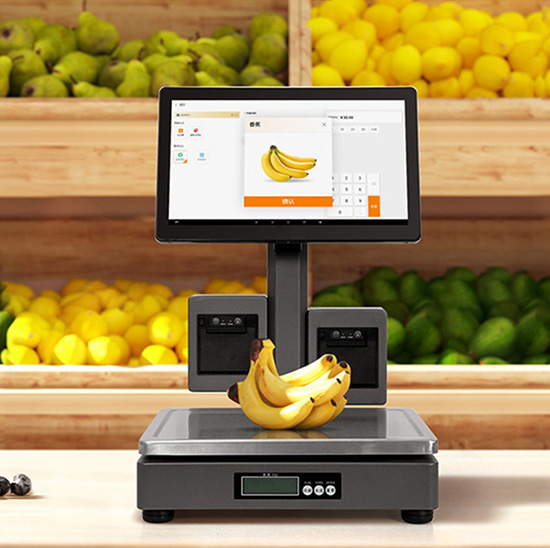
الجواب هو نعم مدوية. تواجه بوفيهات تقديم الطعام في حفلات الزفاف تحديات فريدة من نوعها، مثل تغييرات القائمة في اللحظة الأخيرة, القيود الغذائية المتنوعة, والحاجة إلى الحفاظ على مصقول, نظرة احترافية. شاشة تعمل باللمس مصممة خصيصًا لهذا الغرض تقطع الفوضى, تبسيط مهام الإعداد, تقليل الأخطاء, وتحرير الموظفين للتركيز على الأمور الأكثر أهمية. يشرح هذا الدليل كيف تعمل شاشات اللمس هذه على تبسيط عملية الإعداد, الميزات الرئيسية لتحديد الأولويات, نصائح التنفيذ, والأسئلة الشائعة لمساعدتك على الارتقاء بخدمة تقديم الطعام في حفل الزفاف الخاص بك. سواء كنت تدير شركة تقديم طعام صغيرة أو فريقًا كبيرًا للمناسبات, ستساعدك هذه الأفكار على استخدام شاشة تعمل باللمس لبوفيه تقديم الطعام لحفلات الزفاف لإجراء عملية الإعداد بشكل أسرع, أكثر سلاسة, وأقل إرهاقا.
تعمل الشاشات التي تعمل باللمس على بوفيه تقديم الطعام في حفلات الزفاف على تبسيط الإعداد فعليًا? (الجواب الكامل)
نعم - تعمل شاشات اللمس الخاصة ببوفيه تقديم الطعام في حفلات الزفاف على تبسيط الإعداد عن طريق تقليل وقت الإعداد بنسبة 30-40% مقارنة بالطرق اليدوية التقليدية. إنها تقضي على المهام التي تستغرق وقتًا طويلاً مثل الطباعة وتحديث القوائم الورقية, تتبع الطلبات الغذائية يدويًا, وتنسيق مهام الموظفين.
يتضمن إعداد بوفيه الزفاف التقليدي إنشاء علامات قائمة مادية, وضع العلامات على كل طبق مع المكونات, وإطلاع الموظفين على تفضيلات الضيوف - وكلها عرضة للأخطاء وتستغرق ساعات حتى تكتمل. تعمل شاشة اللمس على مركزية كل هذه المهام: يمكنك تحميل القوائم في دقائق, تحديث الأطباق بنقرة واحدة, وعرض المعلومات الغذائية بوضوح. يمكن للموظفين الوصول إلى قوائم التحقق من الإعداد, تعداد الضيوف, والجداول الزمنية للخدمة مباشرة على الشاشة, الحد من سوء الفهم والتأخير. أقل, نحن نحلل بالضبط كيف تجعل شاشات اللمس هذه عملية الإعداد أسهل لفريق تقديم الطعام لديك.
كيف تعمل شاشات اللمس الخاصة ببوفيه تقديم الطعام في حفلات الزفاف على تبسيط عملية إعداد البوفيه
1. عرض القائمة الفورية & التحديثات (لا مزيد من اللافتات الورقية)
تستغرق القوائم الورقية وقتًا طويلاً في الطباعة, تحديث, وإعدادها - وتبدو غير مصقولة إذا كانت هناك حاجة إلى تغييرات.
قم بتحميل قائمة بوفيه الزفاف الخاص بك على شاشة اللمس في دقائق, مع صور عالية الجودة لكل طبق.
تحديث عناصر القائمة, الأسعار, أو الأوصاف بنقرة واحدة، وهي مثالية لإجراء تغييرات في اللحظة الأخيرة (على سبيل المثال, استبدال الطبق بسبب نقص المكونات).
عرض مكونات الطبق, التسميات الغذائية (خالي من الغلوتين, نباتي, خالية من الجوز), وتحذيرات مسببات الحساسية تلقائيًا - لا داعي لكتابة الملصقات بخط اليد لكل طبق.
يضيف التصميم الأنيق لشاشة اللمس الأناقة إلى البوفيه, مطابقة جمالية حفل الزفاف بشكل أفضل من اللافتات الورقية.
يؤدي هذا إلى تقليل وقت الإعداد ويضمن أن تبدو قائمتك احترافية ودقيقة.
2. إدارة الطلبات الغذائية المبسطة
غالبًا ما تحتوي حفلات الزفاف على العشرات من القيود الغذائية, وتتبعها يدويًا هو كابوس الإعداد.
قم بتحميل الطلبات الغذائية للضيوف مسبقًا على شاشة اللمس (متزامنة مع قائمة الرد على دعوات الزفاف) لعرض الأطباق الآمنة لكل ضيف.
يمكن للضيوف النقر على الشاشة لتصفية الأطباق حسب احتياجاتهم الغذائية (على سبيل المثال, ”إظهار الخيارات النباتية فقط“), تقليل أسئلة الموظفين أثناء الإعداد والخدمة.
يمكن للموظفين الرجوع بسرعة إلى المعلومات الغذائية التي تظهر على الشاشة, القضاء على الحاجة إلى حفظ أو حمل القوائم الورقية.
تشير الشاشة إلى الحساسية ذات الأولوية العالية (على سبيل المثال, المكسرات, المحار) لمنع التلوث المتبادل أثناء الإعداد.
يؤدي هذا إلى تبسيط الإعداد عن طريق إزالة التخمين من الامتثال الغذائي.
3. قوائم مراجعة الإعداد المضمنة & تنسيق الموظفين
يعد تنسيق الموظفين أثناء إعداد بوفيه الزفاف أمرًا فوضويًا، حيث تعمل شاشات اللمس على إبقاء الجميع على المسار الصحيح.
قم بتحميل قائمة مرجعية للإعداد المخصص على الشاشة (على سبيل المثال, ”إعداد محطة المقبلات,"" ترتيب أطباق الحلوى,""اختبار سخانات الطعام"").
يمكن للموظفين وضع علامة على المهام على أنها مكتملة في الوقت الفعلي, حتى تتمكن من تتبع التقدم وتجنب الخطوات الفائتة.
إسناد مهام محددة للموظفين عبر الشاشة, تقليل الارتباك حول من يفعل ماذا.
قم بتعيين الجداول الزمنية لكل مهمة الإعداد (على سبيل المثال, ”محطة المقبلات جاهزة 4:00 مساءً") للتأكد من أن كل شيء جاهز في الوقت المحدد.
وهذا يحافظ على تنظيم فريقك ويضمن بقاء الإعداد في الموعد المحدد.
4. معدات سريعة & تتبع المخزون
تتبع معدات البوفيه (تدفئة, أطباق, أواني) والمخزون أثناء الإعداد يوفر الوقت ويمنع النقص.
استخدم شاشة اللمس لتسجيل المعدات اللازمة لكل محطة بوفيه (على سبيل المثال, 3 سخانات الطعام, 5 أطباق التقديم).
قم بوضع علامة على المعدات على أنها "تم سحبها" أو "تم إرجاعها" لتجنب فقد العناصر أو وضعها في غير مكانها أثناء الإعداد.
تتبع مستويات المخزون للمكونات, المناديل, والأواني, حتى تتمكن من إعادة التخزين قبل وصول الضيوف.
ترسل الشاشة تنبيهات في حالة انخفاض أي عنصر, منع التدافع في اللحظة الأخيرة أثناء الإعداد.
5. سهولة النقل & يثبت (مثالية لأماكن الزفاف)
أماكن الزفاف تختلف على نطاق واسع, ويجب أن تكون معدات تقديم الطعام محمولة، حيث تم تصميم شاشات اللمس لتحقيق هذه المرونة.
تتميز معظم شاشات اللمس الخاصة ببوفيه حفلات الزفاف بخفة الوزن (≥5 رطل) ومدمجة, مما يجعلها سهلة النقل إلى أماكن مختلفة.
أنها تأتي مع حوامل محمولة أو خيارات التثبيت على الحائط, حتى تتمكن من إعدادها في أي مكان في المكان (طاولة بوفيه, مدخل, أو منطقة الموظفين).
لا توجد أسلاك معقدة - العديد من الطرز تعمل بالبطارية أو تستخدم الشحن عبر USB, لذلك لا تحتاج إلى البحث عن منافذ الطاقة أثناء الإعداد.
يتم تشغيل الشاشة في ثوانٍ, حتى تتمكن من البدء في استخدامه بمجرد فتحه.
الميزات الرئيسية التي يجب البحث عنها في شاشة تعمل باللمس لبوفيه تقديم الطعام في حفلات الزفاف
لتعظيم بساطة الإعداد, اختر شاشة تعمل باللمس مع هذه الميزات الخاصة بالزفاف:
1. تصميم جاهز لحفل الزفاف (رائع & متنوع القدرات)
يجب أن تكمل شاشة اللمس جمالية حفل الزفاف, لا تتعارض معها.
نحيل, تصميم أنيق: حديث, مظهر بسيط يناسب موضوعات الزفاف الرسمية أو غير الرسمية.
واجهة قابلة للتخصيص: أضف أسماء الزوجين, تاريخ الزفاف, أو شعار ليتناسب مع ديكور المكان.
سطوع قابل للتعديل: يضمن ظهور الشاشة في قاعات الاستقبال الخافتة أو الأماكن الخارجية المضيئة.
الاتصال اللاسلكي: يتيح لك تحديث القوائم أو قوائم المراجعة من هاتفك, دون أن تكون مرتبطة بالشاشة.
2. واجهة سهلة الاستخدام (للإعداد السريع)
لا ينبغي أن يحتاج فريق تقديم الطعام لديك إلى مهارات فنية لاستخدام الشاشة أثناء الإعداد.
بسيط, التنقل القائم على الأيقونات: كبير, أيقونات واضحة للقوائم, قوائم المراجعة, والمرشحات الغذائية.
التحديثات بنقرة واحدة: من السهل تغيير عناصر القائمة, أضف الملصقات الغذائية, أو وضع علامة على المهام على أنها مكتملة.
تصميم صديق للضيوف: بديهية ليستخدمها الضيوف (على سبيل المثال, أطباق التصفية) دون مساعدة الموظفين.
وظيفة دون اتصال: يعمل بدون انترنت, حتى تتمكن من الإعداد حتى في الأماكن ذات الاتصال المتقطع.
3. متانة & قابلية النقل (لاستخدام مكان الزفاف)
يتضمن تقديم الطعام في حفلات الزفاف نقل المعدات بشكل متكرر، ويجب أن تكون شاشات اللمس قوية وسهلة النقل.
مقاومة رذاذ IP65: يحمي من الانسكابات العرضية (على سبيل المثال, الشمبانيا, صلصة) أثناء الإعداد والخدمة.
9ح زجاج مقاوم للخدش: يقاوم الخدوش الناتجة عن أدوات التقديم أو وسائل النقل.
خفيف الوزن & مدمج: يسهل حملها في حقائب تقديم الطعام أو المركبات.
خيار يعمل بالبطارية: يدوم 8+ ساعات بتهمة واحدة, مثالية للأماكن التي لا تحتوي على منافذ طاقة.
4. التكامل مع أدوات الزفاف
يجب أن تعمل شاشة اللمس مع الأدوات التي تستخدمها بالفعل في تقديم الطعام لحفلات الزفاف.
التكامل الرد على الدعوة: يتزامن مع أنظمة الرد على دعوات الزفاف لسحب طلبات الضيوف الغذائية تلقائيًا.
إدارة المخزون: يتصل بنظام مخزون الطعام الخاص بك لتتبع المكونات واللوازم.
جدولة الموظفين: يتكامل مع الجدول الزمني لفريقك لتعيين مهام الإعداد.
طباعة الإيصالات/الملصق: طباعة ملصقات الأطباق أو البطاقات الغذائية للضيوف بسرعة أثناء الإعداد.
5. دعم متعدد المحطات (للبوفيهات الكبيرة)
إذا كنت تقيم حفل زفاف كبير مع محطات بوفيه متعددة, يجب أن تتعامل معها شاشة اللمس.
مزامنة الشاشات المتعددة: قم بتوصيل شاشات اللمس المتعددة لعرض أقسام القائمة المختلفة (المقبلات, الأطباق الرئيسية, الحلويات).
السيطرة المركزية: تحديث جميع الشاشات مرة واحدة, لذلك تنعكس التغييرات في القائمة أو المعلومات الغذائية في كل مكان.
قوائم المراجعة الخاصة بالمحطة: قم بإنشاء قوائم مرجعية منفصلة للإعداد لكل محطة بوفيه (على سبيل المثال, فاتح الشهية, حَلوَى, مشروب).
كيفية تنفيذ شاشة تعمل باللمس لبوفيه تقديم الطعام في حفلات الزفاف لسهولة الإعداد
اتبع هذه الخطوات لاستخدام شاشة اللمس لتبسيط الإعداد لكل حفل زفاف:
1. تحضير الشاشة قبل يوم الزفاف
يمكنك توفير الوقت في يوم الإعداد عن طريق التحميل المسبق لجميع المعلومات الضرورية:
تحميل قائمة الزفاف, صور طبق, والملصقات الغذائية قبل يوم أو يومين من الحدث.
قم بمزامنة الطلبات الغذائية للضيوف من قائمة الرد على الدعوة لتجنب الإدخال اليدوي.
قم بإنشاء قائمة مرجعية مخصصة للإعدادات مصممة خصيصًا للمكان وحجم البوفيه.
اختبر بطارية الشاشة, الاتصال, والسطوع للتأكد من أنه يعمل بشكل مثالي.
2. اختر الموضع المناسب للشاشة
الموضع مهم - ضع الشاشة لتبسيط عملية الإعداد وتجربة الضيف:
ضع شاشة واحدة بالقرب من مدخل البوفيه ليقوم الضيوف بتصفية الأطباق حسب الاحتياجات الغذائية.
ضع شاشة أخرى في منطقة الموظفين لقوائم مراجعة الإعداد وتتبع المخزون.
استخدم الحوامل المحمولة لتحريك الشاشة بسهولة إذا تغير تخطيط المكان.
تأكد من أن الشاشة مرئية للموظفين ولكن لا تعطل جمالية البوفيه.
3. تدريب فريقك على استخدام الشاشة
تضمن جلسة التدريب السريعة أن يستخدم فريقك الشاشة بفعالية أثناء الإعداد:
تعليم الموظفين كيفية تحديث القوائم, وضع علامة على المهام على أنها مكتملة, والوصول إلى المعلومات الغذائية.
تدرب على استخدام الشاشة مع الإعداد الوهمي قبل حفل الزفاف الأول.
قم بتعيين "مدير الشاشة" للتعامل مع أي أسئلة أو تحديثات أثناء الإعداد.
مشاركة الأدلة المرجعية السريعة (على سبيل المثال, كيفية استكشاف أخطاء وضع عدم الاتصال وإصلاحها) لراحة البال.
4. ردود فعل ما بعد الزفاف & التعديلات
استخدم التعليقات لجعل الإعداد أكثر سلاسة لحفلات الزفاف المستقبلية:
اسأل فريقك عما نجح وما لم ينجح أثناء الإعداد (على سبيل المثال, "هل كانت القائمة المرجعية سهلة المتابعة؟?").
احصل على تعليقات من الزوجين أو موظفي المكان حول سهولة استخدام الشاشة.
قم بتحديث قوائم التحقق من الإعداد أو قوالب القائمة بناءً على التعليقات لتوفير الوقت في المرة القادمة.
الأسئلة الشائعة حول شاشات اللمس الخاصة ببوفيه تقديم الطعام في حفلات الزفاف
س 1: هل سيكون من السهل إعداد شاشة اللمس في أماكن الزفاف المختلفة؟?
A1: نعم! معظم النماذج خفيفة الوزن, تعمل بالبطارية, وتأتي مع حوامل محمولة. يستغرق الإعداد من 10 إلى 15 دقيقة، ما عليك سوى فتح العلبة, تشغيل, وقم بتحميل القائمة وقائمة المراجعة المعدة مسبقًا.
Q2: هل يمكنني تخصيص شاشة اللمس لتتناسب مع موضوع حفل الزفاف?
A2: قطعاً. يمكنك إضافة أسماء الزوجين, تاريخ الزفاف, شعار, أو حتى مطابقة خلفية الشاشة مع ألوان حفل الزفاف. وهذا يضيف شخصية, لمسة أنيقة للبوفيه.
س 3: كيف أقوم بمزامنة طلبات الضيوف الغذائية مع شاشة اللمس?
A3: تتكامل معظم شاشات اللمس مع منصات الرد على دعوات الزفاف الشهيرة (على سبيل المثال, العقدة, زولا). يمكنك أيضًا تحميل ملف CSV للطلبات الغذائية يدويًا — في كلتا الحالتين, إنه سريع وخالي من الأخطاء.
س 4: ماذا لو كان المكان لا يوجد به الإنترنت? هل ستظل شاشة اللمس تعمل؟?
A4: نعم. تتمتع جميع الطرز الموصى بها بوظيفة عدم الاتصال بالإنترنت. يمكنك تحميل كافة القائمة والمعلومات الغذائية قبل حفل الزفاف, وبالتالي فإن الشاشة تعمل بشكل مثالي حتى بدون الإنترنت.
س5: يمكن لعدة موظفين استخدام شاشة اللمس في نفس الوقت?
A5: نعم، تدعم معظم الطرز اللمس المتعدد, حتى يتمكن العديد من الموظفين من الوصول إلى قوائم المراجعة, مهام التحديث, أو المعلومات الغذائية المرجعية في وقت واحد. يؤدي هذا إلى تسريع عملية الإعداد بشكل ملحوظ.
س6: هل شاشة اللمس متينة بما يكفي للنقل المتكرر؟?
أ6: نعم. لديهم زجاج مقاوم للخدش, مقاومة رذاذ IP65, وإطارات مقاومة للصدمات. لقد تم تصميمها لتحمل التآكل الناتج عن نقل وإعداد الطعام.
س7: كم تدوم البطارية على شاشة اللمس المحمولة?
أ7: تدوم معظم الطرز التي تعمل بالبطارية لمدة تتراوح من 8 إلى 10 ساعات بشحنة واحدة، وهي أكثر من كافية لإعداد وخدمة حفل زفاف كاملين.. يمكنك أيضًا توصيله إذا كانت الطاقة متوفرة.
خاتمة
تُعد شاشات اللمس الخاصة ببوفيه تقديم الطعام في حفلات الزفاف بمثابة تغيير في قواعد اللعبة من حيث الإعداد، فهي تقلل الوقت, تقليل التوتر, وتأكد من أن البوفيه الخاص بك يعمل بسلاسة من البداية إلى النهاية. من خلال تبسيط عرض القائمة, إدارة النظام الغذائي, تنسيق الموظفين, وتتبع المخزون, تتيح شاشات اللمس هذه لفريق تقديم الطعام الخاص بك التركيز على خلق تجربة لا تُنسى للزوجين وضيوفهم.
لا مزيد من طباعة القوائم الورقية في وقت متأخر من الليل, لا مزيد من الارتباك حول الطلبات الغذائية, ولا مزيد من مهام الإعداد المفقودة. تعمل شاشة اللمس الخاصة ببوفيه تقديم الطعام في حفلات الزفاف على تبسيط كل جانب من جوانب الإعداد, تحويل الفوضى إلى هدوء والتأكد من صقل خدمة تقديم الطعام في حفل الزفاف الخاص بك, فعال, وخالية من التوتر.
جاهز لتبسيط إعداد بوفيه تقديم الطعام في حفل الزفاف الخاص بك من خلال شاشة اللمس المثالية? املأ النموذج الموجود على موقعنا الإلكتروني لمشاركة حجم شركة تقديم الطعام الخاصة بك, حجم الزفاف النموذجي, وأنواع الأماكن. سيوصي خبراء تكنولوجيا الأحداث لدينا بأفضل نموذج متوافق, تقديم نصائح الإعداد, والإجابة على أي أسئلة لمساعدتك في الارتقاء بخدمة تقديم الطعام في حفل الزفاف الخاص بك. دعونا نجعل إعداد كل بوفيه زفاف أمرًا سهلاً - ابدأ اليوم!
