
Cold brew став основним продуктом у кав’ярнях, який подають цілорічно, кафе, і магазини, люблять за його гладкість, слабокислотний аромат і освіжаючий смак. Щоб ефективно його обслуговувати, диспенсери холодного пива потребують надійного керування, яке керує регулюванням температури, точність порцій, і налаштування смаку. Сенсорний екран дозатора Cold Brew Dispenser — це сучасне рішення, але не все сенсорні екрани розроблені відповідно до унікальних вимог холодного пива.
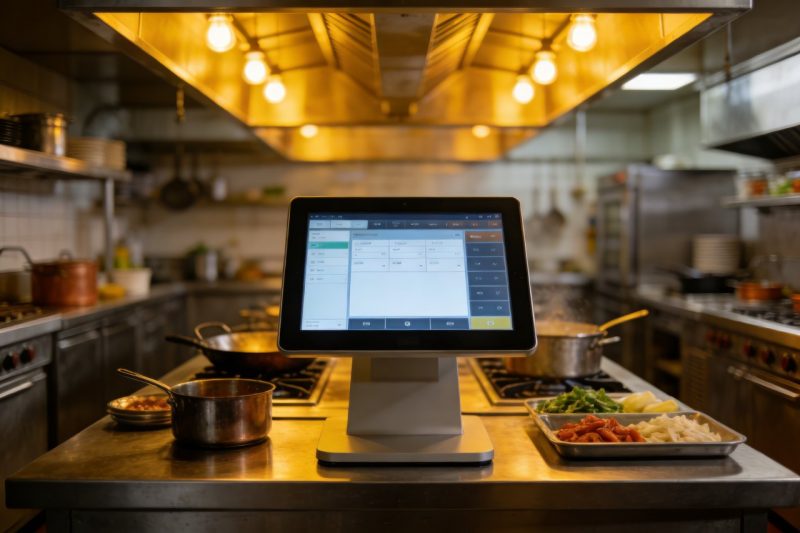
Диспенсери холодного пива працюють у прохолодному режимі, вологі умови з частими розливами води, кава, або розчини для чищення. Вони також вимагають точного контролю коефіцієнтів розведення, температурна стабільність, і обслуговування на вимогу. Неправильний сенсорний екран швидко спрацює, уповільнити обслуговування, або погіршити якість напою. У цьому посібнику розбиваються ключові функції, які слід визначити за пріоритетністю, найефективніші типи сенсорних екранів, поради щодо вибору, і поширені запитання, які допоможуть вам знайти ідеальний варіант. Незалежно від того, чи керуєте ви маленькою кав’ярнею чи жвавим роздрібним магазином, Ці відомості допоможуть вам вибрати надійний сенсорний екран диспенсера Cold Brew, зручний для користувача, і створений для конкретних потреб холодного пива.
Основні функції сенсорного екрану диспенсера Cold Brew, яким слід віддати пріоритет
Найкращий сенсорний екран диспенсера Cold Brew Dispenser має збалансувати довговічність, функціональність, і адаптованість до середовища холодного пивоваріння. Ось особливості, які не підлягають обговоренню:
1. Водостійкий & Гігієнічний дизайн (Критичний для вологих середовищ)
Дозатори холодного пива бачать постійну вологість — розливи, пар, і миючі спреї неминучі.
Клас захисту IP65+: Забезпечує стійкість екрану до струменів води та бризок, запобігання внутрішнім пошкодженням.
Стійкий до бризок корпус: Герметичні межі та прокладки блокують проникнення рідини в порти чи схеми.
Поверхня, що легко очищається: Олеофобне покриття відштовхує липкі залишки кави, тому швидке протирання дезінфікуючими серветками зберігає гігієну.
Стійкий до іржі каркас: Алюмінієві рами або рами з нержавіючої сталі запобігають корозії через вологість або хімічні засоби для чищення.
2. Широка температурна адаптація (Для прохолодного середовища диспенсера)
Холодному брагу потрібні стабільно низькі температури (близько 3°C) залишатися свіжим, тому сенсорний екран повинен працювати в прохолодних налаштуваннях.
Робочий діапазон від -20°C до 70°C: Справляється з прохолодним інтер’єром диспенсерів без затримок і проблем з відображенням.
Технологія проти запотівання: Запобігає конденсату від запотівання екрана у вологому середовищі, прохолодне середовище.
Можливість холодного запуску: Надійно запускається, навіть коли диспенсер вперше вмикається в холодних умовах.
Температурна компенсація: Зберігає чутливість до дотику без відхилень у разі коливань температури навколишнього середовища.
3. Інтуїтивно зрозумілі елементи керування Cold Brew
Екран має спростити ключові функції холодного пива як для персоналу, так і для клієнтів.
Попередні налаштування коефіцієнта розведення: Дозволяє користувачам вибирати співвідношення з 1:1 до 30:1 для холодної браги на основі концентрату.
Регулювання температури: Відображає та контролює температуру подачі для збереження смаку та безпеки.
Параметри контролю порцій: Попередні набори для малих, середній, або великі порції, щоб зменшити відходи та забезпечити послідовність.
Інструменти вибору смаку: Класифікує параметри як still, нітропроникне, або фруктовий холодний напій із чіткими значками.
4. Довговічність для інтенсивного використання
Дозатори холодного пива використовуються часто, тому сенсорний екран повинен витримувати щоденне знос.
9H стійке до подряпин скло: Стійкий до подряпин від інструментів для чищення, чашки, або випадкові удари.
Ударостійкий каркас: Посилені краї витримують незначні падіння або удари без тріщин.
Тривалий MTBF (Середній час між відмовами): Прагніть до 80,000+ годин, щоб мінімізувати час простою та заміни.
Хімічна стійкість: Витримує вплив кави, миючі розчини, і дезінфікуючі засоби без пошкодження покриття.
5. Сумісність & Підключення
Сенсорний екран повинен бездоганно інтегруватися з диспенсером і внутрішніми системами.
Інтеграція керування дозатором: Синхронізується з компонентами під стільницею для регулювання потоку, температура, і розведення.
Підключення POS: Надсилає дані про продажі до вашої POS-системи для відстеження запасів і звітування.
Функціональність офлайн: Зберігає налаштування та обробляє замовлення, навіть якщо з’єднання з Інтернетом переривається.
Прості параметри оновлення: Дозволяє додавати нові смаки або налаштовувати параметри віддалено без технічних знань.
Найпопулярніші типи диспенсерів холодного пива з сенсорним екраном (За випадком використання)
Правий сенсорний екран залежить від типу диспенсера, розташування, і база користувачів. Ось найпопулярніші варіанти:
1. Сенсорні екрани PCAP промислового рівня (Найкраще для кафе з великою відвідуваністю)
Проектована ємність (PCAP) Сенсорні екрани ідеально підходять для жвавих кав’ярень і торгових точок.
Ключові переваги: Підтримка мультитач, швидкий час відгуку (0.5РС), технологія захисту від води та рукавичок.
Критичні особливості: Рейтинг водонепроникності IP67, 1000+ яскравість ніт для видимості, і широкий діапазон температур.
Найкраще для: Станції холодного пива великого обсягу, автомати самообслуговування, або місцях, де часто працює персонал.
Додаткові пільги: Оптичне з’єднання для запобігання накопиченню вологи та покриття проти відблисків для сонячних місць.
2. Резистивні сенсорні екрани (Ідеально підходить для холодного/в рукавичках)
Резистивні сенсорні екрани чудово підходять при сильному морозі або коли персонал носить рукавички.
Ключові переваги: Надійна робота при температурах від -40°C до 85°C, і працює з будь-яким дотиком (палець, рукавичка, стилус).
Критичні особливості: 4мм загартоване скло, Захист IP65, і простий інтерфейс для швидкого виконання операцій.
Найкраще для: Холодильники, відкритих кіосків, або персонал, який носить рукавички під час очищення/підготовки.
Додаткові пільги: Низька вартість, легке обслуговування, і стійкість до розливів рідини та пилу.
3. Компактні настільні сенсорні екрани (Ідеально підходить для невеликих приміщень)
Стрункий, компактні моделі призначені для невеликих кафе або обмеженого простору стійки.
Ключові переваги: 7– 10-дюймові дисплеї, варіанти кріплення на стіну або стільниці, і легкий дизайн.
Критичні особливості: Вбудовані елементи керування дозуванням, простий інтерфейс на основі піктограм, і кріплення для швидкої установки.
Найкраще для: Маленькі кав'ярні, пекарні, або магазини з обмеженою кількістю прилавків.
Додаткові пільги: Енергоефективний (40W або менше), тиха робота, і сертифікати безпеки харчових продуктів NSF/UL.
4. Сенсорні екрани самообслуговування (Для диспенсерів, які звертаються до клієнтів)
Зручні моделі дозволяють клієнтам обслуговуватись самостійно без допомоги персоналу.
Ключові переваги: Великий, яскраві значки, вибір одним дотиком, і багатомовна підтримка.
Критичні особливості: Рекламні підказки (напр., «Додайте випічку за 2 долари»), підтвердження замовлення, і водонепроникний дизайн.
Найкраще для: Продуктові магазини, офісні кімнати відпочинку, або зони самообслуговування з інтенсивним рухом людей.
Додаткові пільги: Брендовий інтерфейс (додати логотип/кольори), інтеграція платежів, і відстеження історії замовлень.
Як правильно вибрати диспенсер Cold Brew із сенсорним екраном
Виконайте ці кроки, щоб адаптувати сенсорний екран до диспенсера та бізнес-потреб:
1. Оцініть тип диспенсера & Навколишнє середовище
Почніть із розуміння конкретних вимог вашого налаштування:
Розташування дозатора: Криті кафе потребують захисту IP65; Диспенсери, що монтуються на відкритому повітрі/кулері, вимагають захисту IP67 і підтримки широкого діапазону температур.
Тип користувача: Використання лише для персоналу може надати пріоритет довговічності; для самообслуговування потрібен інтуїтивно зрозумілий дизайн і яскраві дисплеї.
Обсяг: У місцях з інтенсивним трафіком для швидкості потрібні екрани PCAP; споти малого обсягу можуть використовувати економічні резистивні моделі.
2. Перевірте сумісність із вашим диспенсером
Не всі сенсорні екрани працюють з кожним диспенсером холодного пива — перевірте це:
Контрольна інтеграція: Переконайтеся, що екран синхронізується з розчином вашого дозатора, температура, і керування потоком.
Варіанти кріплення: Відповідайте розміру екрана (7–10 дюймів для компактних дозаторів, 12+ дюймів для самообслуговування) до ваших налаштувань.
Сертифікати: Шукайте сертифікати NSF/UL, щоб відповідати стандартам харчової безпеки для середовищ, що контактують з харчовими продуктами.
3. Надайте перевагу взаємодії з користувачем & Технічне обслуговування
Виберіть екран, який простий у використанні та підтримується в хорошому стані:
Тест інтерфейсу: Вибирайте елементи керування на основі піктограм із великим текстом — уникайте складних меню, які сповільнюють роботу служби.
Легкість очищення: Переконайтеся, що поверхня стійка до плям і протріть її стандартними дезінфікуючими засобами.
Підтримка & гарантія: Виберіть моделі з гарантією 2–3 роки та 24/7 технічна підтримка для швидкого усунення несправностей.
Поширені запитання про сенсорні екрани диспенсера Cold Brew
Q1: Чи працюватиме сенсорний екран у холодному середовищі (напр., холодильні камери)?
A1: Так, шукайте моделі з робочим діапазоном від -20 °C до 70 °C і технологією захисту від запотівання. Вони справляються з прохолодними внутрішніми частинами диспенсера без проблем з продуктивністю.
Q2: Сенсорний екран може керувати як негазованим, так і нітро холодним пивом?
A2: Абсолютно. Найпопулярніші моделі включають попередні налаштування як для негазованого, так і для холодного напою з нітро, з регульованими регуляторами тиску та потоку для кожного типу.
Q3: Чи легко чистити сенсорний екран після розлиття кави?
A3: так. Всі рекомендовані моделі мають гідроізоляцію IP65+ і олеофобне покриття. Швидке протирання дезінфікуючою серветкою видаляє розлиті плями, не пошкоджуючи екран.
Q4: Чи працюватиме екран, якщо персонал носить рукавички?
A4: Це залежить від типу — резистивні екрани працюють з будь-якою товщиною рукавичок, тоді як моделі PCAP можна відкалібрувати для використання в рукавичках. Повідомте нам про свої потреби, щоб отримати індивідуальну рекомендацію.
Q5: Чи можу я оновити меню (напр., додати сезонні смаки) на сенсорному екрані?
A5: так. Більшість моделей дозволяють оновлювати смаки, ціни, або коефіцієнти розведення за лічені хвилини через меню налаштувань — технічні навички не потрібні. Деякі навіть підтримують дистанційне оновлення.
Q6: Чи інтегрується сенсорний екран із наявною POS-системою??
A6: Більшість топових моделей інтегруються з популярними POS-системами (Квадратний, Тости, Конюшина). Перед покупкою ми можемо перевірити сумісність із вашою системою.
Q7: Скільки часу займає установка?
A7: Встановлення зазвичай займає 30–45 хвилин. Екран поставляється з універсальним кріпленням і покроковими інструкціями, тому ви можете встановити його за допомогою основних інструментів.
Висновок
Правильний сенсорний екран диспенсера Cold Brew Dispenser перетворює ваше обслуговування холодного пива, надаючи точне керування, довговічність у вологому/холодному середовищі, і бездоганний досвід для персоналу та клієнтів. Віддаючи пріоритет водонепроникному дизайну, широка температурна адаптація, спеціальні елементи керування холодним напоєм, і сумісність, Ви можете вибрати екран, який підвищує ефективність, скорочує час простою, і служить послідовно, щоразу якісне холодне пиво.
Більше ніяких вибагливих циферблатів, кнопки не реагують, або пошкоджені екрани внаслідок розливу. Спеціально розроблений сенсорний екран диспенсера Cold Brew Dispenser забезпечує безперебійну роботу вашої станції холодного пива, навіть у години пік. Це інвестиція, яка економить час, скорочує відходи, і змушує клієнтів повертатися за улюбленим холодним напоєм.
Готові знайти ідеальний диспенсер Cold Brew із сенсорним екраном для вашого бізнесу? Заповніть форму на нашому веб-сайті, щоб поділитися типом диспенсера, розташування, і добовий обсяг. Наші експерти з технологій напоїв порекомендують найкращу сумісну модель, надати поради щодо встановлення, і відповісти на будь-які запитання, щоб допомогти вам підвищити рівень обслуговування холодних напоїв. Давайте зробимо вашу пивоварню найнадійнішим і найзручнішим місцем у місті — почніть сьогодні!
Хочете, щоб я допоміг вам створити контрольний список для купівлі диспенсера холодного пива із сенсорним екраном, щоб спростити процес вибору?
