
De flesta moderna smarta enheter förlitar sig på pekskärmar för daglig interaktion. Du trycker på telefoner, kiosker och övervakar med bara fingrar varje dag. Ändå ifrågasätter många användare varför bara fingrar utlöser skärmsvar medan handskar och verktyg ofta misslyckas. Pekskärmar använder specialiserad avkänningsteknik som matchar mänskliga kroppsegenskaper.
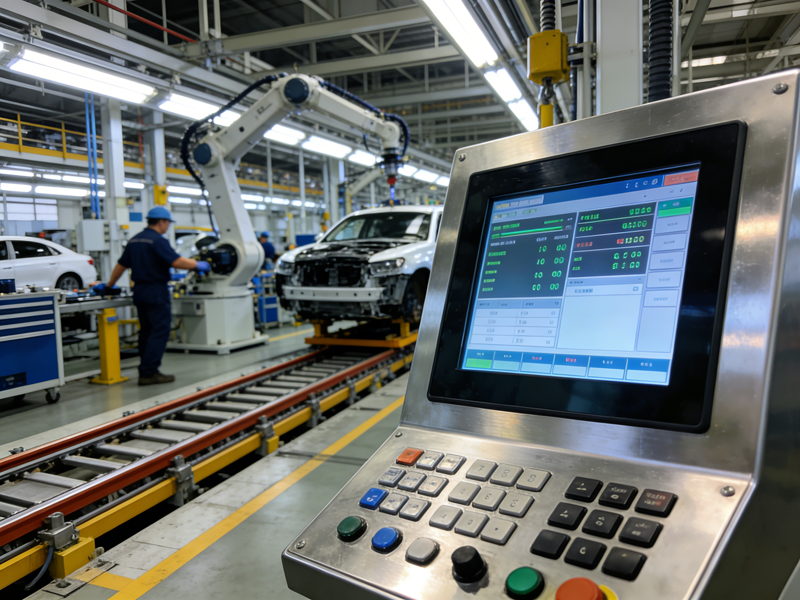
De ignorerar vanligt fysiskt tryck och känner bara igen giltig fingerkontakt. I tur och ordning, de levererar exakt, felsäker drift. Den här artikeln förklarar varför pekskärmar bara svarar på fingrar, deras kärna arbetslogik, nyckeltyper och praktiska användningsegenskaper.
Kärnanledning till varför pekskärmar bara svarar på fingrar
De flesta kommersiella och konsumentpekskärmar använder kapacitiv avkänning som sin kärnteknik. Denna design är inriktad på unika elektriska egenskaper hos människokroppen.
1. Människokroppar bär naturliga mikroelektriska laddningar
Människohud håller svag, stabil elektrisk kapacitans. Fingrar släpper ut små elektriska signaler när de rör vid skärmens ytor. Dessa signaler fungerar som giltiga beröringsutlösare.
2. Kapacitiva skärmar upptäcker laddningsförändringar
Pekskärmar bäddar in osynliga elektrodnät. Nätet bibehåller ett konstant elektriskt fält i normal status. Fingerkontakt stör detta fält och skapar koordinatdata.
3. Icke-fingerobjekt kan inte utlösa signaler
Vanliga handskar, plastverktyg och metallpinnar har ingen kroppskapacitans. De kan inte ändra skärmens elektriska fält. Således, pekskärmar svarar inte på dessa objekt.
Steg-för-steg-process för att använda enbart finger med pekskärm
Pekskärmar fullbordar varje fingertryck med en enkel, snabb och fast arbetsslinga.
1. Fingrar kommer i kontakt med skärmytan
Första, nakna fingerhud vidrör bildskärmspanelen. Fingrets naturliga kapacitans ansluter till skärmens elektrodskikt.
2. Det elektriska fältet skapar små fluktuationer
Nästa, lokala elektriska fältvärden skiftar vid beröringspunkten. Skärmens sensorer fångar dessa subtila förändringar direkt.
3. Sensorer beräknar exakta beröringskoordinater
Sedan, interna chips analyserar fluktuationsdata. De låser exakta beröringspositioner och identifierar tryck- eller skjutgester.
4. Systemet utför motsvarande kommandon
Slutligen, enheten kör matchade funktioner. Skärmen uppdaterar innehåll och avslutar interaktion mellan människa och maskin på millisekunder.
Vanliga pekskärmstyper och regler för fingersvar
Olika pekskärmstekniker har olika fingeravkänningsmekanismer och gränser.
1. Kapacitiva pekskärmar (mainstream med endast finger)
Kapacitiva modeller är helt beroende av karossens kapacitans. De svarar bara på bara mänskliga fingrar. De stöder multi-touch och ultrasmidig daglig drift.
2. Resistiva pekskärmar (tryckbaserat undantag)
Resistiva skärmar reagerar på fysiskt tryck istället för elektriska signaler. De svarar på fingrar, handskar och pennor. De passar industriell scen användning.
3. Infraröda pekskärmar (kontaktfri induktion)
Infraröda skärmar är beroende av blockering av ljusnät. De reagerar på alla fasta föremål inklusive fingrar. De fokuserar på stora offentliga skärmenheter.
Viktiga fördelar med enbart fingerpekskärmsdesign
Fingerutlöst avkänning ger enormt praktiskt värde för kommersiella och offentliga enheter.
1. Minska oavsiktliga beröringsfel
Enbart fingerigenkänning undviker slumpmässiga triggers från damm eller lätt föremålsfriktion. Det förbättrar driftnoggrannheten för daglig användning av enheten.
2. Förbättra enhetens livslängd
Skärmen ignorerar ogiltiga externa störningar. Det minskar frekvent falsk induktion och systembelastning. Det förlänger utrustningens totala livslängd.
3. Standardisera användarens driftvanor
Användare bildar enhetliga fingeroperationsvanor. Denna design passar alla konsument- och kommersiella scenarier med pekskärm. Det optimerar användarupplevelsen avsevärt.
Vanliga frågor om funktionsmekanism för enbart fingerpekskärm
Q1: Varför fungerar pekskärmar bara med fingrar?
A1: De flesta vanliga pekskärmar använder kapacitiv avkänning. De upptäcker människokroppens mikrokapacitans, så bara bara fingrar skapar giltiga beröringssignaler.
Q2: Kan handskar med händer utlösa vanliga pekskärmar?
A2: Inga. Vanliga kapacitiva pekskärmar kan inte känna av handskar. Handskar blockerar elektrisk signalöverföring mellan fingrar och skärmen.
Q3: Varför fungerar vissa pennor på pekskärmar med endast finger?
A3: Professionella kapacitiva pennor simulerar mänsklig kapacitans. De efterliknar fingerfunktioner och utlöser giltiga beröringssvar normalt.
Q4: Stöder industriella pekskärmar endast fingermanövrering?
A4: Inga. De flesta industriella pekskärmar använder resistiv eller infraröd teknik. De stödjer handskar, verktyg och fingermanövrering för tuffa miljöer.
F5: Kommer blöta fingrar att påverka pekskärmens känslighet?
A5: Lätt. Vatten sprider elektriska signaler och orsakar suddiga beröringspunkter. Torra fingrar ger de mest stabila och exakta beröringsresultaten.
Slutsats
För att avsluta, vanliga pekskärmar fungerar med bara fingrar på grund av kapacitiva avkänningsprinciper. De identifierar unika elektriska laddningar från människokroppen och ignorerar icke-biologisk kontakt. Den här designen med endast finger minskar feloperationer, stabiliserar enhetens prestanda och optimerar daglig interaktion. Olika typer av pekskärmar erbjuder också flexibla avkänningslägen för industriella och kommersiella scenarier.
Om du behöver hög precision, stabila pekskärmar anpassade för kommersiellt bruk, detaljhandel eller industriell utrustning, fyll i förfrågningsformuläret på vår officiella hemsida. Dela din användningsmiljö, storlekskrav och funktionsbehov, och vårt team kommer att tillhandahålla professionella skräddarsydda lösningar för ditt projekt.
