
W nowoczesnej produkcji, ERP (Planowanie zasobów przedsiębiorstwa) systemy stanowią podstawę operacji — ujednolicenie zapasów, harmonogramy produkcji, kontrola jakości, i śledzenie zamówień na jednej platformie. Ale dla pracowników pierwszej linii (na liniach montażowych, w magazynach, lub na stacjach kontroli jakości), uzyskiwanie dostępu do danych ERP często wymaga nieporęcznych komputerów stacjonarnych lub ręcznego wprowadzania danych, co spowalnia przepływ pracy i zwiększa liczbę błędów. To tutaj przemysłowe monitory dotykowe zmieniają użyteczność ERP: stawiają intuicyjnie, Dostęp do systemu ERP w czasie rzeczywistym bezpośrednio na hali produkcyjnej, umożliwiając pracownikom rejestrowanie danych produkcyjnych, aktualizować poziomy zapasów, lub pobieraj zlecenia pracy jednym dotknięciem. W przeciwieństwie do konsumenckich ekranów dotykowych, Te wyświetlacze klasy przemysłowej są odporne na kurz, wibracja, I 24/7 zastosowania — zapewniając niezawodną interakcję ERP w trudnych warunkach produkcyjnych.
This guide will break down how Industrial Touchscreen Monitors enhance ERP workflows, what features to prioritize for ERP integration, and how to choose the right model—helping you bridge the gap between your ERP system and frontline operations.
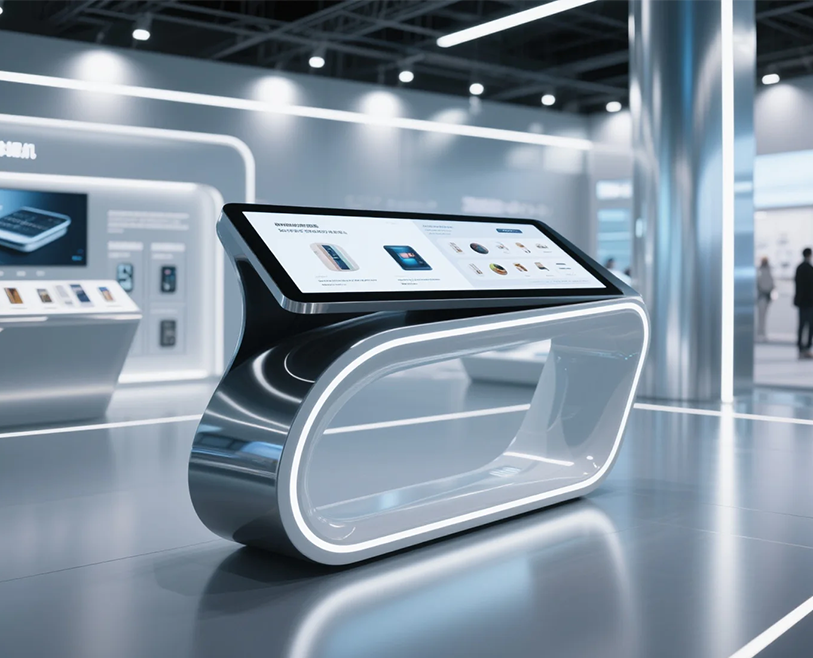
How Industrial Touchscreen Monitors Enhance Manufacturing ERP Workflows
Industrial Touchscreen Monitors don’t just “display” ERP data—they make it actionable for factory workers. Here’s how they add value:
1. Streamlined Real-Time Data Entry
Manual data entry (np., pen-and-paper logs or desktop computers) is slow and error-prone. Industrial Touchscreen Monitors let workers:
- Log production outputs directly into ERP: Tap to record “10 units completed” or “2 units rejected” in real time—no more waiting to sync data at the end of a shift.
- Update inventory levels instantly: Scan a barcode (via built-in or connected scanners) and tap to mark raw materials as “used” or finished goods as “shipped”—keeping ERP inventory counts accurate.
- Pull work orders on-demand: Access ERP work orders from the touchscreen, view step-by-step instructions, and mark tasks as “in progress” or “completed”—eliminating paper work orders and miscommunication.
2. Simplified ERP Navigation for Frontline Workers
Most ERP systems have complex dashboards designed for office teams—not factory workers. Przemysłowe monitory dotykowe to upraszczają:
- Niestandardowe widżety ERP: Wyświetlaj tylko te dane, których potrzebują pracownicy ERP (np., „Dzisiejszy cel produkcyjny,„Oczekujące kontrole jakości”) w dużych rozmiarach, łatwe w dotknięciu ikony — bez konieczności przewijania menu
- Interfejsy ERP zoptymalizowane pod kątem dotyku: Dostosuj ekrany ERP do wprowadzania danych dotykowych (np., większe przyciski, przesuń, aby nawigować) dzięki czemu pracownicy mogą korzystać z systemu bez szkolenia w zakresie klawiatur i myszy
- Dostęp offline do ERP: Dla fabryk z nierównym Wi-Fi, niektóre ekrany dotykowe przechowują dane ERP lokalnie – pracownicy rejestrują dane w trybie offline, i synchronizuje się automatycznie po przywróceniu łączności
3. Wielofunkcyjna współpraca w systemie ERP
Przemysłowe monitory dotykowe łączą różne zespoły za pośrednictwem systemu ERP, redukcja silosów:
- Kontrola jakości (Kontrola jakości) zespoły: Log defect data into ERP via the touchscreen—production teams see alerts instantly and adjust processes to fix issues.
- Warehouse teams: Update ERP with “raw materials received” taps—planning teams immediately see inventory availability and adjust production schedules.
- Maintenance teams: Log equipment downtime into ERP—ERP automatically flags delayed orders and notifies sales teams.
Key Features to Prioritize for ERP-Ready Industrial Touchscreen Monitors
Not all Industrial Touchscreen Monitors are suited for ERP integration—these features ensure seamless compatibility and usability:
1. ERP System Compatibility
- Integracja oprogramowania: Ensure the touchscreen supports your ERP platform (np., SAP S/4HANA, Oracle NetSuite, Microsoft Dynamics 365). Look for models with pre-built drivers or APIs to connect to ERP—avoid screens that require custom coding (which adds time and cost).
- Operating system support: Most manufacturing ERPs work with Windows 10 IoT or Linux—choose a touchscreen that runs these industrial OS (not consumer Windows 11, which lacks durability for factory use).
2. Durability for Factory Environments
ERP access can’t stop due to screen damage—prioritize:
- Protection rating: IP65 lub wyższy (dust-tight, water-resistant) to handle assembly line dust, oil splatters, or warehouse humidity.
- Odporność na wibracje: Meet IEC 60068-2-6 standards to withstand machinery vibration (critical for touchscreens near stamping or packaging equipment).
- Tolerancja temperatury: Operate in -10°C to 60°C—so the screen works reliably in cold warehouses or hot production areas.
3. Usability for Frontline Workers
- Screen size and resolution: 10–15 inch screens (for single-worker stations) Lub 17+ inch screens (for shared stations) with 1920×1080 resolution—ensure ERP tables, charts, and barcodes are readable.
- Gloved touch support: Resistive or enhanced capacitive touch that works with industrial gloves (np., anti-static or cut-resistant gloves)—workers don’t need to remove gloves to use the screen.
- Haptic feedback: Subtle vibrations when tapping ERP buttons—lets workers confirm inputs without looking at the screen (reducing errors and distraction).
How to Choose the Right Industrial Touchscreen Monitor for Your ERP
Follow these steps to align the touchscreen with your ERP and manufacturing needs:
1. Map Your ERP Workflows to Touchscreen Use Cases
- Identify where workers need ERP access: Assembly lines (production logging), warehouses (inventory updates), or QC stations (defect reporting).
- For each use case, list required ERP actions (np., “scan barcode + update inventory”) and ensure the touchscreen supports connected tools (np., skanery kodów kreskowych, drukarki).
2. Test ERP Integration Before Full Deployment
- Request a demo unit from the supplier and test it with your ERP: Check if data logs sync in real time, if touch inputs work with ERP buttons, and if offline mode functions as needed.
- Get feedback from frontline workers: Ask if the screen is easy to use, if ERP data is visible, and if it speeds up their tasks—their input ensures the touchscreen solves real pain points.
3. Consider Total Cost of Ownership (TCO)
- Look beyond upfront cost: Choose a touchscreen with a 3–5 year warranty (reduces repair costs) and low power consumption (cuts electricity bills for 24/7 używać).
- Opt for modular designs: Screens with replaceable parts (np., touch panels, zasilacze) let you repair instead of replacing the entire unit—lowering long-term TCO.
FAQs About Industrial Touchscreen Monitors for Manufacturing ERP
Pytanie 1: Can Industrial Touchscreen Monitors connect to cloud-based ERP systems (np., SAP S/4HANA Cloud)?
A1: Yes—most modern industrial touchscreens have Ethernet or Wi-Fi connectivity to access cloud ERP. Ensure the screen has secure encryption (np., SSL/TLS) to protect ERP data transmission.
Pytanie 2: What if the touchscreen loses Wi-Fi connectivity—will ERP data be lost?
A2: No—if the screen has offline mode, workers can log data locally. Once Wi-Fi returns, the screen automatically syncs the stored data to ERP. Always choose models with offline capability for manufacturing environments.
Pytanie 3: Do we need to train workers to use Industrial Touchscreen Monitors with ERP?
A3: Minimal training is needed. The touchscreen’s simplified ERP interface (large icons, touch-optimized menus) is intuitive—most workers learn to use it in 30 minut lub mniej. Suppliers often provide short training videos to speed up onboarding.
Pytanie 4: Can we use existing Industrial Touchscreen Monitors with our new ERP system?
A4: It depends on compatibility. Check if your current screen’s OS (np., Windows 10 IoT) supports the new ERP. If not, you may need to update the screen’s firmware or add a compatibility adapter—ask your ERP or touchscreen supplier for guidance.
Industrial Touchscreen Monitors are the missing link between your manufacturing ERP system and frontline operations—turning complex ERP data into actionable, real-time insights for workers. By prioritizing ERP compatibility, trwałość, and usability, you can streamline workflows, zmniejszyć błędy, and ensure your ERP system delivers maximum value on the factory floor.
If you’re unsure which Industrial Touchscreen Monitor fits your ERP (np., need help with SAP vs. Oracle integration, want to test offline mode for your warehouse, or need recommendations for high-vibration production lines), wypełnij formularz na naszej stronie internetowej. Our industrial tech experts will analyze your ERP system, manufacturing environment, and workflow needs to recommend a tailored solution—helping you unlock the full potential of your ERP with intuitive, reliable touchscreen access.
