
Skrin sentuh berfungsi sebagai alat interaktif teras untuk kebanyakan peranti pintar. Anda boleh mengetik dan meleret skrin dengan mudah menggunakan jari kosong dalam senario harian. Namun sarung tangan, alatan plastik dan fabrik tidak pernah mencetuskan tindak balas skrin biasa.
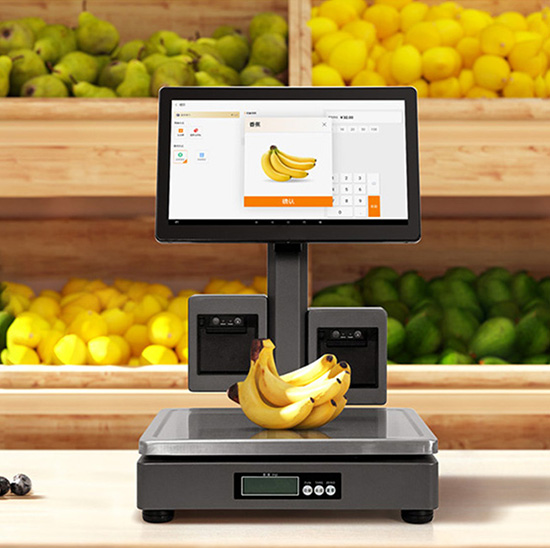
Had biasa ini datang daripada teknologi penderiaan teras skrin sentuh arus perdana. Kebanyakan skrin sentuh pengguna dan komersial tidak bergantung pada tekanan. Sebaliknya, mereka mengesan isyarat elektrik unik dari kulit manusia. Artikel ini menerangkan sebab skrin sentuh mengutamakan sentuhan jari, proses kerja mereka sepenuhnya, varian istimewa dan kelebihan dunia sebenar.
Mengapa Skrin Sentuh Standard Hanya Mengecam Jari
Kebanyakan skrin sentuh biasa menggunakan penderiaan kapasitif sebagai teknologi terasnya. Reka bentuk ini memberi tumpuan kepada ciri elektrik badan manusia.
1. Kulit manusia menghasilkan cas elektrik yang kecil
Setiap badan manusia mempunyai kapasiti semula jadi yang lemah. Jari kosong mengeluarkan isyarat elektrik mikro yang stabil semasa sentuhan skrin terus. Isyarat ini mencipta input sentuhan yang sah untuk peranti.
2. Skrin sentuh menjejaki turun naik medan elektrik
Skrin sentuh kapasitif mempunyai grid elektrod terbina dalam. Grid mengekalkan medan elektrik yang seimbang pada permukaan skrin. Sentuhan jari mengganggu keseimbangan ini dan menandakan titik sentuhan yang tepat.
3. Objek biasa tidak boleh mencetuskan isyarat
Kebanyakan item bukan jari tidak mempunyai kapasitansi biologi. sarung tangan, kayu dan kain tidak boleh menukar medan elektrik skrin. Justeru, objek ini gagal untuk mengaktifkan sebarang arahan sentuh.
Proses Kerja Sentuhan Jari Langkah demi Langkah
Skrin sentuh melengkapkan pengecaman jari melalui yang mudah, aliran kerja yang cepat.
1. Sentuhan kulit secara langsung menyentuh skrin
Pertama, jari kosong membuat sentuhan penuh dengan permukaan skrin yang bersih. Tiada bahan pengasingan menghalang penghantaran isyarat antara kulit dan penderia.
2. Penderia menangkap perubahan elektrik
Seterusnya, sensor dalaman mengesan anjakan medan elektrik halus. Mereka merekodkan kedudukan dan julat tepat setiap sentuhan jari dengan serta-merta.
3. Cip mengira data sentuhan yang tepat
Kemudian, cip pemprosesan terbina dalam menganalisis isyarat yang dikumpul. Mereka mengenal pasti paip, tahan atau leret gerak isyarat dalam milisaat.
4. Peranti melaksanakan arahan interaktif
Akhirnya, sistem menjalankan fungsi yang sepadan. Skrin mengemas kini kandungan dan menyelesaikan kitaran interaksi manusia-mesin yang lengkap.
Skrin Sentuh Khas Yang Menyokong Operasi Bukan Jari
Tidak semua skrin sentuh mematuhi peraturan jari sahaja. Model industri dan awam menggunakan kaedah penderiaan yang berbeza.
1. Skrin sentuh rintangan untuk input tekanan
Skrin rintangan bertindak balas kepada tekanan fizikal dan bukannya isyarat elektrik. Mereka bekerja dengan sarung tangan, stylus dan alatan keras lain. Mereka sesuai dengan persekitaran kerja industri yang keras dengan sempurna.
2. Skrin sentuh inframerah untuk aruhan penghalang
Skrin inframerah bergantung pada grid cahaya yang tidak kelihatan di sekeliling tepi skrin. Mana-mana objek pepejal menghalang sinaran cahaya untuk mencetuskan sentuhan. Mereka sesuai dengan peralatan interaktif awam yang besar.
Faedah Praktikal Reka Bentuk Skrin Sentuh Jari Sahaja
Had teknikal ini adalah disengajakan dan membawa nilai praktikal yang hebat untuk kegunaan harian.
1. Mencegah sentuhan palsu yang tidak disengajakan
Habuk, geseran kain dan sentuhan permukaan kecil tidak akan mencetuskan arahan. Reka bentuk ini memotong operasi yang tidak sah semasa penggunaan peranti harian.
2. Meningkatkan ketepatan sentuhan keseluruhan
Pengecaman jari sahaja menapis gangguan persekitaran yang tidak kemas. Ia hanya mengunci input pengguna yang berkesan untuk kawalan yang stabil dan tepat.
3. Memanjangkan hayat perkhidmatan skrin sentuh
Lebih sedikit induksi palsu mengurangkan kehausan sistem yang tidak perlu. Lapisan penderiaan mengekalkan prestasi yang stabil untuk kitaran perkhidmatan yang lebih lama.
Soalan Lazim Mengenai Fungsi Skrin Sentuh Jari Sahaja
Q1: Mengapa sarung tangan menghentikan skrin sentuh daripada berfungsi?
A1: Sarung tangan mencipta penghalang penebat. Mereka menyekat pemindahan isyarat elektrik antara jari dan skrin sentuh, jadi tiada input yang sah dihasilkan.
S2: Bolehkah stilus khas berfungsi pada skrin sentuh jari sahaja?
A2: Ya. Stilus kapasitif mensimulasikan kapasiti badan manusia. Mereka meniru isyarat jari dan mencetuskan tindak balas skrin sentuh biasa.
Q3: Adakah semua skrin sentuh terhad kepada penggunaan jari kosong?
A3: Tidak. Skrin sentuh rintangan dan inframerah menyokong input berbilang objek. Mereka bekerja dengan sarung tangan, alatan dan item sentuhan pepejal lain.
Q4: Mengapa jari basah menjejaskan sensitiviti skrin sentuh?
A4: Air meresap isyarat elektrik pada permukaan skrin. Ia mengaburkan titik sentuhan dan menyebabkan ketinggalan atau tindak balas sentuhan yang tidak tepat.
S5: Adakah reka bentuk jari sahaja lebih baik untuk peranti komersial?
A5: Ya. Ia mengurangkan ralat operasi dan kadar kegagalan peranti. Ia memastikan skrin sentuh awam stabil semasa penggunaan harian frekuensi tinggi.
Kesimpulan
Pendek kata, kebanyakan skrin sentuh standard hanya berfungsi dengan jari kerana teknologi penderiaan kapasitif. Mereka mengenal pasti isyarat elektrik manusia yang unik dan mengabaikan sentuhan fizikal biasa. Reka bentuk pintar ini meningkatkan ketepatan, mengelakkan sentuhan palsu dan memanjangkan jangka hayat peranti. Sementara itu, skrin sentuh gred industri menggunakan teknologi alternatif untuk menyesuaikan diri dengan keadaan kerja yang kompleks.
Kalau nak tahan lama, skrin sentuh berketepatan tinggi untuk iklan anda, projek awam atau perindustrian, sila hubungi kami. Sila isi borang pertanyaan di laman web rasmi kami dan kongsi keperluan penggunaan anda. Pasukan kami akan menghasilkan penyelesaian skrin sentuh tersuai untuk perniagaan anda.
