
I touch screen sono semplici, interazione intuitiva per terminali intelligenti e apparecchiature self-service. Riducono i dispositivi di input aggiuntivi e semplificano i flussi di lavoro delle operazioni quotidiane. Per questo motivo, la maggior parte dei moderni dispositivi commerciali e industriali adottano sistemi di interazione touch screen.
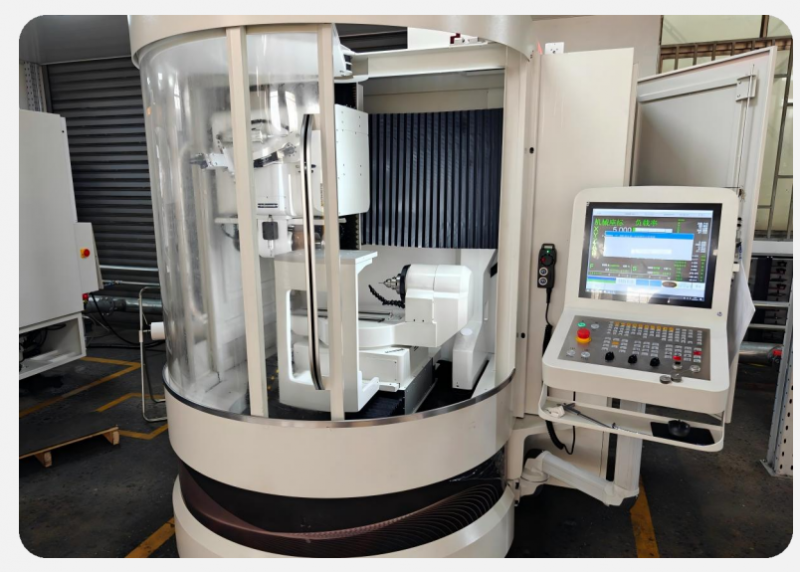
Comunque, Il touch screen presenta evidenti limitazioni intrinseche in scenari specifici. Non possono adattarsi completamente a tutti gli ambienti di lavoro e alle abitudini operative. Inoltre, un uso improprio amplificherà questi piccoli difetti. Questo articolo elenca oggettivamente gli svantaggi principali dei touch screen, ne spiega le cause e condivide metodi pratici per evitarli.
Limitazioni relative all'usura quotidiana e alla durata della superficie
Schermo tattile fare affidamento sul vetro esposto e sugli strati del sensore per il funzionamento. Questa caratteristica strutturale comporta inevitabili inconvenienti in termini di durabilità.
1. Suscettibile a danni fisici alla superficie
I pannelli touch screen sono in contatto diretto ogni giorno. Gli oggetti appuntiti lasciano graffi permanenti sulla superficie dello schermo. Anche un forte impatto o un'estrusione danneggeranno gli strati di rilevamento interni. I dispositivi pubblici ad alta frequenza corrono rischi di danni maggiori rispetto alle apparecchiature statiche interne.
2. Invecchiamento graduale dopo un uso prolungato e frequente
Tocchi e scorrimenti ripetuti a lungo termine causano un leggero invecchiamento del sensore. Il touch screen perde lentamente sensibilità dopo un funzionamento prolungato. Gli utenti noteranno un leggero spostamento del tocco e gesti che non rispondono nel tempo.
Interferenze ambientali e problemi di stabilità
La maggior parte dei touchscreen standard presenta una debole resistenza a fattori ambientali complessi. Queste condizioni esterne influenzano notevolmente le loro prestazioni lavorative.
1. Sensibile alla polvere, olio e macchie
Impronte digitali, polvere e grasso coprono facilmente i touch screen in uso pubblico. Queste impurità bloccano l'induzione del sensore. Causano rubinetti mancati, tocchi falsi e precisione di riconoscimento instabile. La pulizia regolare diventa un compito quotidiano obbligatorio.
2. Scarsa adattabilità sotto forte luce
La luce intensa e la luce solare diretta creano evidenti riflessi sullo schermo. I riflessi riducono la visibilità dello schermo e influenzano il giudizio dell'utente. Inoltre, una forte luce ambientale interferisce con alcuni segnali di induzione al tocco e ritarda la risposta.
3. Restrizioni di umidità e temperatura
I normali touch screen commerciali non possono funzionare stabilmente in ambienti eccessivamente umidi. L'umidità disturba i segnali elettrici interni. Le temperature estreme influiscono anche sulla sensibilità al tocco e riducono la stabilità complessiva del lavoro.
Svantaggi operativi e funzionali dei touch screen
Le modalità di interazione del touch screen presentano difetti funzionali corretti rispetto ai metodi di input tradizionali.
1. Incompatibile con il funzionamento con guanti per i modelli standard
Il touch screen capacitivo più comune risponde solo alla pelle umana nuda. Non riescono a riconoscere i comandi quando gli utenti indossano i guanti. Questo difetto limita l'applicazione nelle officine industriali e negli scenari di lavoro a freddo.
2. Bassa precisione per operazioni fini complesse
Il tocco sul touch screen si basa sull'area di contatto con le dita. Non può supportare operazioni ultra-fini e precise. La complessa regolazione dei parametri e la modifica dettagliata dei dati sembrano meno convenienti del controllo tramite mouse e tastiera.
3. Mancanza di feedback tattile per il funzionamento
Il touch screen non ha feedback tramite tasti fisici. Gli utenti non possono confermare le operazioni tramite la sensazione tattile. Questa situazione causa facilmente colpi ripetuti e malfunzionamenti durante il lavoro veloce e continuo.
Maggiori requisiti di manutenzione a lungo termine
Rispetto agli schermi tradizionali, il touch screen necessita di interventi di manutenzione più standardizzati.
1. Necessita di una pulizia manuale regolare
Per mantenere la sensibilità stabile, gli utenti devono pulire frequentemente i touch screen. Lo sporco accumulato peggiorerà continuamente le prestazioni del tocco. Ciò aggiunge carico di lavoro di manutenzione giornaliero per i gestori delle apparecchiature.
2. Rischi di guasto più elevati dopo un funzionamento prolungato
I touch screen contengono strutture di rilevamento stratificate. Questi componenti interni presentano più punti di guasto rispetto ai normali monitor. Il funzionamento ininterrotto a lungo termine aumenta i rischi legati alle apparecchiature nascoste.
Domande frequenti sugli svantaggi dei touch screen
Q1: Qual è il più grande svantaggio dei touch screen standard?
A1: Il touch screen standard è sensibile allo sporco, luce forte e funzionamento improprio. Inoltre non supportano l'uso dei guanti nella maggior parte dei modelli di base.
Q2: Il touch screen di livello industriale può evitare difetti comuni?
A2: I touch screen ottimizzati per l'industria migliorano la durabilità e l'adattabilità ambientale. Riducono gli svantaggi più comuni ma presentano comunque limitazioni di scenario minori.
Q3: Perché i touch screen spesso non rispondono ai tocchi?
A3: Grasso superficiale, accumulo di polvere, l'invecchiamento dei sensori o l'interferenza della luce ambientale causano la mancata risposta del riconoscimento del touch screen.
Q4: I touch screen sono peggiori del funzionamento del mouse e della tastiera??
A4: Il touch screen eccelle nelle operazioni semplici e rapide. Eppure mancano di precisione e feedback tattile per i complessi, lavori industriali e d'ufficio di alta precisione.
Q5: In che modo gli utenti possono ridurre gli svantaggi del touchscreen nell'uso quotidiano?
A5: Gli utenti mantengono gli schermi puliti, evitare ambienti difficili e selezionare tipi di tocco corrispondenti per gli scenari. Questi metodi indeboliscono efficacemente la maggior parte delle limitazioni del touchscreen.
Conclusione
Insomma, i touch screen presentano evidenti svantaggi, tra cui una scarsa durabilità della superficie, sensibilità ambientale e limitazioni operative. I touch screen standard faticano a funzionare con i guanti, forte interferenza luminosa e facile contaminazione. Richiedono inoltre una manutenzione regolare per mantenere prestazioni stabili. Comunque, gli utenti possono compensare la maggior parte dei difetti selezionando i gradi del touch screen adatti allo scenario e adottando abitudini di manutenzione standardizzate.
Se desideri touch screen industriali e commerciali ad alta adattabilità che riducano gli inconvenienti di utilizzo comune, si prega di compilare il modulo di richiesta sul nostro sito ufficiale. Condividi il tuo ambiente di lavoro e le tue esigenze in termini di attrezzature, e il nostro team fornirà soluzioni touch screen ottimizzate per il tuo progetto.