
Industrijski laserski rezači oslanjaju se na preciznu kalibraciju za postizanje točnosti, dosljedni rezovi—bilo za metal, drvo, ili plastične. Tradicionalne metode kalibracije uključuju složene brojčanike, ručna podešavanja, i beskrajni pokušaji i pogreške, koji usporavaju proizvodnju i povećavaju rizik od skupih pogrešaka. Zbog toga se mnogi tvornički operateri pitaju: Može li kalibracija laserskog rezača Zaslon osjetljiv na dodir pojednostaviti ovaj kritični proces?
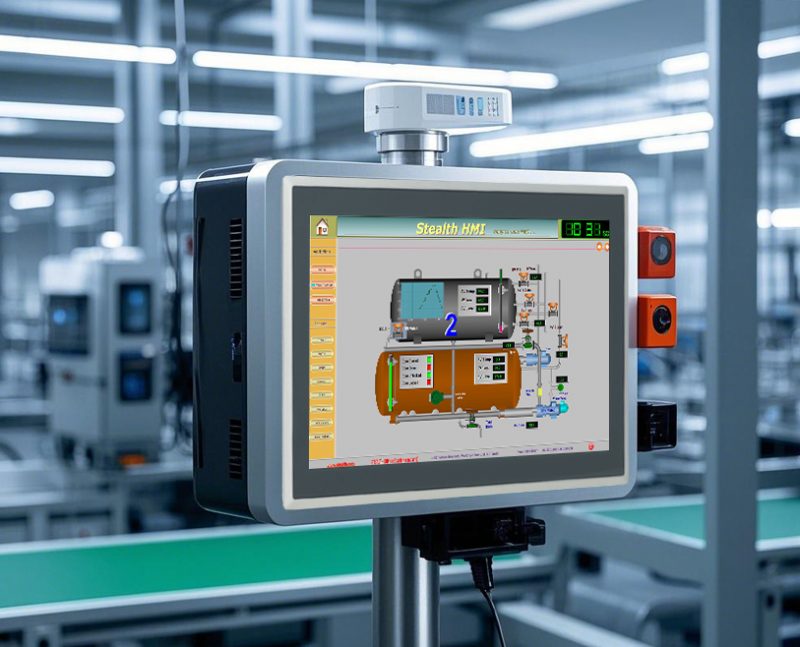
Odgovor je odlučno da. Zasloni osjetljivi na dodir pretvaraju kalibraciju laserskog rezača iz zamornog, dugotrajan zadatak u pojednostavljeni, jednostavan postupak. Oni eliminiraju nagađanje, centralizirati kontrole, i voditi operatere kroz svaki korak—čak i za one s ograničenim tehničkim iskustvom. Ovaj vodič objašnjava kako zasloni osjetljivi na dodir pojednostavljuju kalibraciju, ključne značajke kojima treba dati prioritet, prednosti korak po korak, i FAQ koji će vam pomoći razumjeti njihovu vrijednost. Bilo da vodite malu radionicu ili veliki proizvodni pogon, ovi će vam uvidi pokazati kako ekrani osjetljivi na dodir ubrzavaju kalibraciju laserskog rezača, točnije, i manje stresno.
Kako zasloni osjetljivi na dodir za kalibraciju laserskog rezača pojednostavljuju proces
Zasloni osjetljivi na dodir pojednostavljuju kalibraciju laserskog rezača na četiri ključna načina, rješavanje najvećih bolnih točaka tradicionalnih ručnih metoda.
1. Intuitivno, Tijek rada vođene kalibracije
Tradicionalna kalibracija zahtijeva od operatera da upamte složene korake ili slijede dugačke priručnike.
Zaslon osjetljiv na dodir za kalibraciju laserskog rezača jasno vodi operatere kroz svaki korak kalibracije, upute na zaslonu.
Jednostavne ikone i običan tekst uklanjaju zabunu, čak i za novo ili manje iskusno osoblje.
Ugrađeni vodiči i opisi alata objašnjavaju svaku prilagodbu, smanjujući potrebu za opsežnom obukom.
To skraćuje vrijeme kalibracije za 40–50% u usporedbi s ručnim kotačićima i gumbima.
2. Podešavanje postavki kalibracije tipki jednim dodirom
Ručna kalibracija uključuje okretanje brojčanika i ručno unošenje brojeva, koji je spor i sklon greškama.
Zasloni osjetljivi na dodir omogućuju operaterima podešavanje kritičnih postavki (usklađivanje snopa, fokus, ubrzati, vlast) jednim dodirom ili prelaskom.
Digitalni klizači i polja za unos omogućuju vam unos točnih vrijednosti, osiguravajući preciznost svaki put.
Promjene stupaju na snagu trenutno, tako da možete odmah vidjeti rezultate bez čekanja da se sustav resetira.
Ovo eliminira tipfelere i krivo čitanje brojčanika koji dovode do netočnih rezova i rasipanja materijala.
3. Povratne informacije u stvarnom vremenu i vizualni pregledi
Jedan od najvećih izazova ručne kalibracije je znati jesu li prilagodbe točne tek nakon probnog rezanja.
Zasloni osjetljivi na dodir prikazuju podatke u stvarnom vremenu i vizualne preglede postavki kalibracije.
Možete vidjeti poravnanje snopa, dubina fokusa, i izrežite putanju na zaslonu prije pokretanja lasera.
Indikatori označeni bojama (zelena za ispravno, žuto za upozorenje, crveno za grešku) olakšavaju uočavanje problema na prvi pogled.
Time se smanjuju probni rezovi i rasipanje materijala, ušteda vremena i novca.
4. Spremljene postavke kalibracije za različite materijale
Kalibracija za različite materijale (npr., čelik vs. drvo vs. akril) zahtijeva različite postavke—a ručna kalibracija znači svaki put ispočetka.
Zasloni osjetljivi na dodir omogućuju vam spremanje unaprijed prilagođenih kalibracijskih postavki za svaki materijal ili projekt.
Jednim dodirom, možete učitati točne postavke za materijal koji režete, nije potrebna ponovna kalibracija.
Ovo je posebno korisno za tvornice koje dnevno režu više materijala, pojednostavljenje tijeka rada i osiguranje dosljednosti.
Obavezne značajke dodirnog zaslona za kalibraciju laserskog rezača
Za istinsko pojednostavljenje kalibracije, Zaslon osjetljiv na dodir treba posebne značajke prilagođene okruženjima industrijskih laserskih rezača.
1. Trajnost industrijske razine
Područja industrijskih laserskih rezača su prašnjava, neprestano vibrirati, i može imati visoke temperature.
Zaslon osjetljiv na dodir trebao bi biti robustan, dizajn otporan na prašinu (IP65 ili viši) za blokiranje krhotina i prskanja rashladne tekućine.
Unutarnje komponente otporne na vibracije sprječavaju kvarove tijekom kalibracije i rada.
Staklo i krugovi otporni na toplinu izbjegavaju kašnjenje ili kvar u blizini izvora topline lasera.
2. Visoka rezolucija, Anti-Glare zaslon
Kalibracija zahtijeva jasnu vidljivost sitnih detalja, čak i pri jakoj tvorničkoj rasvjeti.
Zaslon visoke rezolucije (1080p ili više) jasno prikazuje precizna mjerenja i vizualne preglede.
Staklo protiv odsjaja smanjuje refleksiju od stropnih svjetala ili samog lasera, sprječavanje naprezanja očiju.
Postavke visokog kontrasta osiguravaju lako čitanje teksta i ikona, čak iu mračnim ili prašnjavim uvjetima.
3. Brzo vrijeme odziva
Zakašnjeli zasloni osjetljivi na dodir poništavaju svrhu pojednostavljivanja kalibracije—operatori trebaju trenutnu povratnu informaciju.
Vrijeme odziva od 10 ms ili brže osigurava da se dodiri i prelasci odmah registriraju.
Nema kašnjenja pri podešavanju klizača ili prebacivanju između izbornika kalibracije, čak i tijekom užurbane proizvodnje.
4. Kompatibilnost sa sustavima laserskih rezača
Zaslon osjetljiv na dodir mora se neprimjetno sinkronizirati s kontrolnim sustavom vašeg industrijskog laserskog rezača.
Trebao bi se integrirati sa senzorima i softverom vašeg lasera za točan prikaz podataka u stvarnom vremenu.
Plug-and-play dizajn olakšava instalaciju, bez složenog ožičenja ili modifikacija sustava.
Trebao bi podržavati sve ključne funkcije kalibracije (usklađivanje snopa, fokus, ubrzati, vlast) za vaš specifični model lasera.
5. Postavke koje se mogu zaključati za sprječavanje pogrešaka
Slučajna podešavanja tijekom kalibracije mogu uništiti sate rada i otpadne materijale.
Postavke koje se mogu zaključati omogućuju operaterima da osiguraju unaprijed postavljene postavke i podešavanja kalibracije, sprječavanje nenamjernih promjena.
Zaštita lozinkom osigurava da samo ovlašteno osoblje može mijenjati kritične postavke kalibracije.
Uobičajeni zadaci kalibracije pojednostavljeni ekranima osjetljivim na dodir
Zasloni osjetljivi na dodir pojednostavljuju zadatke kalibracije laserskog rezača koji oduzimaju najviše vremena i koji su skloni pogreškama.
1. Kalibracija usmjeravanja snopa
Usklađivanje grede je kritično za točne rezove, ali ručno poravnavanje je zamorno i neprecizno.
Zasloni osjetljivi na dodir vode operatere kroz usklađivanje snopa s ciljevima na zaslonu i povratnim informacijama u stvarnom vremenu.
Digitalne kontrole omogućuju vam podešavanje položaja zrake s vrhunskom točnošću, nema ručnog okretanja brojčanika.
Vizualni pregledi pokazuju putanju zrake, tako da možete potvrditi poravnanje prije rezanja.
2. Kalibracija fokusa
Netočno fokusiranje dovodi do nejednakih rezova ili spaljenih materijala—zasloni osjetljivi na dodir čine podešavanje fokusa jednostavnim.
Zasloni osjetljivi na dodir prikazuju dubinu fokusa lasera u stvarnom vremenu, omogućujući vam da ga prilagodite pomoću klizača.
Unaprijed postavljene postavke za različite debljine materijala eliminiraju nagađanje, osiguravajući savršen fokus svaki put.
Postavke fokusa možete spremiti za buduću upotrebu, smanjenje ponovljenih prilagodbi.
3. Kalibracija brzine i snage
Usklađivanje brzine i snage s materijalom ključno je za čistoću, precizni rezovi.
Zasloni osjetljivi na dodir omogućuju podešavanje brzine i snage pomoću digitalnih klizača, unos točnih vrijednosti za preciznost.
Vizualni indikatori pokazuju jesu li postavke kompatibilne s odabranim materijalom, smanjenje grešaka.
Spremljene unaprijed postavljene postavke za uobičajene materijale (npr., 1/4-inčni čelik, 1/2-inčni drvo) omogućuju vam brzu promjenu.
Često postavljana pitanja o dodirnim zaslonima za kalibraciju laserskog rezača
P1: Rade li zasloni osjetljivi na dodir za kalibraciju laserskog rezača sa svim industrijskim laserskim rezačima?
A1: Većina zaslona osjetljivih na dodir kompatibilna je sa standardnim industrijskim laserskim rezačima. Integriraju se s uobičajenim sustavima upravljanja i podržavaju sve ključne funkcije kalibracije.
Q2: Koliko vremena zaslon osjetljiv na dodir štedi na kalibraciji?
A2: U prosjeku, zasloni osjetljivi na dodir skraćuju vrijeme kalibracije za 40–50%. Što se prije uzimalo 30 minuta sada traje 15–20 minuta, čak i za složene postavke.
Q3: Trebam li tehničko iskustvo za korištenje kalibracijskog zaslona osjetljivog na dodir?
A3: Ne. Intuitivno, vođeni tijek rada svakome olakšava kalibraciju laserskog rezača - čak i osoblju s ograničenom tehničkom obukom.
Q4: Mogu li spremiti unaprijed postavljene postavke kalibracije za različite materijale?
A4: Da. Većina zaslona osjetljivih na dodir omogućuje vam spremanje više unaprijed postavljenih postavki za različite materijale, debljine, odnosno projektima. Možete ih učitati jednim dodirom, nije potrebna ponovna kalibracija.
P5: Jesu li ovi zasloni osjetljivi na dodir dovoljno izdržljivi za industrijska okruženja?
A5: Da. Izrađeni su od otpornih na prašinu, otporan na vibracije, i karakteristike otporne na toplinu kako bi izdržale teške tvorničke uvjete.
P6: Hoće li zaslon osjetljiv na dodir eliminirati pogreške kalibracije?
A6: Značajno smanjuje pogreške eliminirajući pogrešna očitanja ručnog biranja, greške pri upisu, i nagađanja. Povratne informacije u stvarnom vremenu i vizualni pregledi otkrivaju probleme prije nego dovedu do rasipanja materijala.
P7: Je li teška instalacija za dodirni zaslon za kalibraciju laserskog rezača?
A7: Ne. Većina modela ima plug-and-play dizajn i odgovara standardnim izrezima na upravljačkoj ploči. Timovi za osnovno održavanje mogu ih instalirati za nekoliko sati.
Zaključak
Zasloni osjetljivi na dodir za kalibraciju laserskog rezača pojednostavljuju jedan od najkritičnijih — i najzamornijih — zadataka u industrijskom laserskom rezanju. Zamjenjuju složene ručne brojčanike i dugačke priručnike intuitivnim, vođeni tijek rada, podešavanja jednim dodirom, povratna informacija u stvarnom vremenu, i spremljene unaprijed postavljene postavke. Ovo ne samo da štedi vrijeme i smanjuje pogreške, već također čini kalibraciju dostupnom cijelom osoblju, bez obzira na tehničko iskustvo.
Ulaganjem u kvalitetan dodirni zaslon za kalibraciju laserskog rezača, pojednostavit ćete svoj proizvodni proces, smanjiti rasipanje materijala, i osigurati dosljednost, precizni rezovi svaki put. To je jednostavna nadogradnja koja daje velike rezultate za bilo koju tvornicu ili radionicu koja koristi industrijske laserske rezače.
Ako ste spremni pojednostaviti kalibraciju laserskog rezača i povećati učinkovitost proizvodnje, naš tim je tu da vam pomogne. Ispunite obrazac na našoj web stranici kako biste podijelili svoj model laserskog rezača, potrebe kalibracije, i tvorničko okruženje. Dat ćemo prilagođene preporuke, detaljne specifikacije, i stručnu podršku koja će vam pomoći pronaći savršen dodirni zaslon za kalibraciju laserskog rezača za vaš rad. Učinimo kalibraciju bržom, lakše, i točnije—počnite danas!
