
U modernoj proizvodnji, ERP (Planiranje resursa poduzeća) sustavi su okosnica operacija—objedinjujući inventar, rasporedi proizvodnje, kontrola kvalitete, i praćenje narudžbi u jednu platformu. Ali za radnike na prvoj liniji (na pokretnim trakama, u skladištima, ili na stanicama za provjeru kvalitete), pristupanje ERP podacima često zahtijeva nezgrapna stolna računala ili ručni unos podataka—što usporava tijekove rada i povećava broj pogrešaka. Ovo je mjesto gdje industrijski monitori sa zaslonom osjetljivim na dodir mijenjaju upotrebljivost ERP-a: stavljaju intuitivno, ERP pristup u stvarnom vremenu izravno u tvornici, dopuštajući radnicima da bilježe podatke o proizvodnji, ažurirati razine zaliha, ili povucite radne naloge jednostavnim dodirom. Za razliku od potrošačkih zaslona osjetljivih na dodir, ovi industrijski zasloni otporni su na prašinu, vibracija, i 24/7 korištenje—osiguravanje pouzdane ERP interakcije u teškim proizvodnim okruženjima.
Ovaj vodič će raščlaniti kako industrijski monitori sa zaslonom osjetljivim na dodir poboljšavaju ERP tijek rada, kojim značajkama dati prioritet za ERP integraciju, i kako odabrati pravi model—pomaže vam premostiti jaz između vašeg ERP sustava i operacija na prvoj liniji.
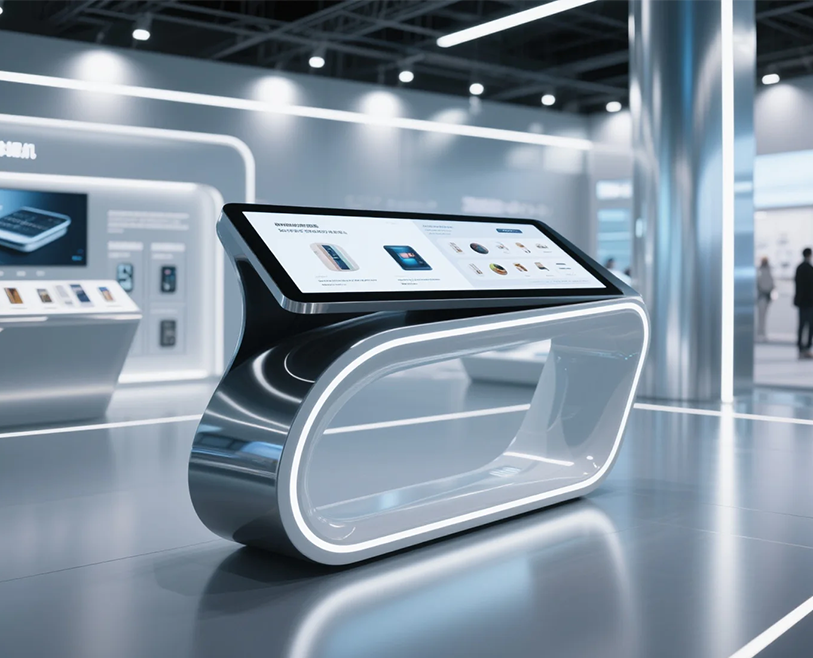
Kako industrijski monitori sa zaslonom osjetljivim na dodir poboljšavaju tijekove rada ERP-a u proizvodnji
Industrijski monitori sa zaslonom osjetljivim na dodir ne samo da "prikazuju" ERP podatke - oni ih čine tvorničkim radnicima prikladnim. Evo kako oni dodaju vrijednost:
1. Pojednostavljeni unos podataka u stvarnom vremenu
Ručni unos podataka (npr., dnevnike olovke i papira ili stolna računala) je spor i sklon pogreškama. Industrijski monitori sa zaslonom osjetljivim na dodir omogućuju radnicima:
- Zapišite proizvodne rezultate izravno u ERP: Dodirnite za snimanje "10 dovršenih jedinica" ili "2 odbačene jedinice" u stvarnom vremenu—nema više čekanja za sinkronizaciju podataka na kraju smjene.
- Trenutno ažurirajte razine zaliha: Skenirajte crtični kod (putem ugrađenih ili povezanih skenera) i dodirnite za označavanje sirovina kao "rabljenih" ili gotovih proizvoda kao "isporučenih"—održavanje ERP inventara točnim.
- Izvucite radne naloge na zahtjev: Pristupite ERP radnim nalozima sa zaslona osjetljivog na dodir, pogledajte upute korak po korak, i označiti zadatke kao "u tijeku" ili "dovršeno"—eliminirajući papirnate radne naloge i pogrešnu komunikaciju.
2. Pojednostavljena ERP navigacija za radnike na prvoj liniji
Većina ERP sustava ima složene nadzorne ploče dizajnirane za uredske timove - ne za tvorničke radnike. Industrijski monitori sa zaslonom osjetljivim na dodir to pojednostavljuju:
- Prilagođeni ERP widgeti: Prikaži samo ERP podatke koji su potrebni radnicima (npr., “Današnji proizvodni cilj,” “Provjere kvalitete na čekanju”) u velikom, ikone koje je lako dodirnuti—bez pomicanja kroz izbornike.
- ERP sučelja optimizirana za dodir: Prilagodite ERP zaslone za unose dodirom (npr., veći gumbi, prevucite za navigaciju) tako da radnici mogu koristiti sustav bez obuke za tipkovnice ili miševe.
- Offline ERP pristup: Za tvornice s isprekidanim Wi-Fijem, neki zasloni osjetljivi na dodir pohranjuju ERP podatke lokalno—radnici bilježe podatke izvan mreže, i automatski se sinkronizira kada se veza vrati.
3. Međufunkcionalna ERP suradnja
Industrijski monitori sa zaslonom osjetljivim na dodir povezuju različite timove putem ERP-a, smanjenje silosa:
- Kontrola kvalitete (QC) timovi: Prijavite podatke o nedostacima u ERP putem zaslona osjetljivog na dodir—proizvodni timovi odmah vide upozorenja i prilagođavaju procese kako bi riješili probleme.
- Skladišni timovi: Ažurirajte ERP s "primljenim sirovinama" - timovi za planiranje odmah vide dostupnost inventara i prilagođavaju proizvodne rasporede.
- Timovi za održavanje: Zabilježite prekid rada opreme u ERP—ERP automatski označava odgođene narudžbe i obavještava prodajne timove.
Ključne značajke kojima treba dati prioritet za industrijske monitore s dodirnim zaslonom spremnima za ERP
Nisu svi industrijski monitori sa zaslonom osjetljivim na dodir prikladni za ERP integraciju—ove značajke osiguravaju besprijekornu kompatibilnost i upotrebljivost:
1. Kompatibilnost ERP sustava
- Integracija softvera: Provjerite podržava li zaslon osjetljiv na dodir vašu ERP platformu (npr., SAP S/4HANA, Oracle NetSuite, Microsoft Dynamics 365). Potražite modele s unaprijed ugrađenim upravljačkim programima ili API-jima za povezivanje s ERP-om—izbjegavajte zaslone koji zahtijevaju prilagođeno kodiranje (što dodaje vrijeme i troškove).
- Podrška za operativni sustav: Većina proizvodnih ERP-ova radi sa sustavom Windows 10 IoT ili Linux—odaberite zaslon osjetljiv na dodir koji pokreće ove industrijske OS-e (ne potrošački Windows 11, kojem nedostaje izdržljivost za tvorničku upotrebu).
2. Trajnost za tvornička okruženja
Pristup ERP-u ne može se zaustaviti zbog oštećenja zaslona - odredite prioritet:
- Ocjena zaštite: IP65 ili viši (nepropustan za prašinu, otporan na vodu) za rukovanje prašinom s pokretne trake, prskanje ulja, ili vlažnost skladišta.
- Otpornost na vibracije: Upoznajte IEC 60068-2-6 standarde za otpornost na vibracije strojeva (kritično za zaslone osjetljive na dodir u blizini opreme za žigosanje ili pakiranje).
- Tolerancija na temperaturu: Radi na temperaturama od -10°C do 60°C—tako da ekran pouzdano radi u hladnim skladištima ili toplim proizvodnim područjima.
3. Upotrebljivost za radnike na prvoj liniji
- Veličina i razlučivost zaslona: 10– ekrani od 15 inča (za stanice s jednim radnikom) ili 17+ inčni ekrani (za zajedničke stanice) s rezolucijom 1920×1080—osigurajte ERP tablice, karte, a bar kodovi su čitljivi.
- Podrška na dodir u rukavicama: Otporni ili poboljšani kapacitivni dodir koji radi s industrijskim rukavicama (npr., antistatičke rukavice ili rukavice otporne na posjekotine)—radnici ne moraju skidati rukavice da bi koristili zaslon.
- Taktilna povratna informacija: Suptilne vibracije prilikom dodirivanja ERP tipki—omogućuje radnicima da potvrde unose bez gledanja u ekran (smanjenje pogrešaka i distrakcije).
Kako odabrati pravi industrijski monitor sa zaslonom osjetljivim na dodir za vaš ERP
Slijedite ove korake kako biste dodirni zaslon uskladili s vašim ERP i proizvodnim potrebama:
1. Mapirajte svoje ERP tijekove rada na slučajeve korištenja zaslona osjetljivog na dodir
- Odredite gdje je radnicima potreban ERP pristup: Montažne linije (proizvodna sječa), skladišta (ažuriranja inventara), ili QC stanice (prijava kvarova).
- Za svaki slučaj upotrebe, popis potrebnih ERP radnji (npr., “skeniraj crtični kod + ažuriraj inventar”) i osigurajte da zaslon osjetljiv na dodir podržava povezane alate (npr., skeneri barkodova, pisači).
2. Testirajte ERP integraciju prije potpune implementacije
- Zatražite demo jedinicu od dobavljača i testirajte je sa svojim ERP-om: Provjerite sinkroniziraju li se zapisnici podataka u stvarnom vremenu, ako dodirni ulazi rade s ERP tipkama, i ako izvanmrežni način funkcionira prema potrebi.
- Dobijte povratne informacije od radnika na prvoj liniji: Pitajte je li zaslon jednostavan za korištenje, ako su ERP podaci vidljivi, i ako to ubrzava njihove zadatke—njihov unos osigurava da zaslon osjetljiv na dodir rješava stvarne bolne točke.
3. Uzmite u obzir ukupne troškove vlasništva (TCO)
- Pogledajte dalje od početnih troškova: Odaberite zaslon osjetljiv na dodir s 3-5 godina jamstva (smanjuje troškove popravka) i niska potrošnja energije (smanjuje račune za struju 24/7 koristiti).
- Odlučite se za modularni dizajn: Zasloni sa zamjenjivim dijelovima (npr., dodirne ploče, napajanja) omogućuju popravak umjesto zamjene cijele jedinice—smanjenje dugoročnog TCO-a.
Često postavljana pitanja o industrijskim monitorima s dodirnim zaslonom za proizvodnju ERP
P1: Mogu li se industrijski monitori sa zaslonom osjetljivim na dodir spojiti na ERP sustave temeljene na oblaku (npr., SAP S/4HANA Cloud)?
A1: Da—većina modernih industrijskih dodirnih zaslona ima Ethernet ili Wi-Fi vezu za pristup ERP-u u oblaku. Provjerite ima li zaslon sigurnu enkripciju (npr., SSL/TLS) za zaštitu ERP prijenosa podataka.
Q2: Što ako zaslon osjetljiv na dodir izgubi Wi-Fi vezu — hoće li ERP podaci biti izgubljeni?
A2: Ne—ako zaslon ima izvanmrežni način rada, radnici mogu bilježiti podatke lokalno. Nakon što se Wi-Fi vrati, zaslon automatski sinkronizira pohranjene podatke s ERP-om. Za proizvodna okruženja uvijek odaberite modele s izvanmrežnom mogućnošću.
Q3: Trebamo li obučiti radnike za korištenje industrijskih monitora s zaslonom osjetljivim na dodir s ERP-om?
A3: Potrebna je minimalna obuka. Pojednostavljeno ERP sučelje zaslona osjetljivog na dodir (velike ikone, izbornici optimizirani za dodir) je intuitivan—većina radnika nauči ga koristiti u 30 minuta ili manje. Dobavljači često daju kratke videozapise za obuku kako bi ubrzali uvođenje.
Q4: Možemo li koristiti postojeće industrijske monitore sa zaslonom osjetljivim na dodir s našim novim ERP sustavom?
A4: Ovisi o kompatibilnosti. Provjerite je li OS vašeg trenutnog zaslona (npr., Windows 10 IoT) podržava novi ERP. ako ne, možda ćete morati ažurirati firmver zaslona ili dodati adapter za kompatibilnost—pitajte svog dobavljača ERP-a ili zaslona osjetljivog na dodir za smjernice.
Industrijski monitori sa zaslonom osjetljivim na dodir karika su koja nedostaje između vašeg proizvodnog ERP sustava i prvih operacija—pretvaranje složenih ERP podataka u djelotvorne, uvide u stvarnom vremenu za radnike. Davanjem prioriteta ERP kompatibilnosti, izdržljivost, i upotrebljivost, možete pojednostaviti tijek rada, smanjiti pogreške, i osigurajte da vaš ERP sustav pruža maksimalnu vrijednost u tvornici.
Ako niste sigurni koji industrijski monitor s dodirnim zaslonom odgovara vašem ERP-u (npr., potrebna pomoć za SAP vs. Oracle integracija, želite testirati izvanmrežni način rada za svoje skladište, ili trebaju preporuke za proizvodne linije s visokim vibracijama), ispunite obrazac na našoj web stranici. Naši stručnjaci za industrijsku tehnologiju analizirat će vaš ERP sustav, proizvodno okruženje, i tijek rada treba preporučiti prilagođeno rješenje—pomažući vam da otključate puni potencijal vašeg ERP-a s intuitivnim, pouzdan pristup ekranu osjetljivom na dodir.
