
When you shop for touch screens for kiosks, control panels or meeting displays, you will quickly find many technical options. Most commercial and industrial touch screens fall into two primary categories: capacitive and resistive. Other touch technologies exist, but these two dominate most common projects. This article explains these two types of touch screens, their key strengths, limitations and typical use cases.
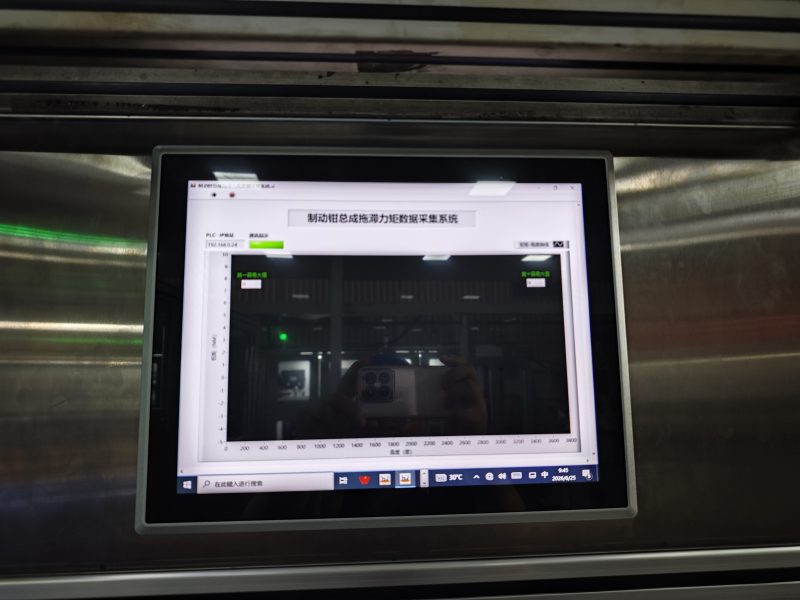
The Two Main Types of Touch Screens
Capacitive and resistive touch screens represent the two most widely used touch screen categories. They work with completely different physical principles.
Capacitive touch screens
Capacitive touch screens detect tiny electrical signals from human skin. They respond to bare finger touches and support multi-touch gestures such as zoom and swipe. They deliver fast, smooth feedback and clear image quality. Still, they cannot register input from thick gloves or non-conductive styluses. This type fits clean indoor environments with finger-only operation.
Resistive touch screens
Resistive touch screens rely on pressure to trigger input. Two thin conductive layers touch when you press the surface. They work with gloves, plastic styluses or any hard-tipped tool. They mainly support single-touch control. On the other hand, they have slightly lower light transmission and less smooth touch experience. They suit small industrial panels and simple kiosk applications.
Side-by-side Comparison of the Two Touch Screen Types
You can review these practical differences to make your selection easier.
Touch input method
Capacitive touch screens only react to conductive objects like bare fingers. Resistive touch screens respond to physical pressure from almost any object. If operators wear gloves, resistive models often become the better option.
Image quality and touch feel
Capacitive touch screens offer brighter visuals and a responsive, natural touch feel. Resistive touch screens require deliberate pressing, and the picture looks slightly dimmer. Users will notice this difference during daily operation.
Durability and environment fit
Capacitive touch screens use hard glass surfaces and resist scratches well. But they struggle in heavy dust or wet conditions. Resistive touch screens tolerate dusty workshop spaces and work reliably with gloved hands.
How to Choose Between These Two Touch Screens
Think over these simple points before you place your order.
Check who will operate the screen
First, confirm the user’s hands. Office staff with bare fingers work well with capacitive touch screens. Factory workers wearing gloves will need resistive touch screens instead.
Evaluate your working location
Next, look at your site. Clean offices and meeting rooms match capacitive touch screens. Factories and rugged workspaces usually favor resistive touch screens.
Define required touch functions
Finally, list your needed features. Choose capacitive touch screens if you need multi-touch gestures. Pick resistive touch screens if you only need basic single-touch commands.
FAQs about the two types of touch screens
Q1: What are the two primary types of touch screens?
A1: The two main types are capacitive touch screens and resistive touch screens. They are the most common touch screens for commercial and industrial projects.
Q2: Can capacitive touch screens work with gloved hands?
A2: Standard capacitive touch screens do not detect touches from thick gloves. You will need resistive touch screens for gloved operation.
Q3: Which touch screen supports multi-touch gestures?
A3: Capacitive touch screens support multi-touch actions like pinch and zoom. Resistive touch screens usually only support single touch.
Q4: Which touch screen lasts longer in dusty factory settings?
A4: Resistive touch screens perform better in dusty factory environments. Capacitive models work best in clean indoor spaces.
Q5: Are there other touch screen types besides these two?
A5: Yes, infrared and surface acoustic wave touch screens exist. However, capacitive and resistive touch screens remain the two most widely adopted touch screens.
Conclusion
To sum up, the two core types of touch screens are capacitive and resistive. Capacitive touch screens deliver smooth multi-touch for bare-finger use in clean indoor spaces. Resistive touch screens react to pressure and support gloved operation for industrial and simple kiosk tasks. Your user type, working environment and touch functions decide which option fits your project.
If you want professional guidance to select suitable touch screens for your application, please fill out the inquiry form on our website. Share your operating environment and touch input requirements, and our team will provide a matching touch screen solution.