
Fabrikssamlingslinjer er afhængige af stabile HMI-skærme til daglig drift. Operatører justerer indstillinger, overvåge produktionen og administrere arbejdsgange med disse paneler. Alligevel dukker spøgelsesberøringer ofte op og forstyrrer glatte arbejdsgange. Tilfældige klik, pludselige menuspring og ukommanderede input bremser produktionen.
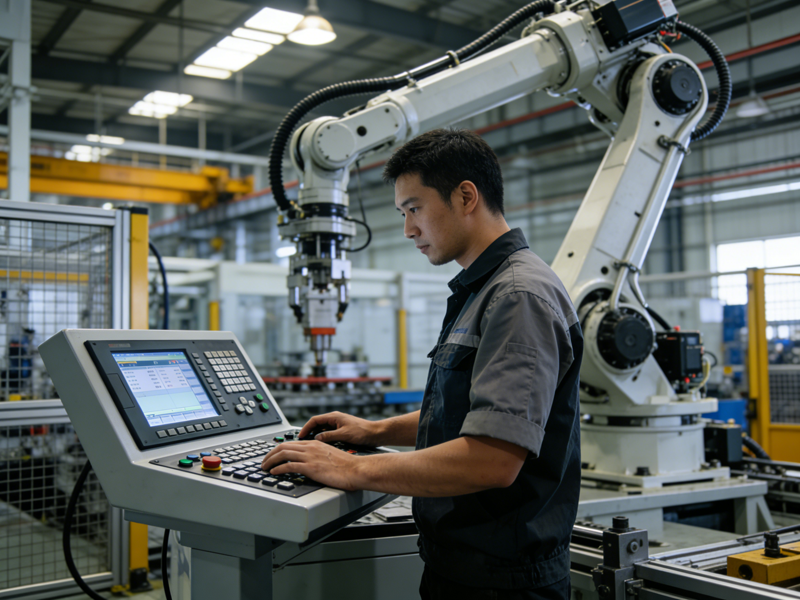
Et uadresseret problem med spøgelsesberøring fører til fejl og dyre linjestop. De fleste problemer stammer fra simple, fikserbare udløsere i industrielle miljøer. Denne vejledning deler praktisk, trin-for-trin løsninger til Assembly Line HMI Berøringsskærm spøgelsesberøringer. Det dækker også almindelige årsager, forebyggelsestips og nyttige ofte stillede spørgsmål for at holde din linje kørende.
Almindelige årsager til spøgelsesberøringer på samlebånds HMI-skærme
Før reparationer starter, identificere, hvad der udløser uønskede berøringsinput. Industrielle forhold skaber unik stress for HMI-hardware hver dag.
1. Snavsede eller forurenede skærmoverflader
Først, støv, olie og fabriksrester ophobes på displayet. Tynde snavslag forvirrer let berøringssensorer. Selv lette pletter kan skabe falske kontaktpunkter på tværs af skærmen. Dette problem rangerer som den hyppigste udløser i travle værksteder.
2. Elektrisk interferens nær kontrolpaneler
Næste, tunge maskiner genererer stærke elektriske signaler. Motorer, strømkabler og højspændingsværktøjer forstyrrer HMI-berøringskredsløb. Signaloverlapning forvirrer digitizeren og forårsager tilfældige spøgelsestryk. Denne risiko stiger i kompakte samlebåndsarbejdsområder.
3. Beskadigede eller løse berøringskomponenter
Desuden, konstante vibrationer svækker interne ledninger over tid. Løse stik eller slidte digitizerlag skaber ustabile signaler. Mindre skærmrevner ændrer også berøringsfølsomheden og udløser falske input. Langvarig linjebrug forværrer disse små hardwarefejl.
4. Ukalibreret eller forældet HMI-firmware
Desuden, forældet software fører til sensorfejl. Forkert berøringskalibrering afbryder inputdetektion. Korrupte systemfiler forårsager også uregelmæssig skærmadfærd. Regelmæssige systemtjek bliver ofte overset i hurtige fabriksplaner.
Hurtigt & Praktiske rettelser til samlebånds HMI Ghost Touches
Brug disse handlingsrettede metoder til at løse problemer hurtigt. Alle trin passer til fabriksteams på stedet og kræver ingen avanceret værktøj.
1. Udfør korrekt industriel skærmrensning
Start med en blid, grundig skærmaftørring. Sluk først HMI'et for at undgå utilsigtede kommandoer. Brug fnugfri klud og industriel skærmrens. Spring over skrappe kemikalier, der beskadiger beskyttende belægninger. Fjern olie, metalstøv og klæbrige rester fuldt ud for øjeblikkelig forbedring.
2. Genkalibrer HMI Touch-systemet
Næste, køre indbygget berøringskalibrering på din enhed. De fleste samlebånds HMI-skærme har en simpel opsætningsmenu. Følg anvisningerne på skærmen for at nulstille berøringsjustering. Kalibrering korrigerer sensordrift og fjerner mindre softwarefejl. Gentag denne opgave hver måned for langsigtet stabilitet.
3. Reducer elektrisk interferens på stedet
Så, omarranger kabelføringen rundt om kontrolpanelet. Adskil HMI-ledninger fra tunge elledninger. Tilføj afskærmningsdæksler til udsatte højspændingskabler. Hold store motorer og robotarme på sikker afstand fra HMI-stationer. Små layoutændringer reducerer signalkonflikter drastisk.
4. Kontroller og sikre interne forbindelser
Til vedvarende problemer, inspicere interne berøringsstik. Sluk først, og afbryd alle strømkilder. Sæt løse båndkabler på plads igen, og rengør tilslutningspunkterne. Fastgør bøjede stifter eller slidte ledninger med det samme. Tæt monteringshardware sænker også vibrationsrelaterede berøringsfejl.
5. Opdater HMI-firmware og systemindstillinger
Endelig, installere officielle firmwareopdateringer fra producenten. Opdaterer patch-sensorfejl og øger berøringsnøjagtigheden. Gendan standardindstillingerne, hvis brugerdefinerede konfigurationer forårsager konflikter. Lås følsomme berøringsparametre for at forhindre utilsigtede ændringer på linjen.
Langsigtede forebyggelsestips til HMI Touch Stabilitet
Simple daglige vaner forhindrer spøgelsesberøringer i at vende tilbage. Beskyt din Assembly Line HMI Touch Screen mod industriel slitage.
1. Tilføj industrielle skærmbeskyttere
Passer antistatisk, ridsefaste beskyttere på hver enhed. Disse barrierer blokerer støv- og olieopbygning. De absorberer også mindre vibrationer og lette stød. Skift beskyttere regelmæssigt for at holde dem fri, stabil berøringsydelse.
2. Planlæg rutinemæssig HMI-vedligeholdelse
Indstil en ugentlig kontrol for alle samlebåndskontrolskærme. Inkluder rengøring, kalibrering og visuelle hardwaretjek. Log små problemer for at undgå pludselige nedbrud. Planlagt vedligeholdelse reducerer uplanlagt produktionsnedetid.
3. Vælg vibrationsbestandige monteringer
Opgrader standardbeslag til forstærkede anti-vibrationsbeslag. Disse dele absorberer konstant linjebevægelse. De holder interne berøringskomponenter stabile og sikre. Denne opgradering fungerer godt til højvibrationsproduktionszoner.
Ofte stillede spørgsmål om Assembly Line HMI Touch Screen Ghost Touches
Q1: Hvad er spøgelsesberøringer på industrielle HMI-skærme?
A1: Spøgelsesberøringer er tilfældige, ukommanderede skærminput. De udløser menuændringer, indstilling af vagter og arbejdsgangsforstyrrelser på samlebånd.
Q2: Kan simpel rengøring løse de fleste problemer med spøgelsesberøring?
A2: Ja. Overfladesnavs og industristøv forårsager over halvdelen af mindre berøringsfejl. Regelmæssig rengøring leverer hurtigt, lave omkostninger.
Q3: Er elektrisk interferens et almindeligt fabriksproblem?
A3: Absolut. Tungt industrielt udstyr udsender stærke signaler. Disse signaler forstyrrer HMI-berøringssensorer uden ordentlig afskærmning.
Q4: Har jeg brug for professionel hjælp til HMI kalibrering?
A4: Ingen. De fleste samlebånds HMI-systemer har indbyggede kalibreringsværktøjer. Personalet på stedet kan fuldføre processen på få minutter.
Q5: Hvornår skal jeg udskifte en defekt HMI-berøringsskærm?
A5: Udskift enheden, hvis den revner, permanent hardwareskade eller ikke-reparerbar sensorfejl vises. Rettidig udskiftning undgår nedlukning af lange linjer.
Konklusion
Spøgelsesberøringer på en Assembly Line HMI-berøringsskærm behøver ikke at bremse din produktion. Grundlæggende rengøring, kalibrering, interferenskontrol og hardwaretjek løser næsten alle almindelige problemer. Langsigtede vaner som beskyttelsestilbehør og rutinemæssig vedligeholdelse holder skærmene stabile i årevis.
Hurtig fejlfinding reducerer nedetiden, sænker reparationsomkostningerne og holder dit samlebånd effektivt. Stabile HMI-styringer øger også førersikkerheden og den daglige produktivitet på tværs af alle skift.
Hvis du kæmper med tilbagevendende HMI ghost touch-problemer eller har brug for holdbare udskiftningsberøringsskærme, vores team kan hjælpe. Udfyld kontaktformularen på vores hjemmeside for at dele din maskinmodel og fabriksforhold. Vi sender skræddersyede løsninger, produktspecifikationer og ekspertsupport til at opgradere din samlebåndskontrolhardware.
