
Zasloni osjetljivi na dodir djeluju kao temeljna interaktivna komponenta za većinu pametnih uređaja. Korisnicima omogućuje upravljanje opremom jednostavnim dodirom i klizanjem. Uklanja potrebu za dodatnim tipkovnicama ili miševima.
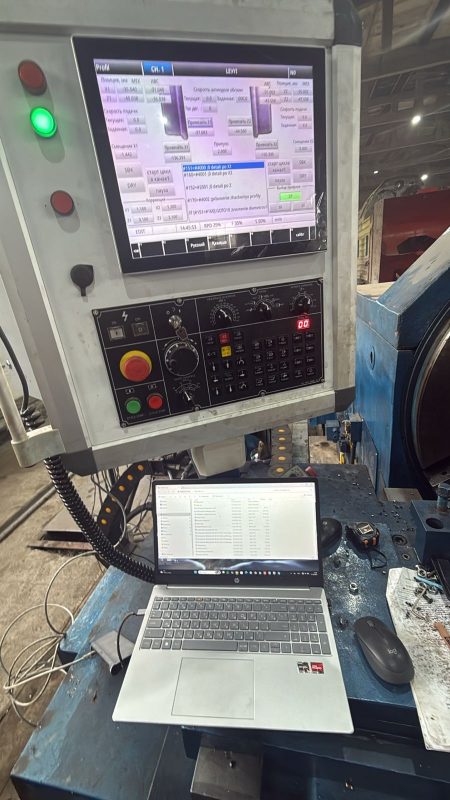
Većina ljudi koristi uređaje sa zaslonom osjetljivim na dodir svaki dan. Čak i tako, malo korisnika razumije kako ti zasloni otkrivaju i reagiraju na ljudski dodir. Zapravo, različite vrste zaslona osjetljivih na dodir oslanjaju se na jedinstvene unutarnje mehanizme rada. Nadalje, svaka tehnologija odgovara različitim okruženjima korištenja. Ovaj članak razlaže univerzalni radni proces i temeljna načela uobičajenih vrsta dodirnih zaslona.
Univerzalni radni proces u 3 koraka bilo kojeg zaslona osjetljivog na dodir
Svi standardni uređaji sa zaslonom osjetljivim na dodir slijede isti osnovni tijek rada. Ovaj jednostavan postupak dovršava svaki odgovor na dodir u milisekundama.
1. Detekcija signala u stvarnom vremenu
Zaslon osjetljiv na dodir održava svoj unutarnji senzorski sloj aktivnim nakon uključivanja. Kontinuirano skenira cijelu površinu ploče. Trenutačno bilježi svaki fizički kontakt prstiju ili alata.
2. Točan izračun koordinata
Jednom kada dođe do kontakta, ekran šalje neobrađene signalne podatke svom kontrolnom čipu. Čip brzo izračunava točan X i Y položaj dodira na području zaslona. Uklanja nevažeće zalutale signale kako bi se osigurala preciznost.
3. Povratna informacija i odgovor sustava
Čip prenosi podatke o koordinatama glavnom sustavu uređaja. Sustav usklađuje položaj s funkcijama na zaslonu. Konačno, osvježava sučelje i korisnicima pruža trenutačnu vizualnu povratnu informaciju.
Princip rada kapacitivnog zaslona osjetljivog na dodir
Kapacitivni dodirni zasloni dominiraju komercijalnim i potrošačkim pametnim uređajima. Njihov rad ovisi o električnoj indukciji ljudskog tijela.
1. Izgradite stabilno elektrostatičko polje
Tanki vodljivi sloj prekriva cijelo staklo zaslona. Formira jednolično elektrostatičko polje kada se uređaj uključi. Polje ostaje stabilno bez ljudskog kontakta.
2. Pokretanje pomaka naboja dodirom prsta
Ljudska koža nosi slabe prirodne električne naboje. Dodir golim prstom izvlači maleni naboj iz vodljivog sloja zaslona. Ova radnja prekida izvornu električnu ravnotežu.
3. Locirajte točke kroz razliku signala
Senzori u kutovima zaslona otkrivaju promjene napunjenosti. Kontrolni čip uspoređuje više skupova podataka. Točno određuje položaj dodira i podržava glatke višedodirne geste.
Princip rada rezistivnog zaslona osjetljivog na dodir
Zasloni osjetljivi na dodir usmjereni su na indukciju tlaka umjesto na električne signale. Izvrsni su u složenim industrijskim scenarijima.
1. Dvoslojna odvojena struktura
Ovaj zaslon osjetljiv na dodir ima dva fleksibilna vodljiva filma. Mali zračni raspor odvaja gornji i donji sloj u normalnim uvjetima. Bez vanjskog pritiska ne nastaje strujni krug.
2. Fizički pritisak povezuje dvostruke slojeve
Ruke u rukavicama ili alati pritisnuti vanjski film prema dolje. Gornji film dodiruje donji vodljivi sloj. Ova radnja stvara potpuni električni krug.
3. Izračunajte položaj preko promjena napona
Različiti položaji prešanja proizvode različite vrijednosti napona. Čip čita te promjene podataka. Potvrđuje koordinate dodira i pokreće odgovarajuće radnje uređaja.
Princip rada infracrvenog zaslona osjetljivog na dodir
Infracrveni zasloni osjetljivi na dodir prihvaćaju strukturu senzora granice. Imaju visoku izdržljivost za javne uređaje velikih dimenzija.
1. Izgradite guste infracrvene svjetlosne mreže
Odašiljači i prijamnici okružuju okvir ekrana. Lansiraju vodoravne i okomite infracrvene zrake. Ove zrake tvore svjetlosnu mrežu pune pokrivenosti preko površine zaslona.
2. Blokirajte infracrvene zrake fizičkim kontaktom
Bilo koji čvrsti predmet blokira lokalne infracrvene zrake pri dodirivanju zaslona. Prijemnik gubi odgovarajuće svjetlosne signale na određenim pozicijama.
3. Prepoznajte lokaciju dodira kroz blokirane točke
Sustav bilježi sve nedostajuće infracrvene signale. Izračunava točne položaje dodira na temelju koordinata mreže. Podržava stabilan rad sa snažnom sposobnošću protiv smetnji.
Ključne radne razlike između tipova zaslona osjetljivih na dodir
Svaki zaslon osjetljiv na dodir ima jedinstvenu mehaničku logiku. Ove razlike odlučuju o njihovim primjenjivim scenarijima.
1. Uvjeti pokretanja uvelike variraju
Kapacitivni zasloni reagiraju samo na golu vodljivu kožu. Otporni i infracrveni zasloni prihvaćaju rukavice, stilusi i uobičajeni čvrsti alati.
2. Razlike u brzini odziva
Kapacitivni dodirni zasloni pružaju brži višedodirni odgovor. Otporni zasloni usmjereni su na stabilno prepoznavanje dodira u jednoj točki za industrijsku upotrebu.
3. Sposobnost zaštite okoliša od smetnji
Infracrveni i otporni zasloni bolje su otporni na prašinu i vlagu. Kapacitivni zasloni osjetljiviji su na površinske mrlje i statički elektricitet iz okoline.
Često postavljana pitanja o tome kako zaslon osjetljiv na dodir radi
P1: Koji osnovni mehanizam čini zaslon osjetljiv na dodir funkcionalnim?
A1: Zaslon osjetljiv na dodir snima vanjske kontaktne signale, izračunava precizne koordinate, i šalje podatke u glavni sustav kako bi se postigao interaktivni odgovor.
Q2: Zašto rukavice ne upravljaju modelima s kapacitivnim zaslonom osjetljivim na dodir?
A2: Rukavice izoliraju naboje ljudskog tijela. One sprječavaju elektrostatski pomak i ostavljaju dodirni zaslon bez valjanog signala za otkrivanje.
Q3: Koji zaslon osjetljiv na dodir najbolje radi u prašnjavim industrijskim okruženjima?
A3: Modeli s otpornim i infracrvenim zaslonom osjetljivim na dodir rade bolje. Oslanjaju se na fizički kontakt umjesto na električnu indukciju i otporni su na smetnje iz okoline.
Q4: Mogu li svi zasloni osjetljivi na dodir podržavati višedodirni rad?
A4: Ne. Samo kapacitivni dodirni zasloni podržavaju višedodirne geste. Otporni i infracrveni glavni modeli uglavnom podržavaju dodirni unos u jednoj točki.
P5: Utječe li prljavština zaslona na radnu izvedbu zaslona osjetljivog na dodir?
A5: Prljavština jedva utječe na otporne i infracrvene zaslone. Međutim, ulje i prašina ometat će elektrostatičko polje i smanjiti kapacitivnu točnost dodira.
Zaključak
Da rezimiramo, svaki zaslon osjetljiv na dodir radi putem detekcije signala, proračun koordinata i povratne informacije sustava. Kapacitivni modeli koriste elektrostatičku indukciju za glatku komercijalnu interakciju. U međuvremenu, otporni zasloni prihvaćaju provođenje tlaka za industrijsku stabilnost, a infracrveni zasloni koriste blokiranje svjetlosne mreže za dugotrajnu javnu uporabu. Razumijevanje načina rada zaslona osjetljivog na dodir pomaže vam da odaberete pravu vrstu za vaše radno okruženje i zahtjeve projekta.
Ako trebate prilagođeno, visoko stabilna rješenja za zaslon osjetljiv na dodir za vašu industrijsku ili komercijalnu opremu, ispunite obrazac za upit na našoj službenoj stranici. Podijelite svoje scenarije korištenja i operativne potrebe, a naš stručni tim će pružiti rješenja po mjeri za vaš projekt.