
In factory assembly lines—whether automotive, इलेक्ट्रानिक्स, or appliance manufacturing—Industrial HMI Screen act as the “bridge” between operators and machinery. They display real-time production data, simplify control commands, and reduce human errors, directly impacting assembly speed and accuracy. तथापि, with varied screen sizes, touch technologies, and durability standards, selecting the right Industrial HMI Screen for your specific assembly scenario can be challenging. This guide breaks down critical selection criteria, scenario-based recommendations, and common pitfalls to help you pick a screen that aligns with your assembly line’s needs.
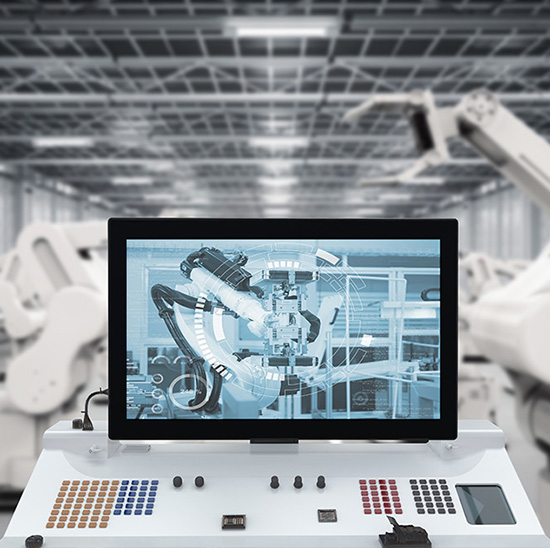
Core Factors to Evaluate When Choosing Industrial HMI Screens
Not all Industrial HMI Screens are built for factory assembly—prioritize these factors to avoid mismatches:
1. Durability for Assembly Line Environments
Factory floors expose screens to dust, तेल, frequent cleaning, and occasional impacts. Look for:
सुरक्षा रेटिंग: Minimum IP65 (resists water splashes and dust—essential for food or automotive assembly with washdowns).
स्क्रीन सामग्री: Chemically strengthened glass or anti-scratch film (prevents damage from tools or accidental bumps).
तापमान सहनशीलता: -10डिग्री सेल्सियस से 60 डिग्री सेल्सियस (handles fluctuations in workshops with heating or cooling systems).
2. स्क्रीन का साईज़ & Resolution (Match Operator Workflow)
The right size ensures operators can read data without leaning in or straining:
Small screens (5–7 inches): Ideal for compact machinery (जैसे, small electronics assembly stations) where space is limited.
Medium screens (10–15 inches): Best for general assembly lines (जैसे, automotive part fitting) needing to display 3–5 data points (रफ़्तार, error alerts, counts).
Large screens (17+ इंच): Suitable for central control stations monitoring multiple assembly cells (requires high resolution: 1920×1080 or higher for clear multi-zone displays).
3. छूना & Interface Compatibility
Assembly line operators need quick, accurate interactions—choose based on operation habits:
Touch type: Resistive (दस्ताने के साथ काम करता है, critical for electronics assembly with anti-static gloves) or capacitive (faster response for high-speed lines).
Input options: Ensure support for external keyboards/mice (useful for complex data entry, जैसे, custom assembly parameters).
सॉफ्टवेयर एकीकरण: Compatible with your PLC (प्रोग्रामयोग्य तर्क नियंत्रक) and MES (Manufacturing Execution System) to sync real-time data.
4. विश्वसनीयता & Maintenance
Assembly lines run 8–24 hours daily—downtime due to screen failures is costly:
एमटीबीएफ (विफलताओं के बीच का औसत समय): Aim for 50,000+ घंटे (के बराबर 5+ वर्षों तक निरंतर उपयोग).
Easy replacement: Modular design (जैसे, detachable front panels) to reduce maintenance time (critical for lines with minimal shutdown windows).
Scenario-Based Recommendations for Factory Assembly
Different assembly environments demand tailored Industrial HMI Screens—here’s how to match them:
1. Automotive Assembly Lines
Needs: Resist oil, display real-time torque/position data, and work with heavy gloves.
Recommendation: 12–15 inch IP65-rated screens with resistive touch, 1000+ निट्स चमक (cuts glare from factory lighting).
2. Electronics Assembly (PCB/Battery Production)
Needs: Anti-static, compact size, and compatibility with precision control systems.
Recommendation: 7–10 inch screens with anti-static coating, कैपेसिटिव टच (for fine adjustments), and RS485 interface (syncs with PCB testers).
3. Large Appliance Assembly (Washers, Refrigerators)
Needs: Display multi-step workflows, durable against bumps from large parts.
Recommendation: 15–17 inch screens with reinforced frames, wide viewing angles (so operators at different stations can read), and built-in error-logging software.
FAQs About Industrial HMI Screens for Factory Assembly
Q1: Can Industrial HMI Screens work in dusty environments like metal stamping workshops?
ए 1: Yes—choose screens with IP66 protection (fully dust-tight) and fanless designs (avoids drawing in dust). Regularly wipe the screen with a dry cloth to prevent buildup.
Q2: How to ensure the HMI screen integrates with our existing assembly line software?
ए2: Provide your supplier with your PLC model (जैसे, सीमेंस S7-1200) and MES software version. Reputable suppliers will test compatibility and offer custom drivers if needed.
Q3: What’s the difference between Industrial HMI Screens and regular touchscreens?
ए3: Regular touchscreens lack industrial-grade durability (जैसे, IP rating, तापमान प्रतिरोध) and can’t sync with manufacturing equipment. Industrial HMI Screens are built for 24/7 operation and seamless machine communication.
Q4: How long do Industrial HMI Screens last in assembly lines?
ए4: उचित रखरखाव के साथ (avoiding harsh chemicals, regular cleaning), they typically last 5–8 years. Screens in high-vibration environments (जैसे, near stamping machines) may need replacement after 4–6 years.
Choosing the right Industrial HMI Screen for factory assembly hinges on matching durability, आकार, and compatibility to your specific line’s needs—whether it’s automotive, इलेक्ट्रानिक्स, or appliance manufacturing. The right screen reduces errors, speeds up operations, and minimizes downtime.
If you’re unsure which Industrial HMI Screen fits your assembly line (जैसे, need help with size selection or software integration), हमारी वेबसाइट पर फॉर्म भरें. Our team will analyze your workshop environment, equipment models, and workflow requirements to recommend a tailored solution within 24 hours—helping you optimize your assembly process and avoid costly mistakes.
